Reviews
The “Reviews” module collects all changes that need to be reviewed and confirmed by a user before they are applied. This includes, among others:
- Changes to generated documents such as privacy notices
- Updates made by Metasoul to service providers as well as Apps & Cloud Services managed within the Metasoul Business plan
A pending change is only applied to the respective document or entry once it has been accepted in the Reviews module. This ensures that no adjustment takes effect unnoticed or without review.
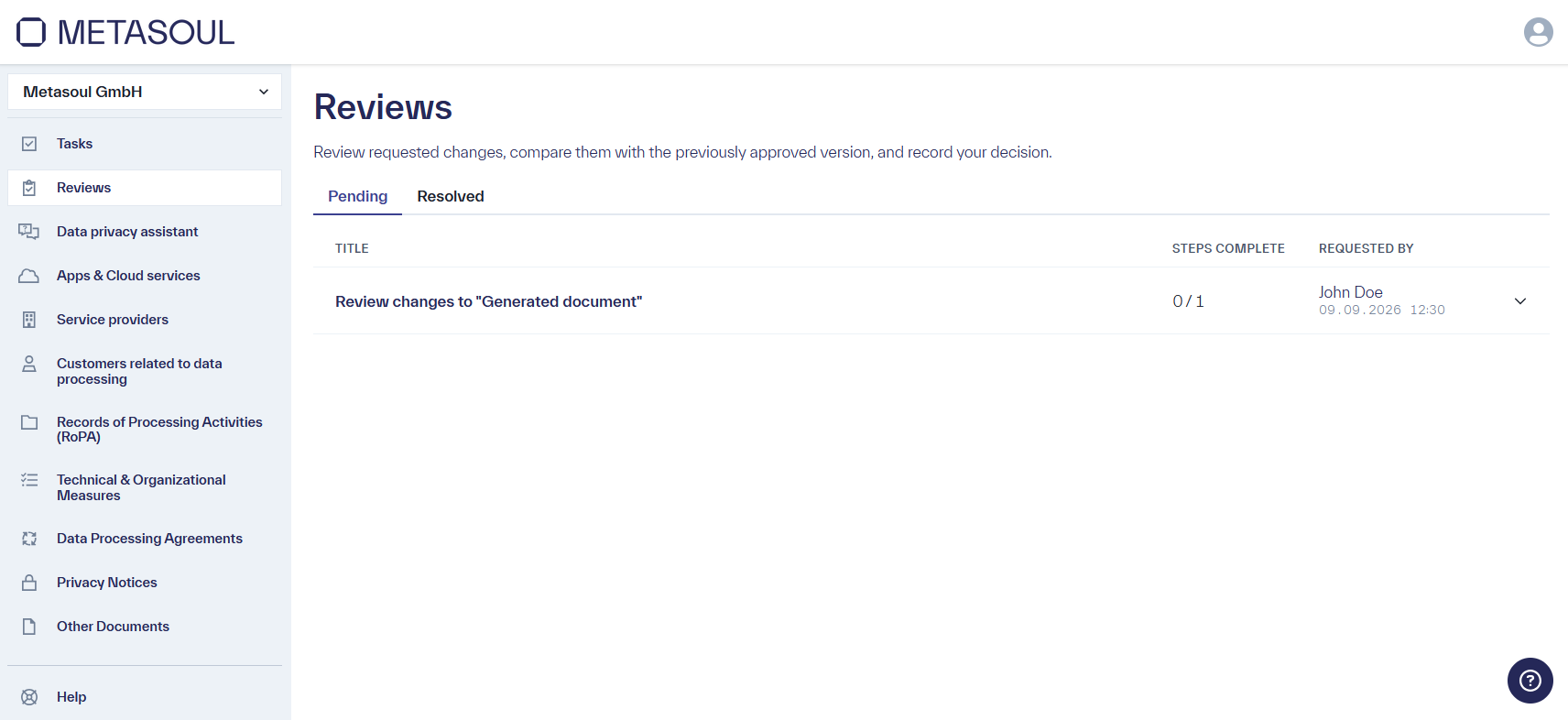
Under the “Pending” tab, all reviews that have not yet been completed are listed. An entry groups together all changes that resulted from a single update, for example “Review changes to “Generated document””. Each entry shows the number of steps already completed as well as the person who triggered the change.
An entry can be expanded, revealing the individual items that need to be reviewed, for example the individual documents affected by the change. Each of these items has its own “Review” button as well as a status (“Pending” or completed).
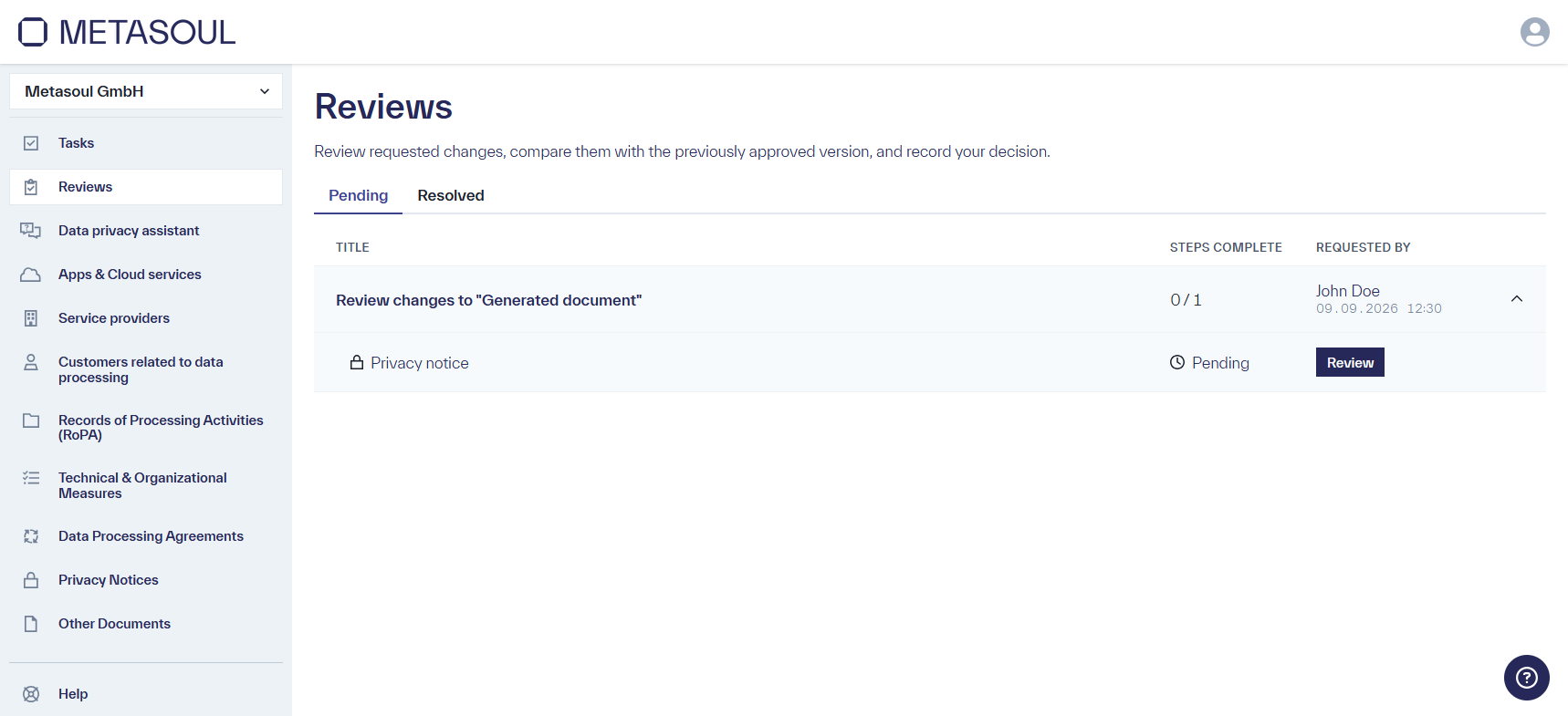
Important: A parent entry is only considered fully reviewed once all its sub-items have been reviewed and accepted. Only then does the change take effect in the corresponding module (for example, the privacy notice), and its status changes accordingly (for example, from “In review” to “Active”).
For generated documents, such as a privacy notice, clicking “Review” opens a side-by-side comparison of the previous (“Previous”) and new (“New”) version of the respective section. This makes it easy to see at a glance which content has changed.
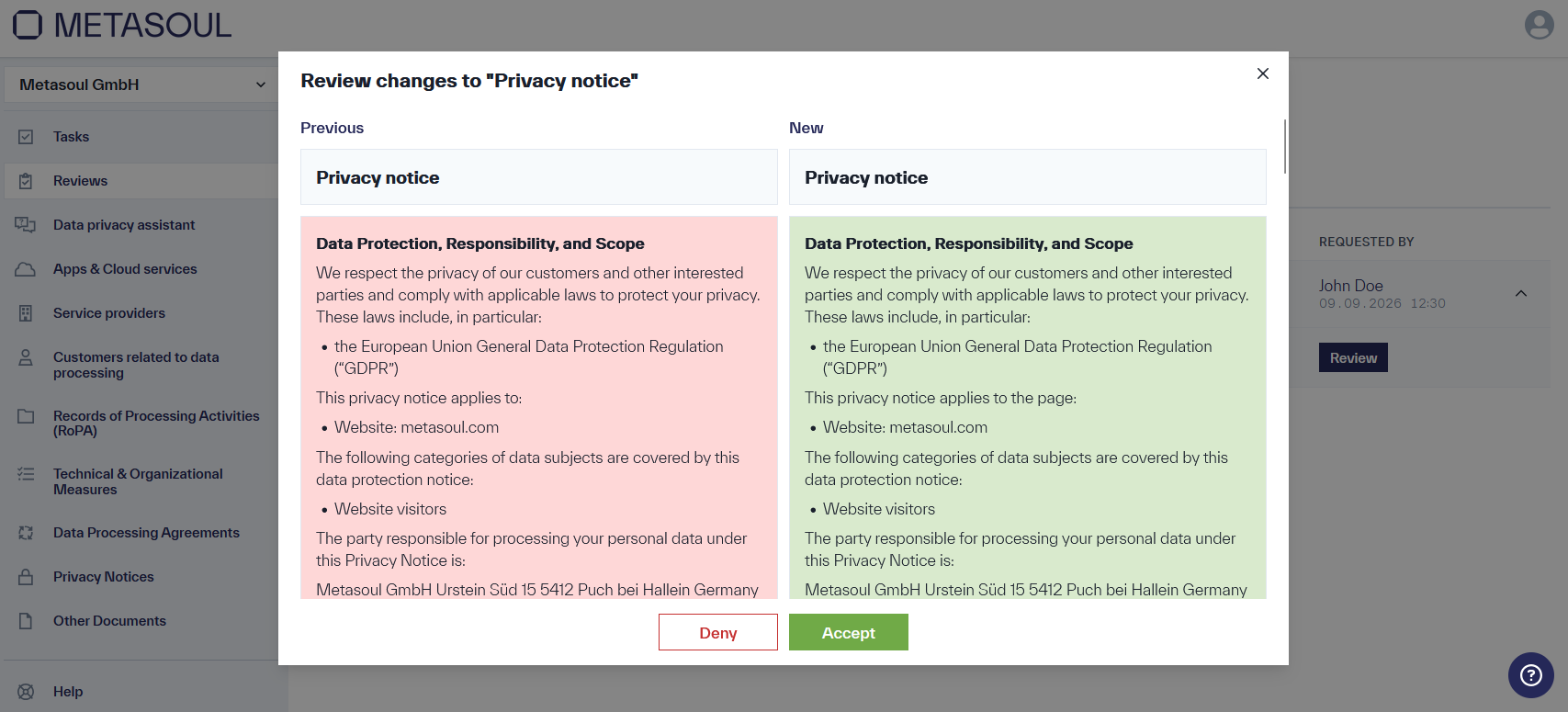
Here too, the changes can either be applied by clicking “Accept” or discarded by clicking “Deny”.
Metasoul maintains an extensive database of service providers, products, and Apps & Cloud Services, which is continuously expanded and updated with new findings. If such an update affects an entry stored for a customer, a corresponding entry is likewise created in the “Reviews” module.
The process follows the same steps described above: the affected entry can be expanded, and the proposed update can be viewed by clicking the “Review” button. Only after confirming with “Accept” is the update applied to the respective service provider, product, or Apps & Cloud Service, as well as to any dependent documents such as privacy notices.
If a change is rejected using the “Deny” button, it is not applied to the respective document or affected entry. The affected document or entry remains at its last accepted state.
Note: For questions about a denied change, the Metasoul team is available at help@metasoul.com or via the support function in Metasoul, the question mark icon in the bottom-right corner of the screen.
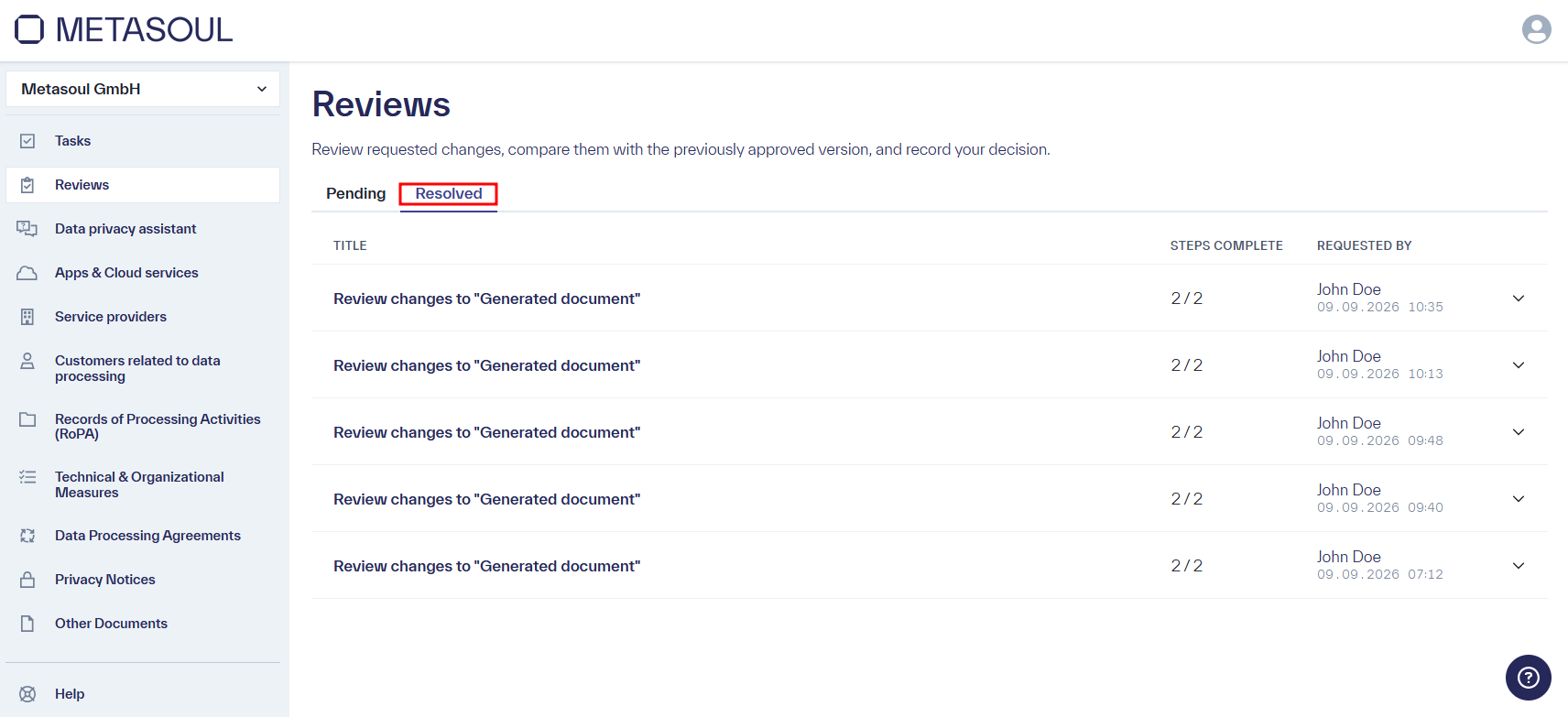
All reviews that have already been accepted or denied can be found in the “Reviews” module under the “Resolved” tab.