
Privacy Notice
The basis for a privacy notice is a completed questionnaire. In the module “Data privacy assistant”, an available questionnaire option for the required use case can be selected. If a corresponding questionnaire has already been completed, which should serve as the basis for a privacy notice, it will be visible in the overview with the status “Completed”, and the next step can be skipped.

Once the appropriate questionnaire for the use case has been selected, it will open.
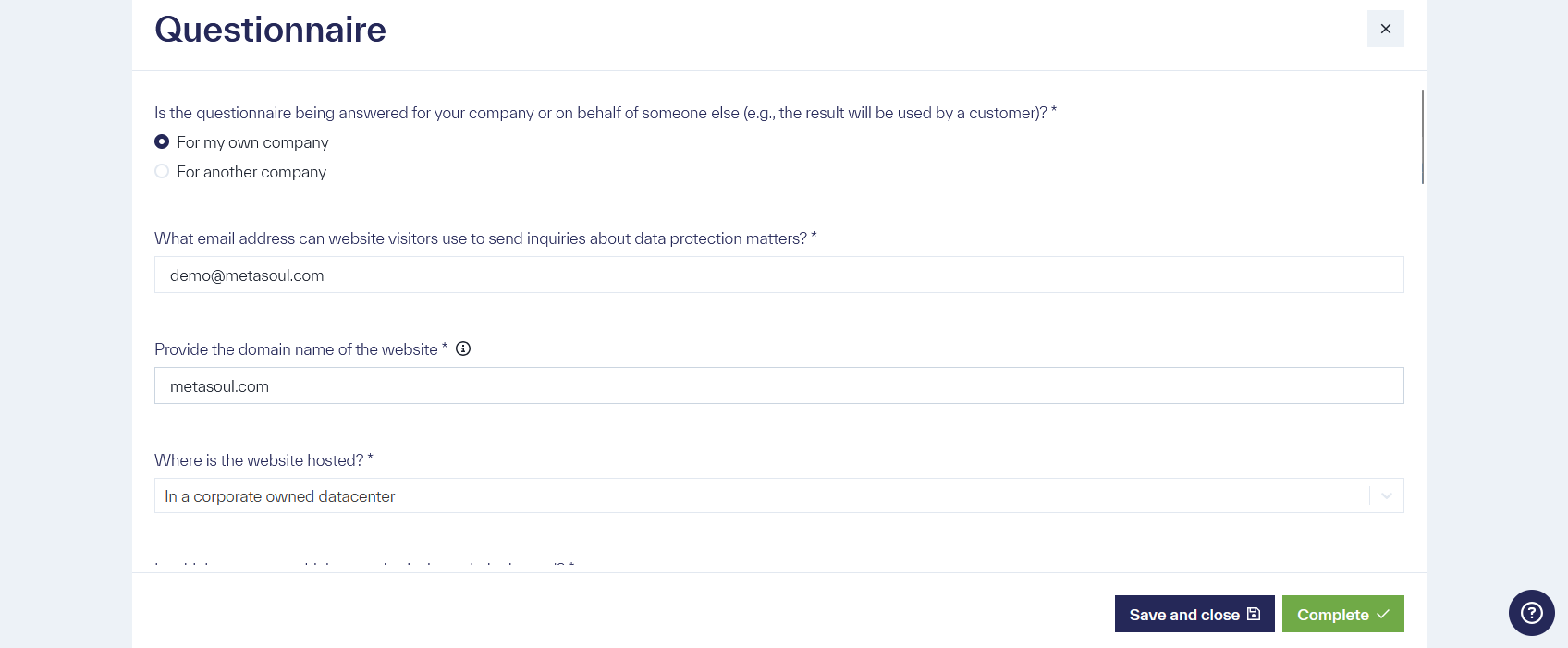
A detailed description of how to fill out a questionnaire for a privacy notice can be found in the article “How do I fill out a questionnaire for a privacy notice?”
Once the questionnaire is completed, a new entry will appear in the selected category, marked with the status “Completed.”
If the status is “Draft,” the entry must first be completed before a privacy notice can be created.
The respective questionnaire can be opened and edited by clicking the pencil icon on the right.

In editor mode, all missing mandatory questions can be answered, and at the end of the questionnaire, the “Complete” button can be used to finalize the questionnaire. This will change the status to “Completed.”

Two methods are available for generating a privacy notice draft from a questionnaire.
In the “Data privacy assistant”, on the right side of a questionnaire entry, there is an icon with three vertical dots. By clicking on this icon and selecting the option “Create privacy notice,” the creation of the privacy notice will be triggered. Important: The questionnaire must have the status “Completed” for the option to create the privacy notice to be displayed.

Alternatively to method one, a new privacy notice can be created in the “privacy notices” module by clicking the “Create privacy notice” button in the top right corner.
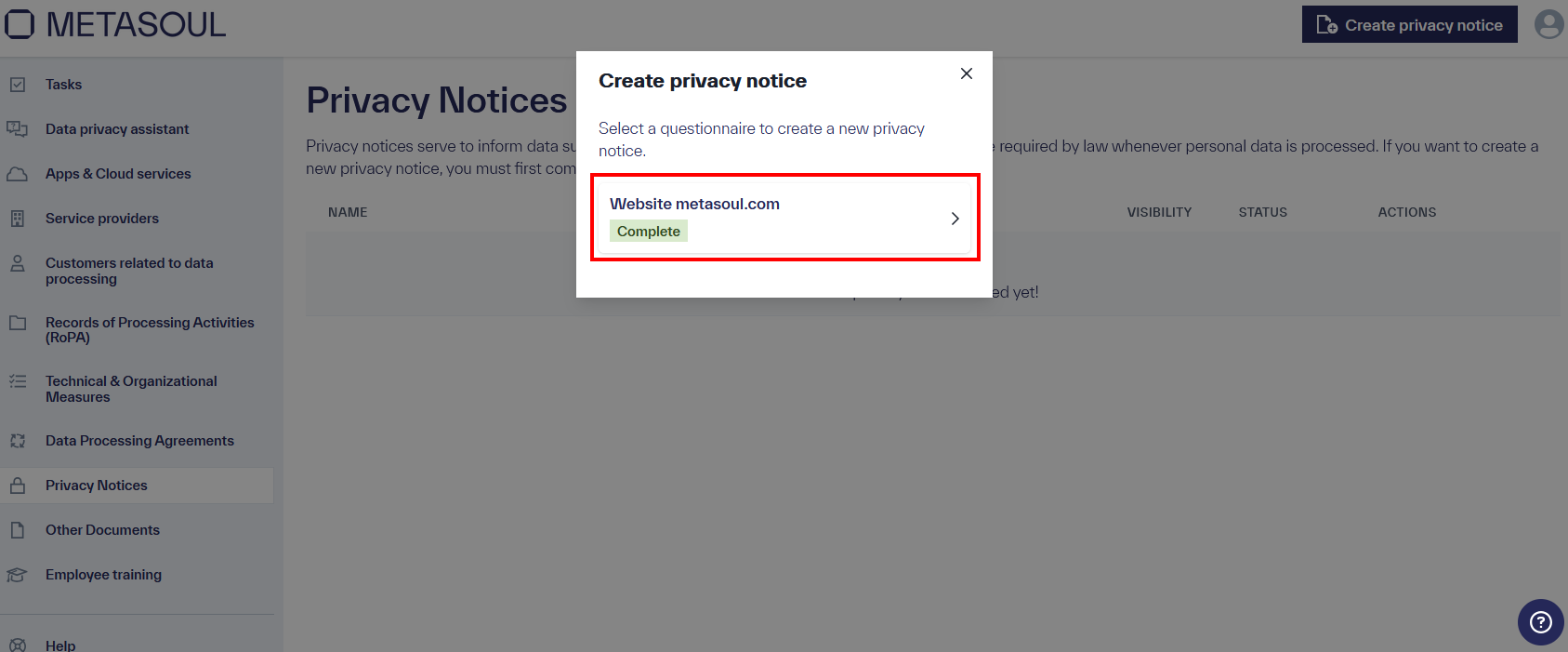
After selecting this option, a menu will open, where one of the completed questionnaires with the status “Completed” can be selected.
Regardless of the chosen method, the next step will display an overview page. In this view, the entire privacy notice can be reviewed, and if necessary, each section can be adjusted. A section can be edited by clicking the “pencil” icon in the top right corner of the respective section.
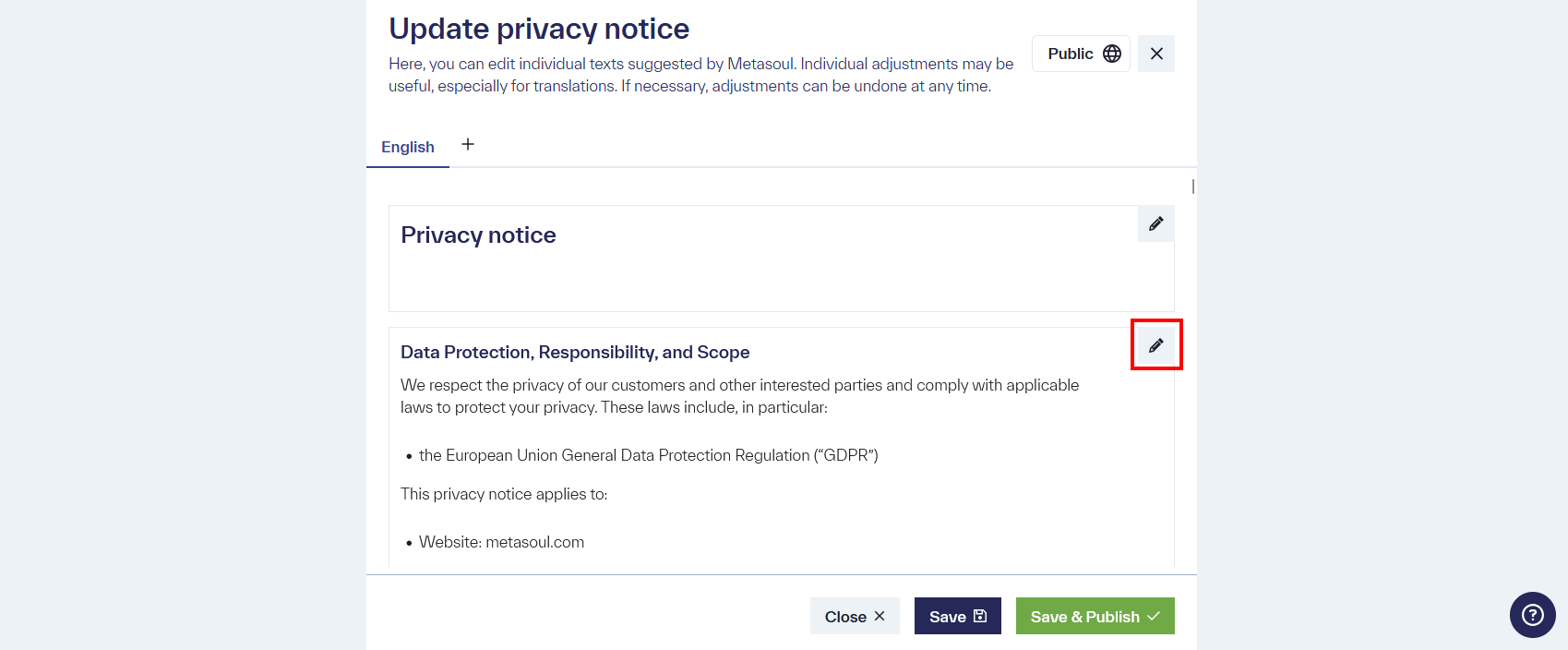
In the selected section, an editor will open. Once all desired changes are made, they can be saved by clicking the “Save” button.
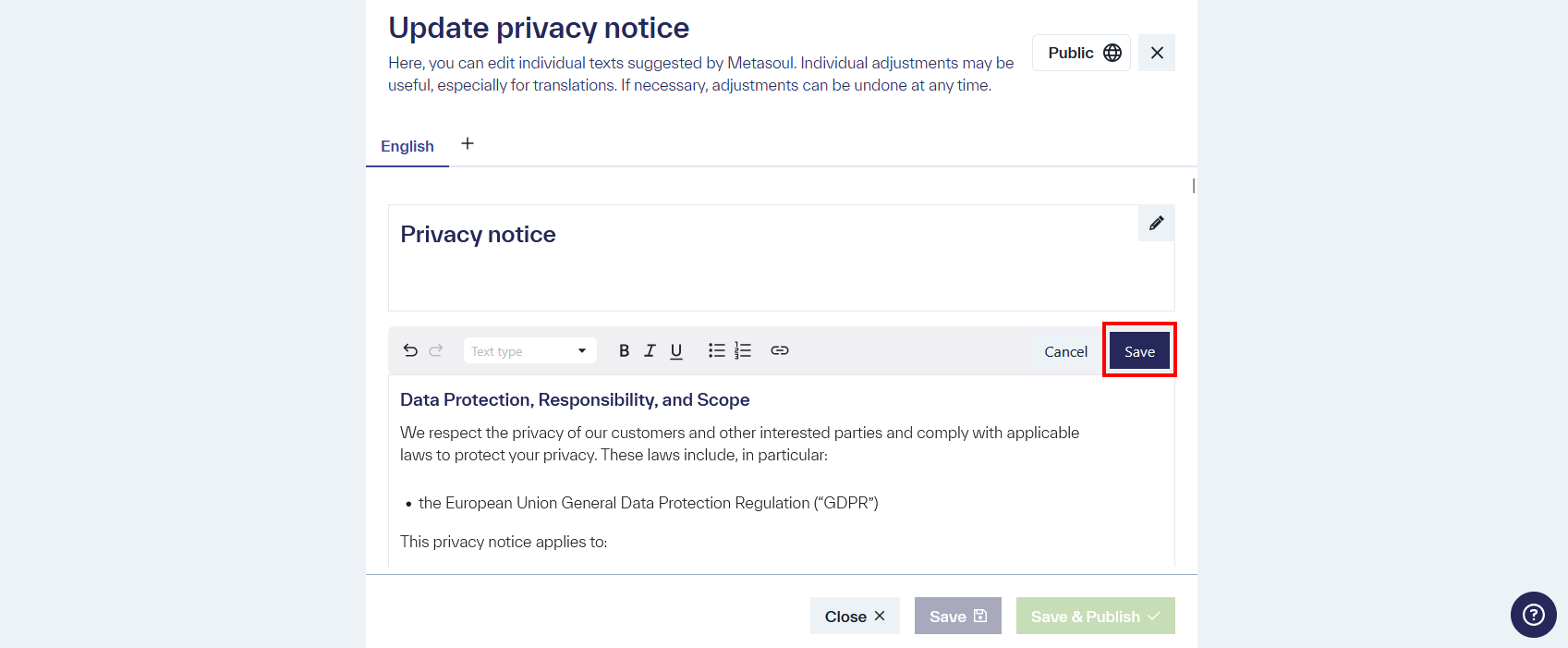
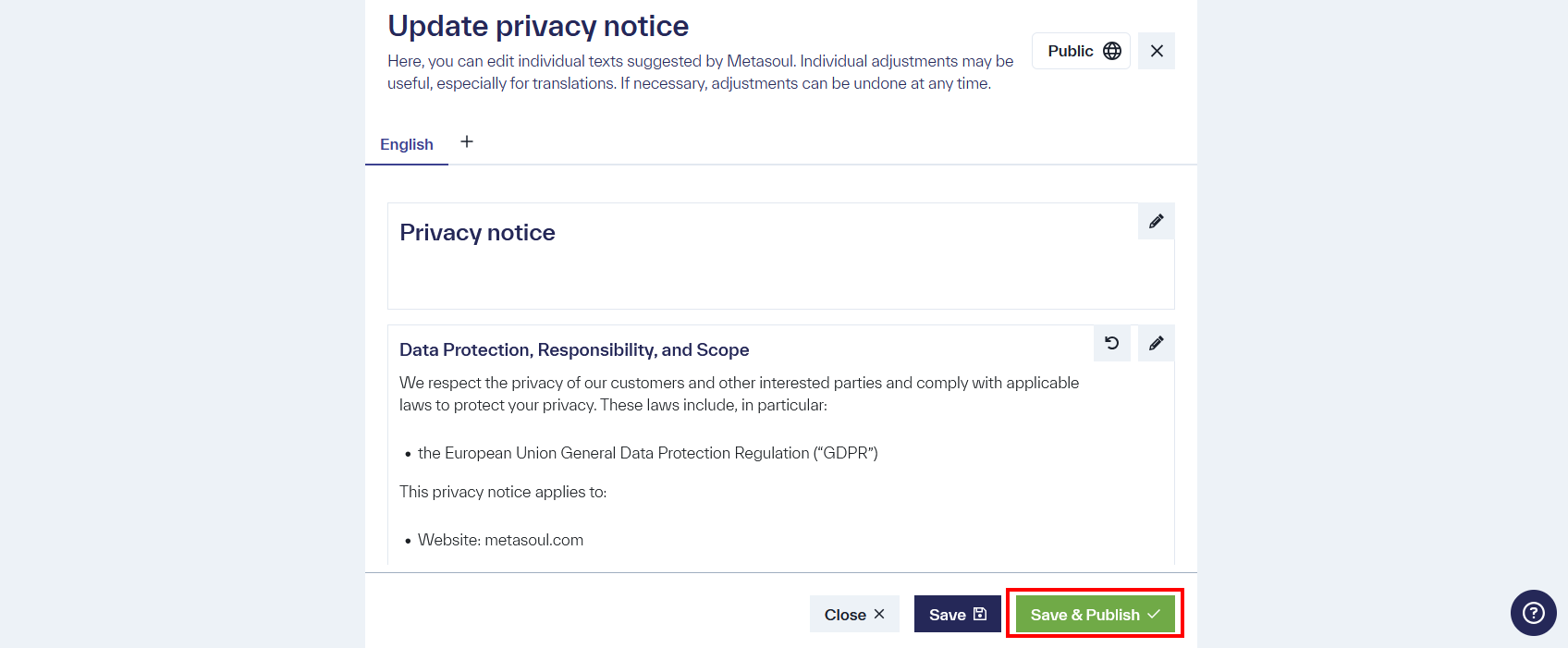
The entire content of the privacy notice must be carefully reviewed to ensure it meets the required specifications. This is important, as the controller is liable for the content. Once all content has been reviewed and approved, the privacy notice can be saved by clicking the “Save and publish” button.
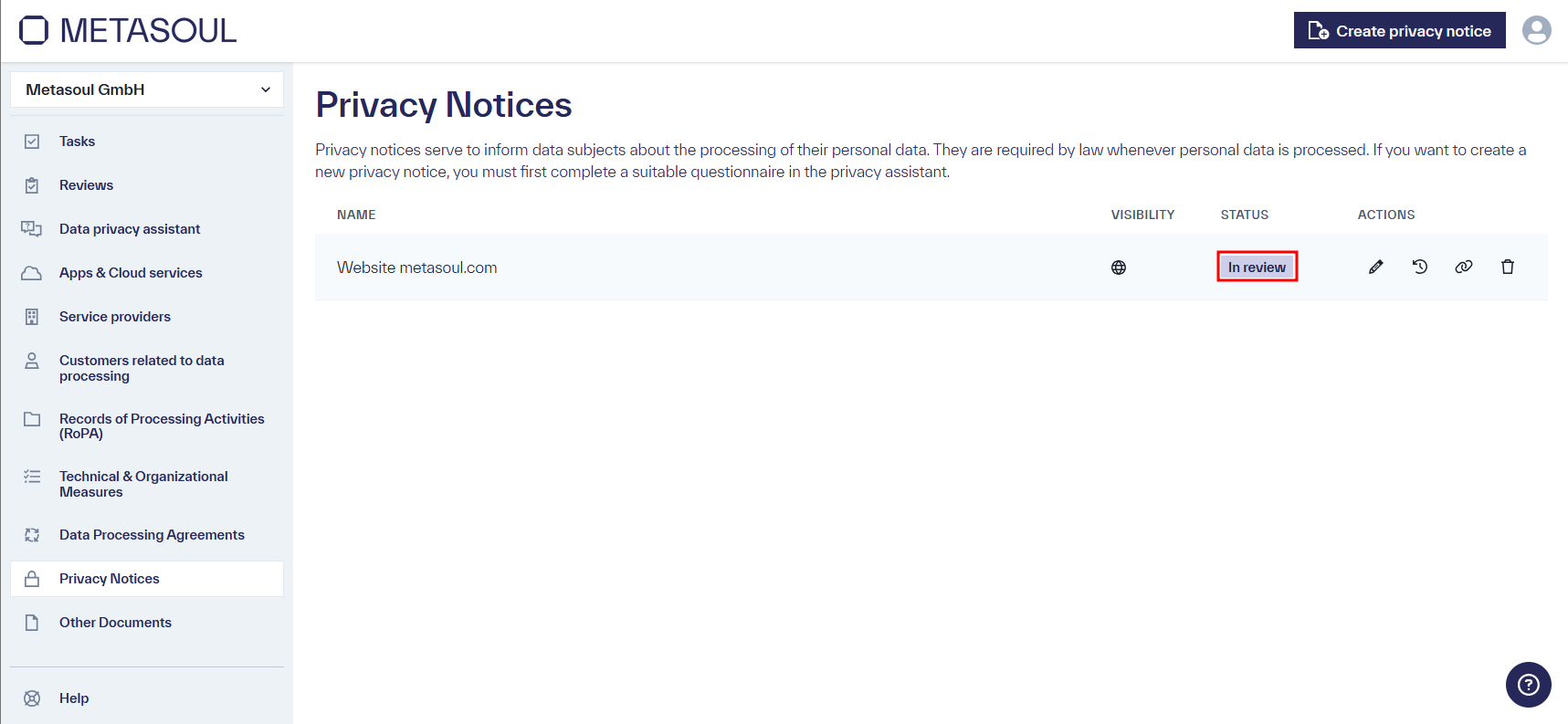
The privacy notice is now available in the “Privacy notices” module and marked with the status “In review”.
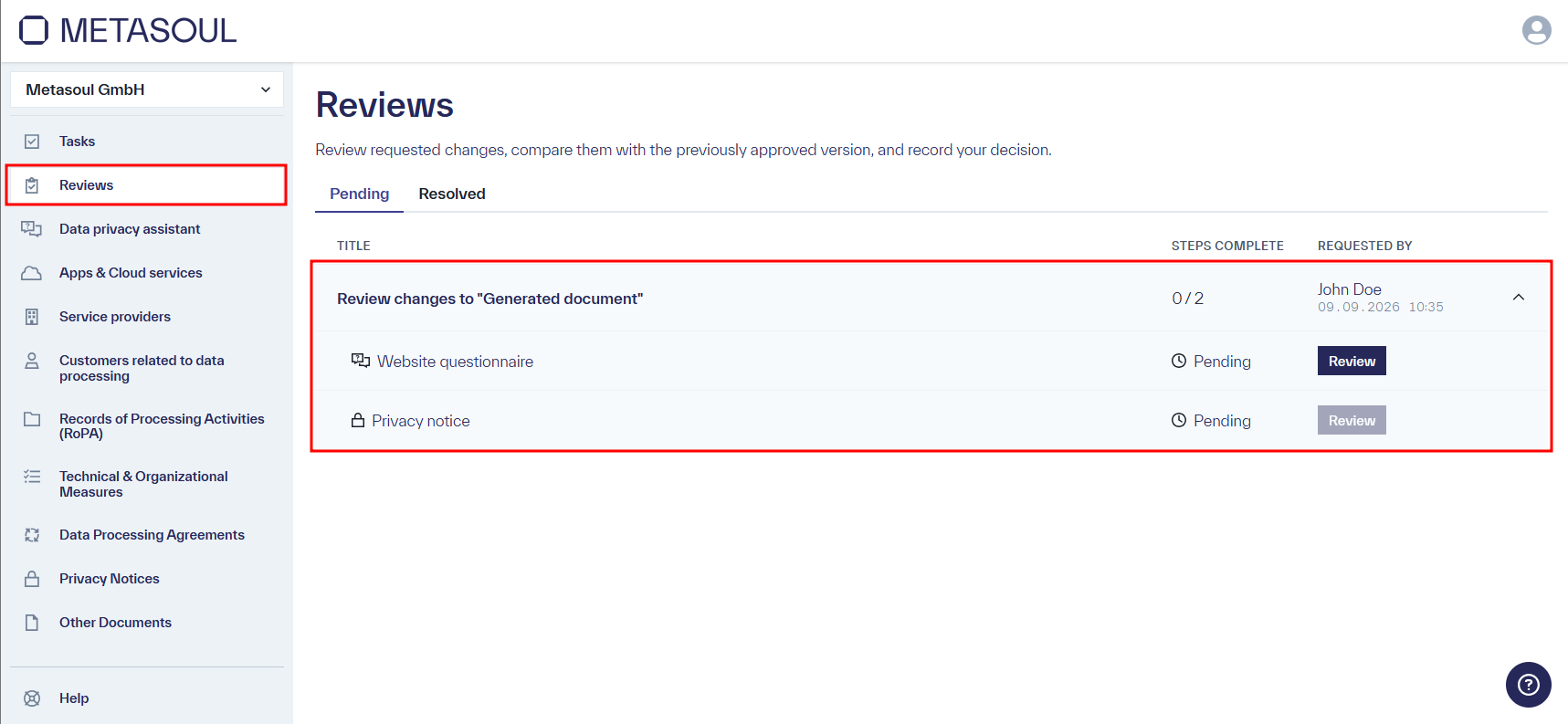
Before the privacy notice is published, the changes that were made need to be reviewed and confirmed in the “Reviews” module. Under the “Pending” tab, the “Reviews” module lists all open reviews. An entry can be expanded to show the individual items that need to be reviewed, in this case the underlying questionnaire and the privacy notice itself, each with its own “Review” button.
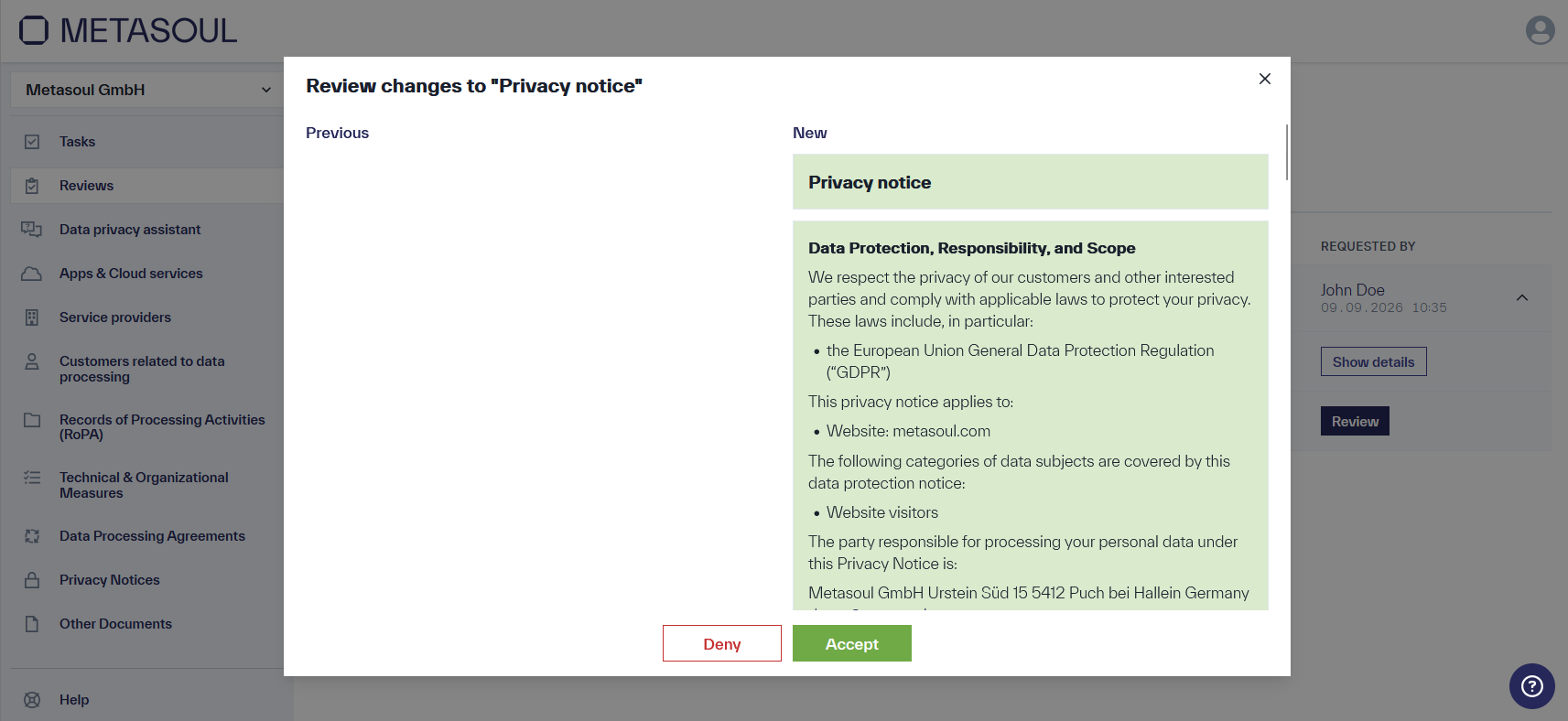
Clicking “Review” next to the “Privacy notice” entry opens a side-by-side comparison of the previous (“Previous”) and new (“New”) version of the respective section. The changes can either be confirmed by clicking “Accept” or rejected by clicking “Deny”.
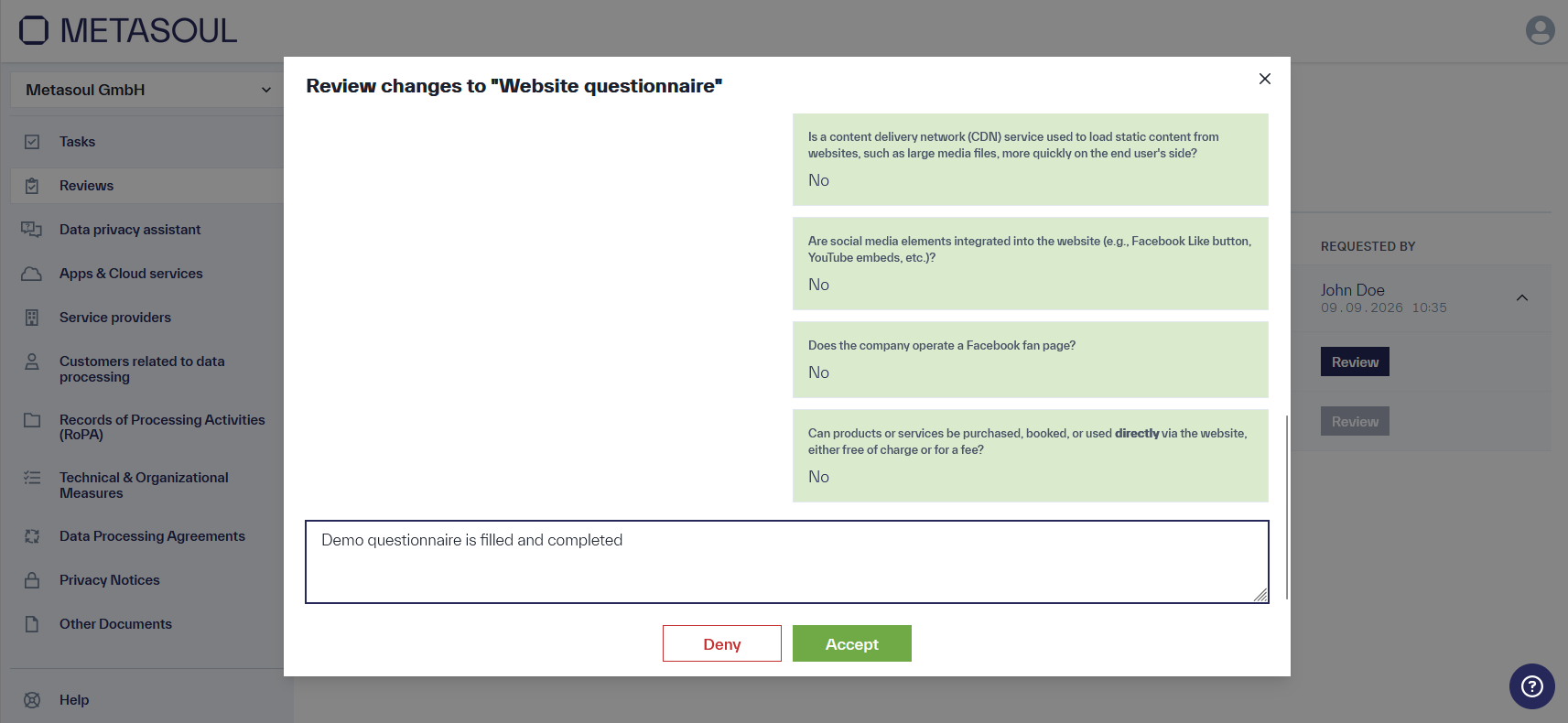
Similarly, clicking “Review” next to the “Website questionnaire” entry opens a window showing the changes made to the questionnaire, along with a comment field. These changes can also either be confirmed with “Accept” or rejected with “Deny”.
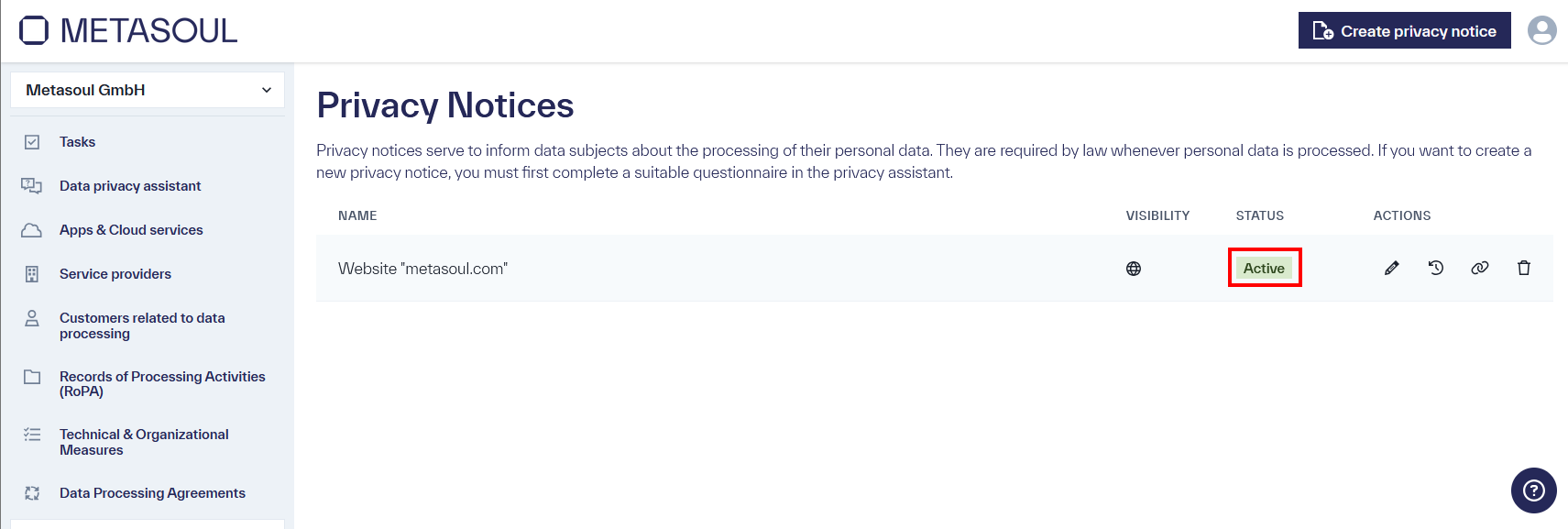
Once all pending reviews for a privacy notice have been accepted, its status in the “Privacy notices” module changes from “In review” to “Active,” and the privacy notice is thereby published.
Metasoul maintains an extensive database of products and service providers that can be used for privacy notices and other data protection-related content.
If a required product or service provider is not available, Metasoul, unlike many other providers, offers the possibility for users to create their own entries, which, after review, will be added to the Metasoul database.
This means:
If, for example, an entry for a service provider or product is created in a questionnaire by a Metasoul user that does not yet exist in the Metasoul database, this entry will not immediately be used in a privacy notice.
We regularly review our customers’ entries using a collected, pseudonymized view, where we cannot assign entries to the respective customer.
Relevant entries are adopted by us as “Metasoul-Managed Data” and may have additional data protection texts and metadata created with the entry.
Once this process is completed, the service provider or product, including additional relevant information, will appear in the privacy notice. At this point, the customer will be informed by email that a new version of the privacy notice is available, which can be confirmed and adopted by the customer.
If the privacy notice has been embedded on a website or in an app via JavaScript or iFrame, these changes will be immediately applied, and no further action is required on the customer’s side after confirmation.
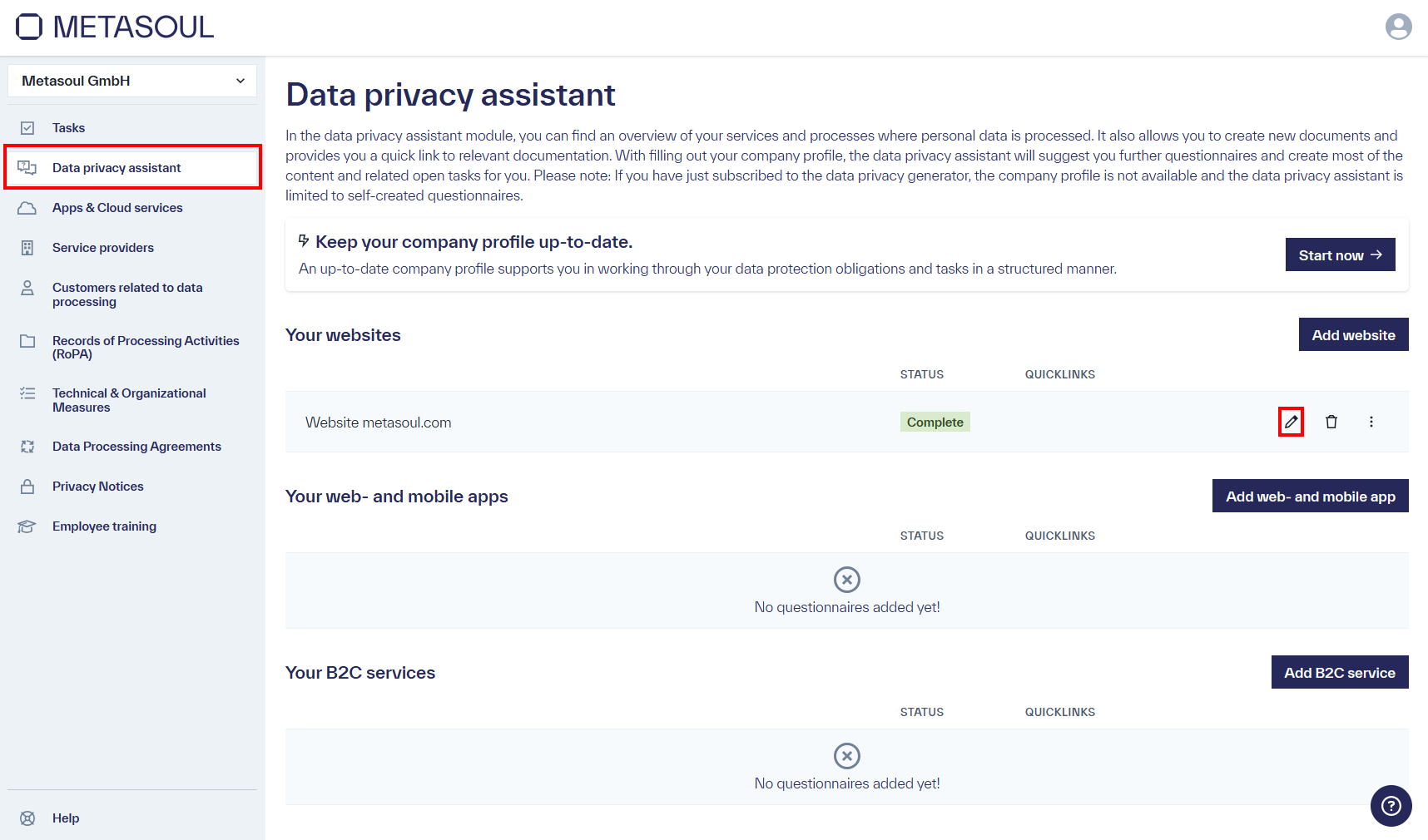
To modify an existing privacy notice using the associated questionnaire, this can be done in the “Data privacy assistant” module by selecting the edit option via the “pencil” icon in the desired questionnaire.
The questionnaire will open again, with the input fields initially grayed out. By clicking the “Edit” button, the editing mode can be activated. The questionnaire will change to the “Draft” status.
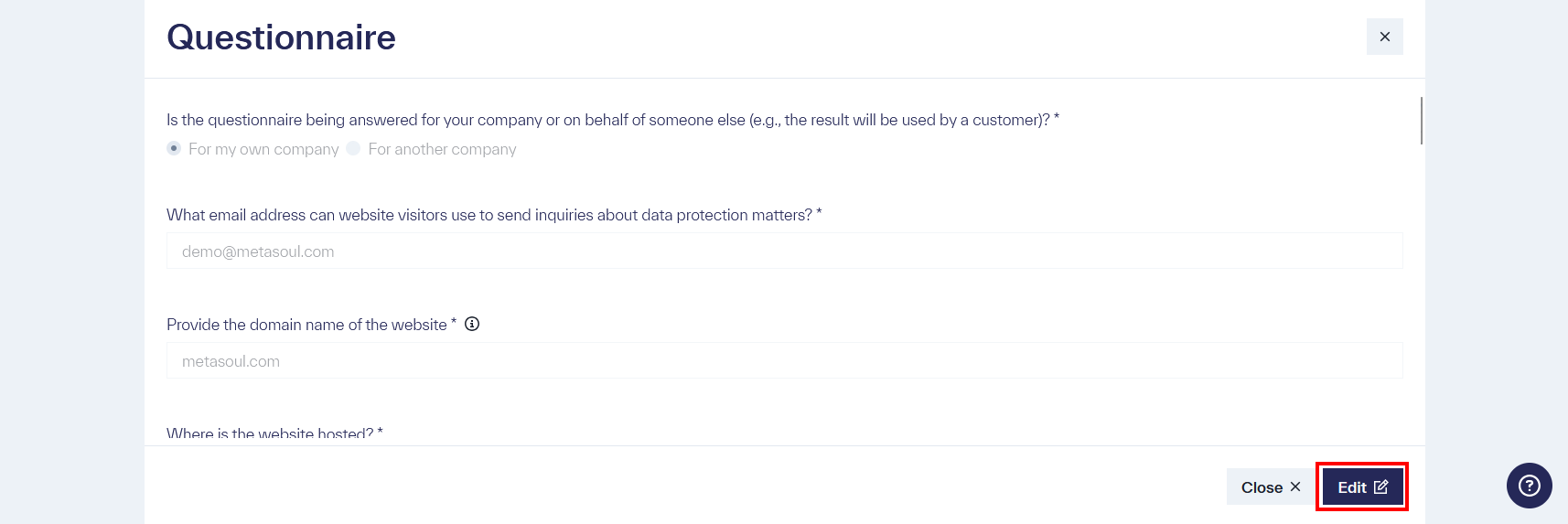
After completing the desired changes, these can be saved at the bottom of the questionnaire by clicking the “Complete” button. The questionnaire will return to the “Completed” status. Important: All mandatory fields must be answered at this point.
To customize the text of a privacy notice to specific needs, the editing mode can be accessed by clicking the pencil icon on an already created entry in the “Privacy Notices” module.
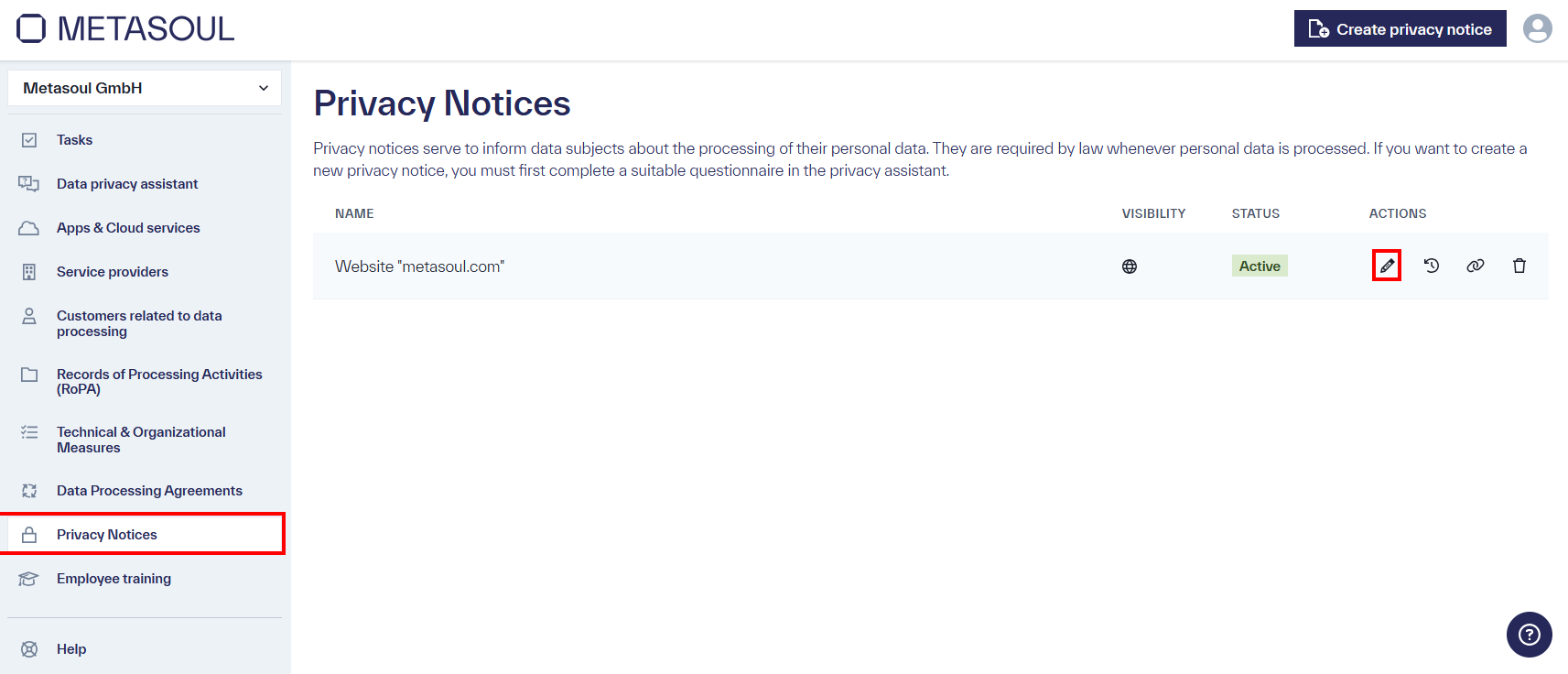
In editing mode, individual sections of the privacy notice can be adjusted as needed. In the desired section, clicking the pencil icon in the top right corner will open the editing mode for that section. An editor will open in the selected section, allowing adjustments to be made. Once the adjustments are completed, the changes can be saved by clicking the “Save” button.
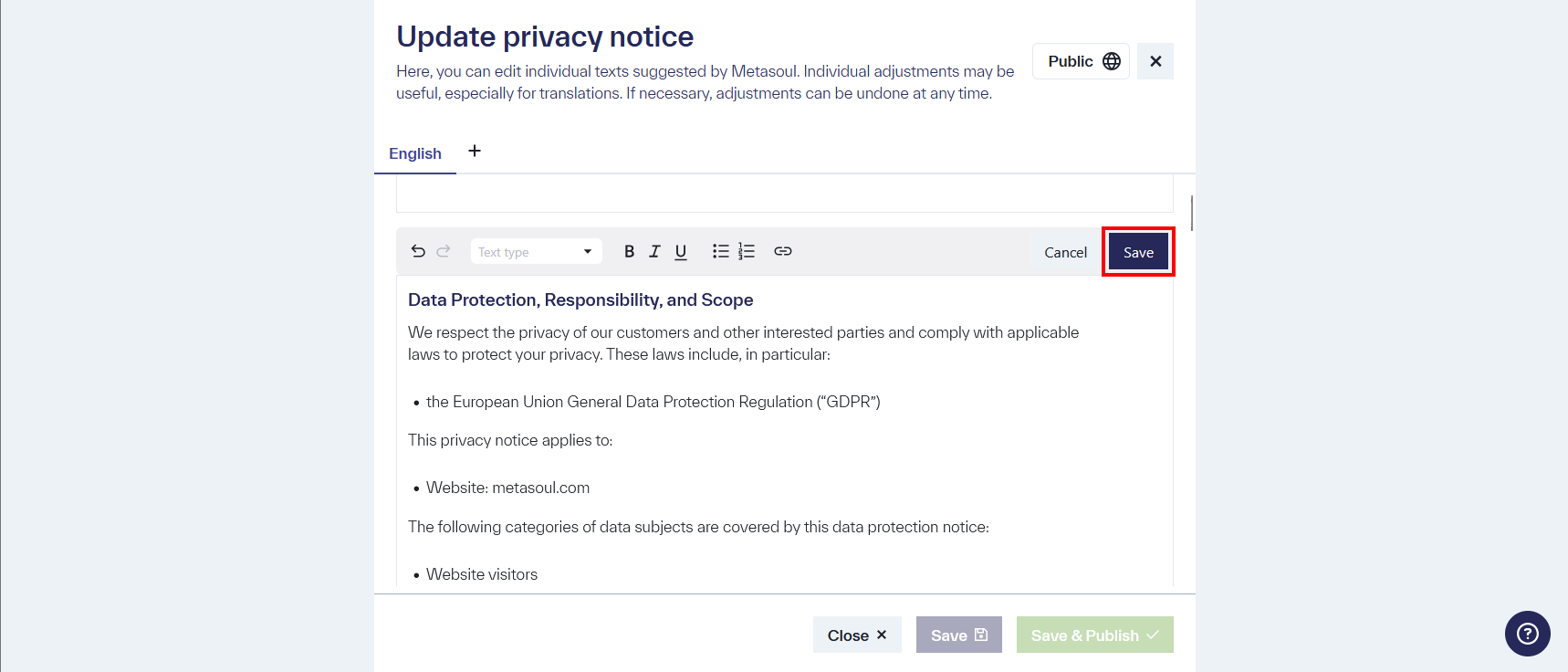
Once all desired changes have been made to the individual sections, these changes to the privacy notice can either be saved using the “Save” button without applying them to the privacy notice or applied and updated with the “Save and publish” button.
How can I best embed a Metasoul-generated privacy notice on a website, in an app, or in the app store?
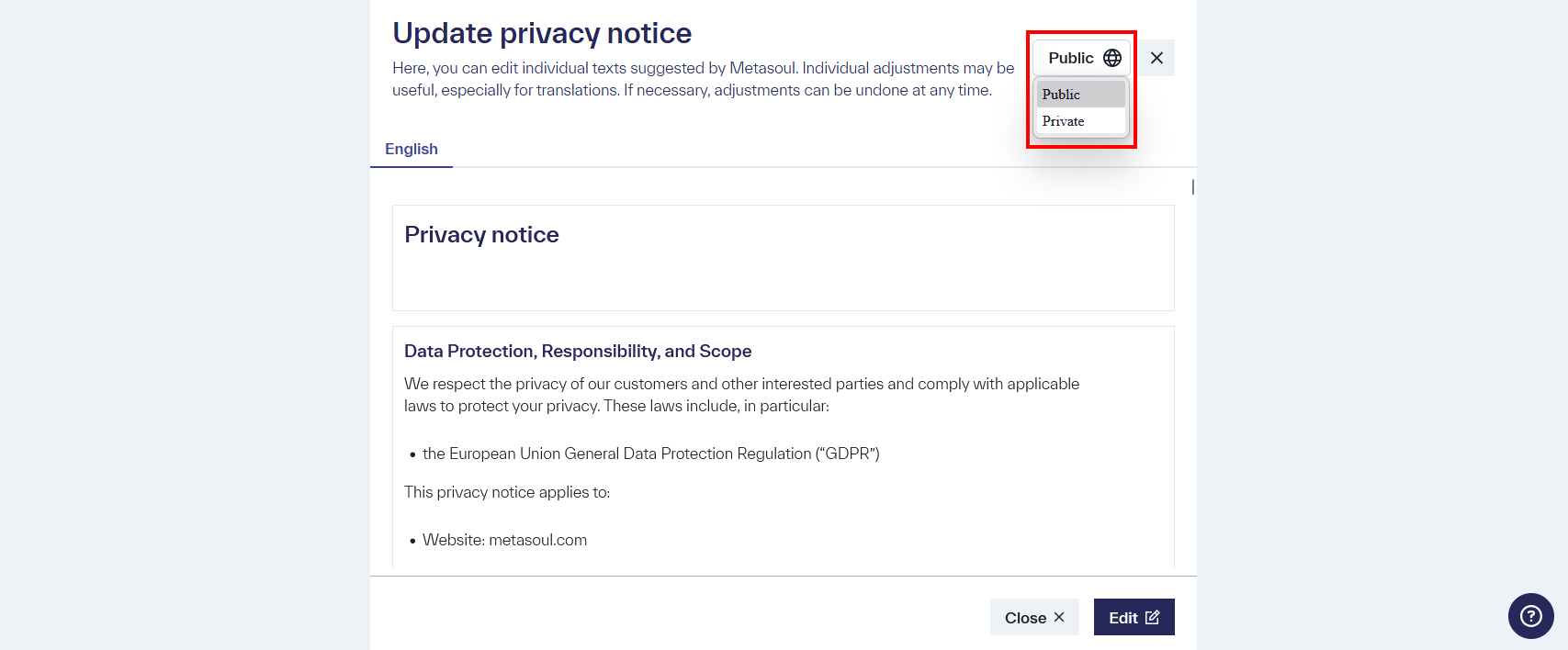
Important: In order to share a privacy notice externally, the visibility must be set to “Public” in the privacy notice. This is the default setting for privacy notices.
In the “privacy notices” module, the options for embedding a privacy notice can be displayed by clicking the “Share” icon in the “Actions” column.
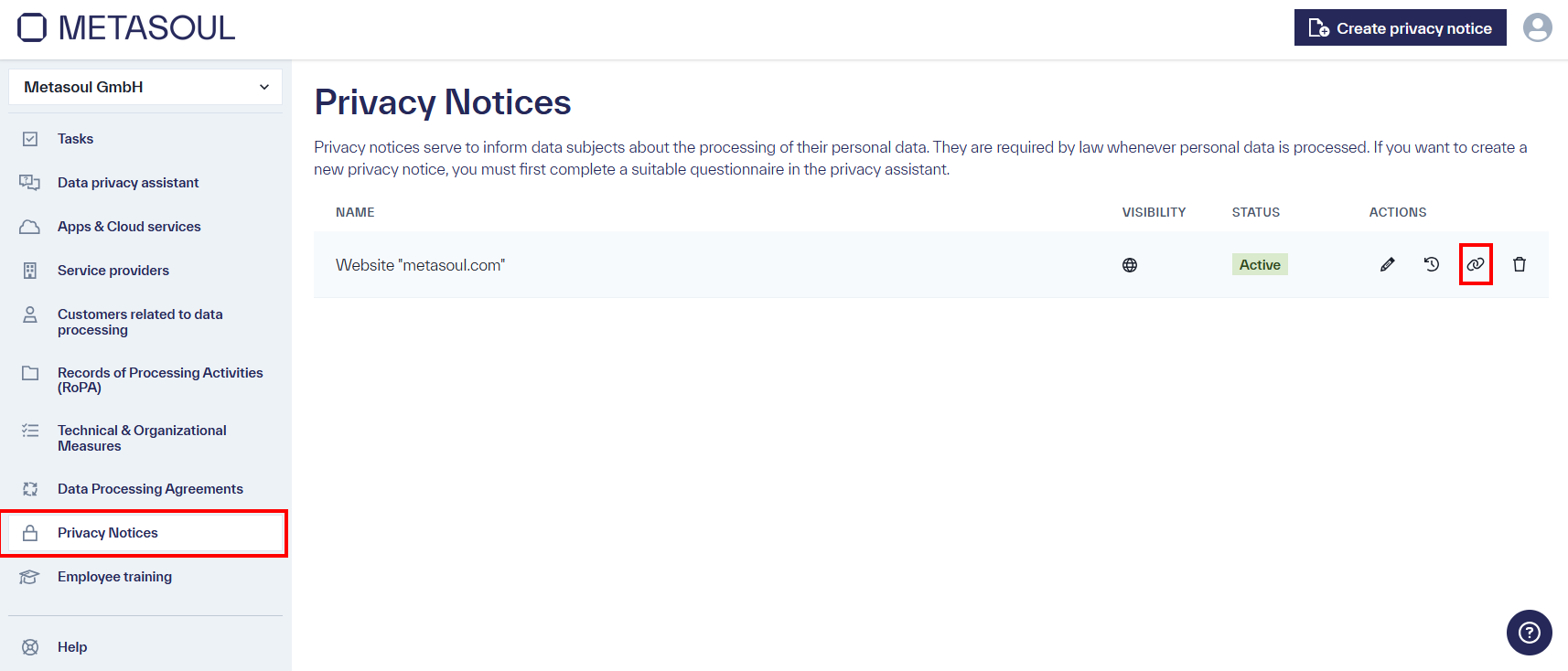
Clicking on this icon opens a new window. This window provides the options Link, PDF, iFrame, and JavaScript for sharing privacy notices.
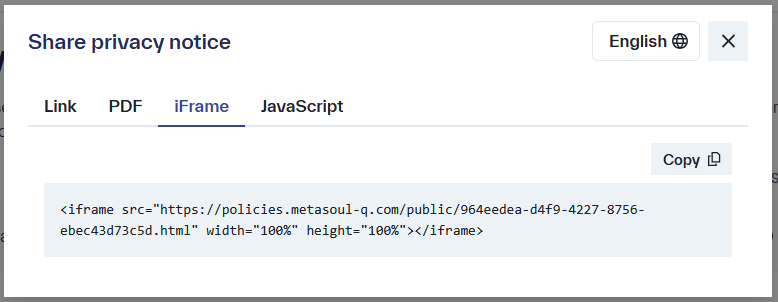
The following describes the options “Link,” “iFrame,” and “JavaScript,” along with their ideal use cases.
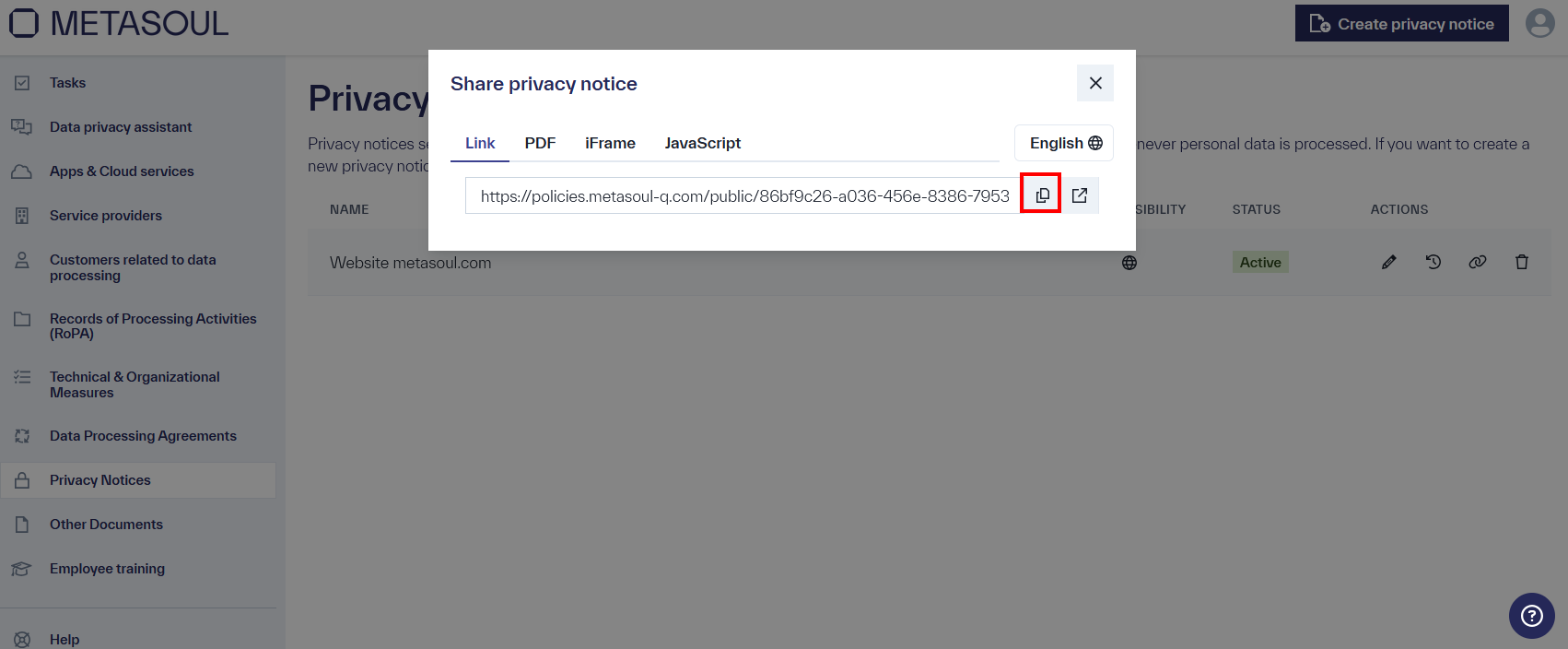
The “Link” option provides an HTML version of the privacy notice on policies.metasoul.com. A link to this HTML version is provided, which can be copied to the clipboard using the “Copy” icon.
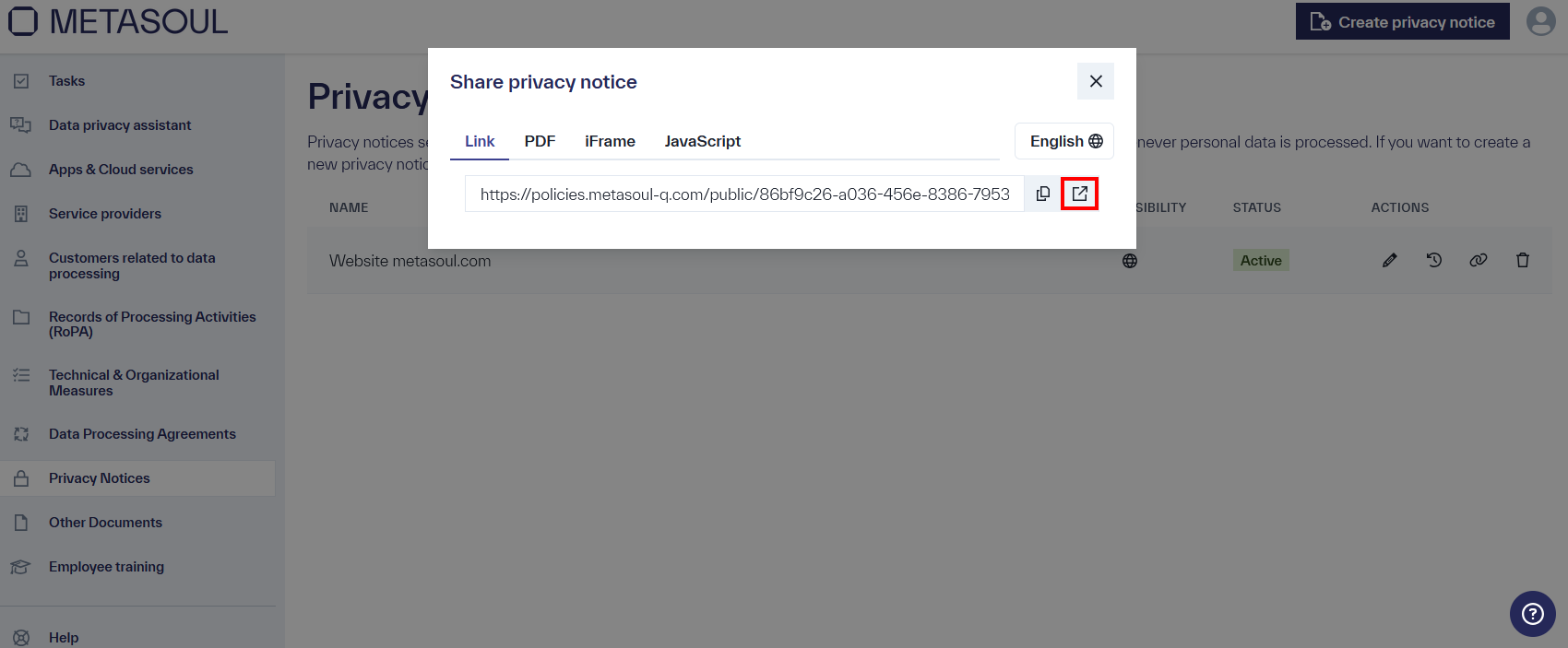
The “Open” icon allows the link to be opened directly in a new window.
The “Link” option is best suited for providing in app stores or when copying the HTML code to embed in a custom website. However, for the latter case, the “JavaScript” or “iFrame” option should be preferred.
Using the “iFrame” option, the HTML code for the iFrame is displayed in the “Privacy Notice Sharing” window, which can be embedded into a website. By clicking the “Copy” button, the HTML code can be copied to the clipboard and inserted at the desired location within the website code.
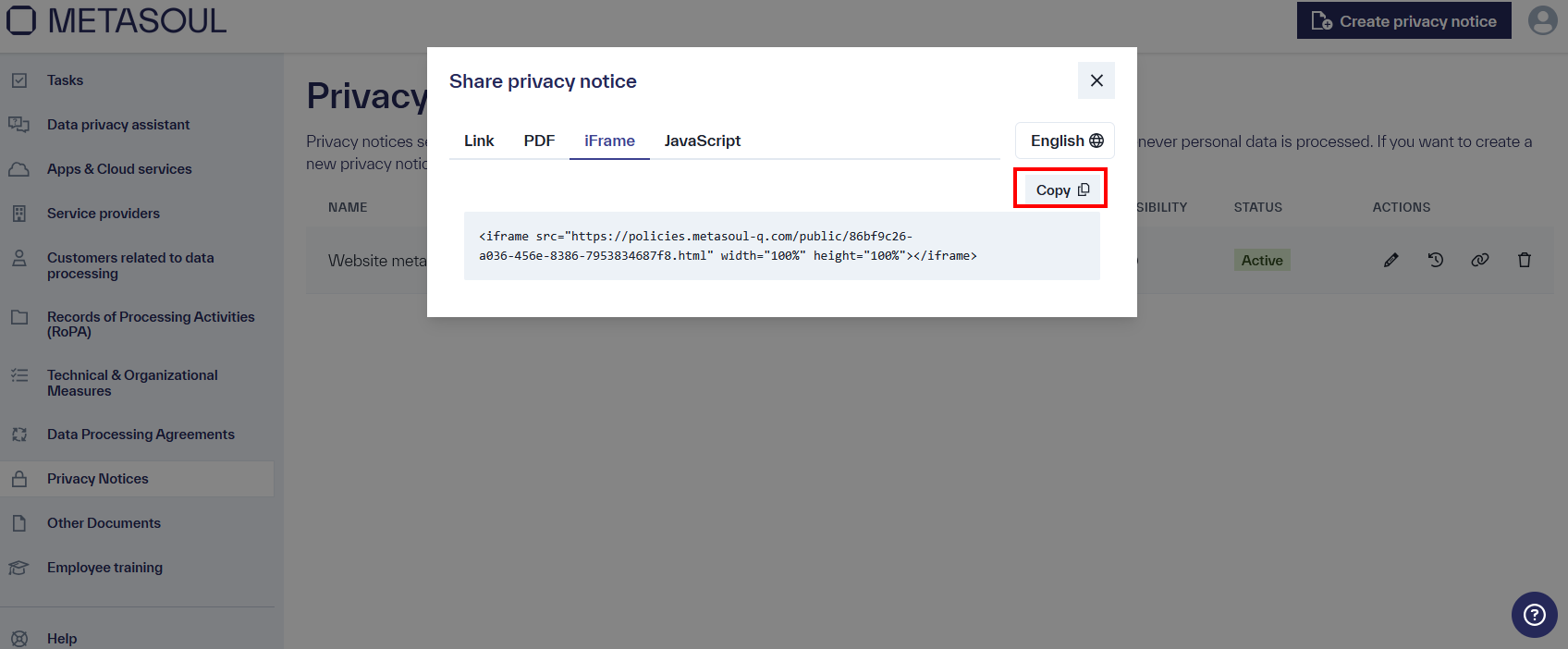
The “iFrame” option is recommended for embedding in websites, although website-specific formatting rules (CSS) are not applied. Any changes made to the privacy notice in Metasoul will be automatically reflected on the website.
If the embedded privacy notice should adopt the website’s design, the “JavaScript” option is recommended.
The “JavaScript” option allows the privacy notice to be embedded into a website or application via JavaScript, while adopting the respective design templates, if available.
To embed the privacy notice, the instructions in the “Share privacy notice” window under the “JavaScript” option should be followed. This may require the involvement of a technical administrator or developer.
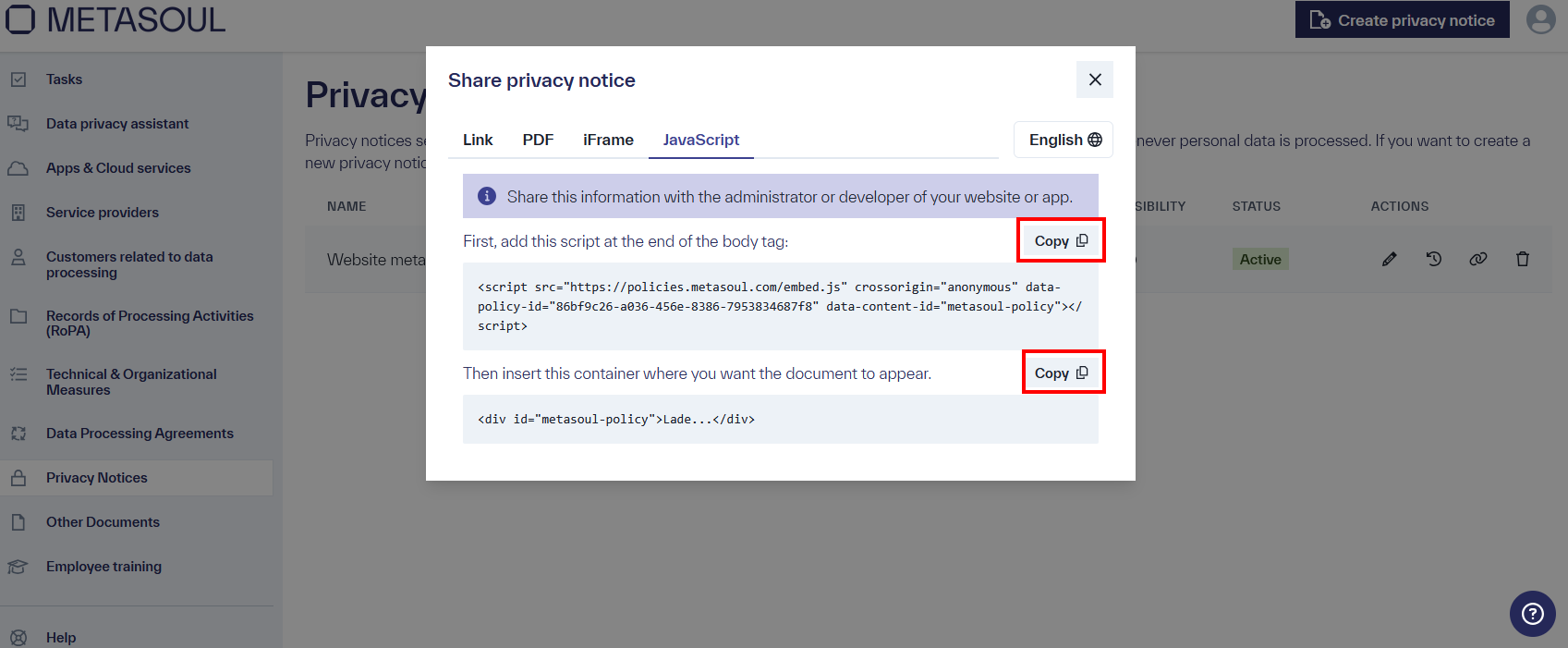
The respective scripts can be copied to the clipboard using the “Copy” buttons.
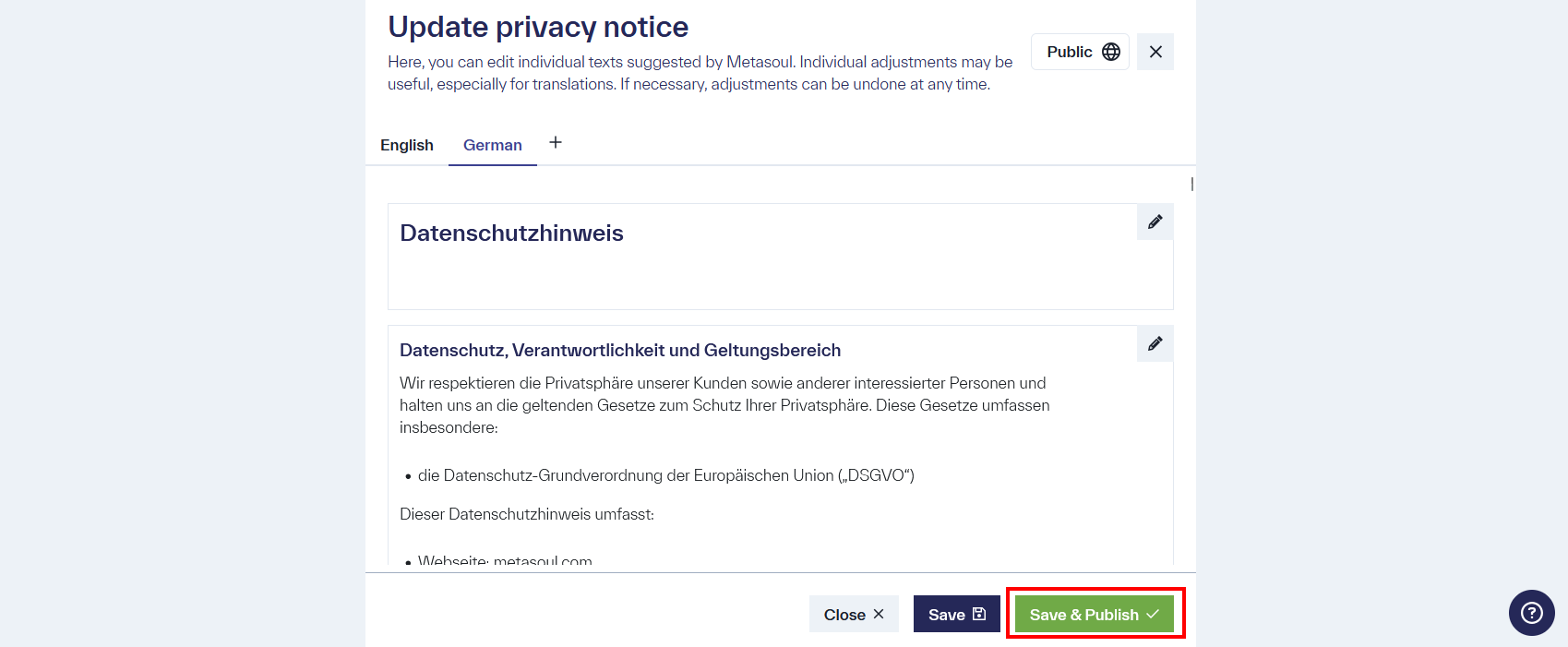
Metasoul typically generates privacy notices in the language set as the default in the client’s Metasoul tenant. To add an additional language to a privacy notice, this can be done in the edit mode of the respective privacy notice. The edit mode for a privacy notice can be accessed in the “Privacy Notices” module by clicking the respective “Edit” symbol.
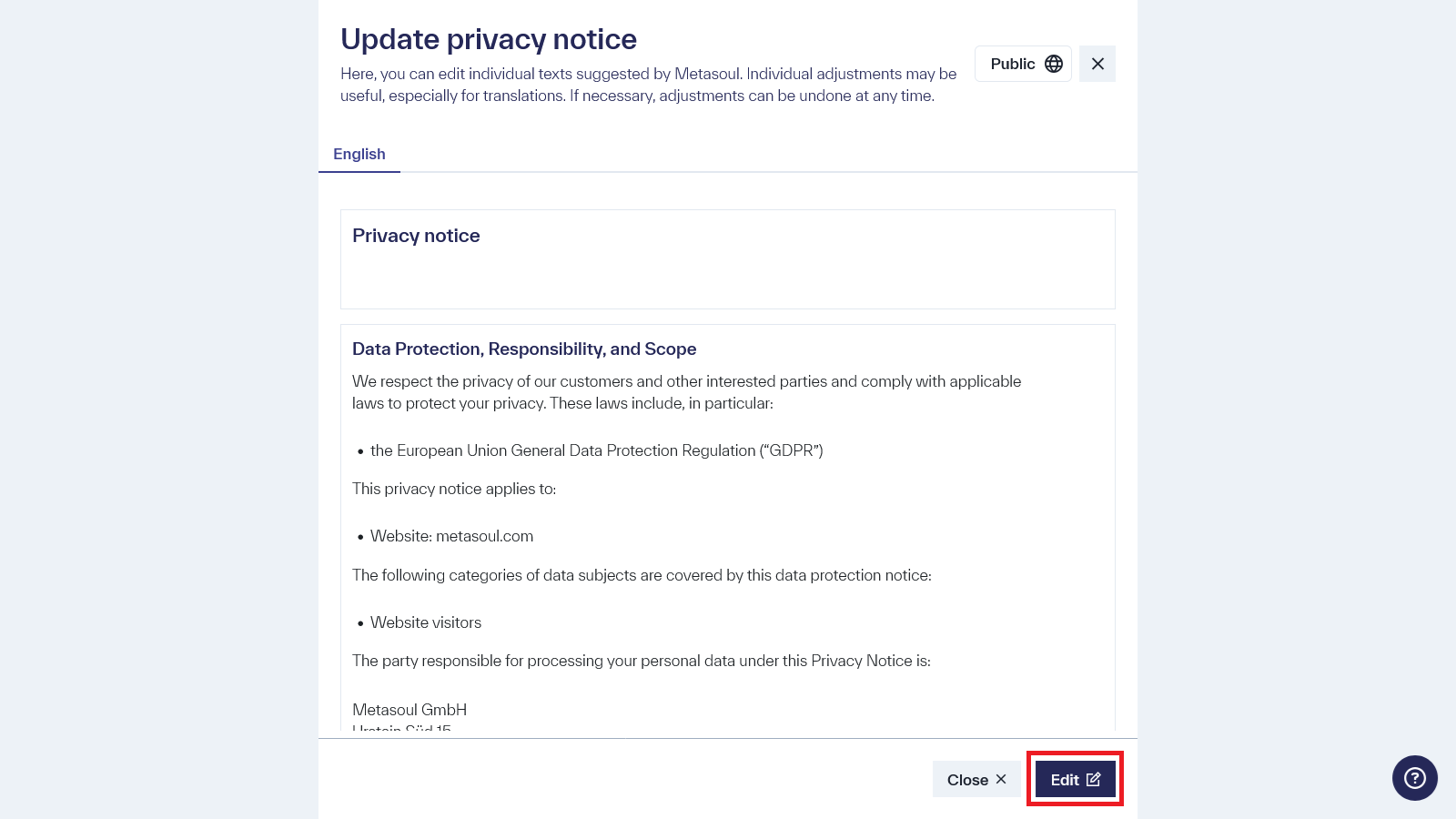
In the lower section of the page, the privacy notice content is displayed. Click the “Edit” button to enter edit mode and make changes to the privacy notice.
Under the “+” option, a submenu opens listing all the languages currently offered by Metasoul that have not yet been used in the privacy notice.
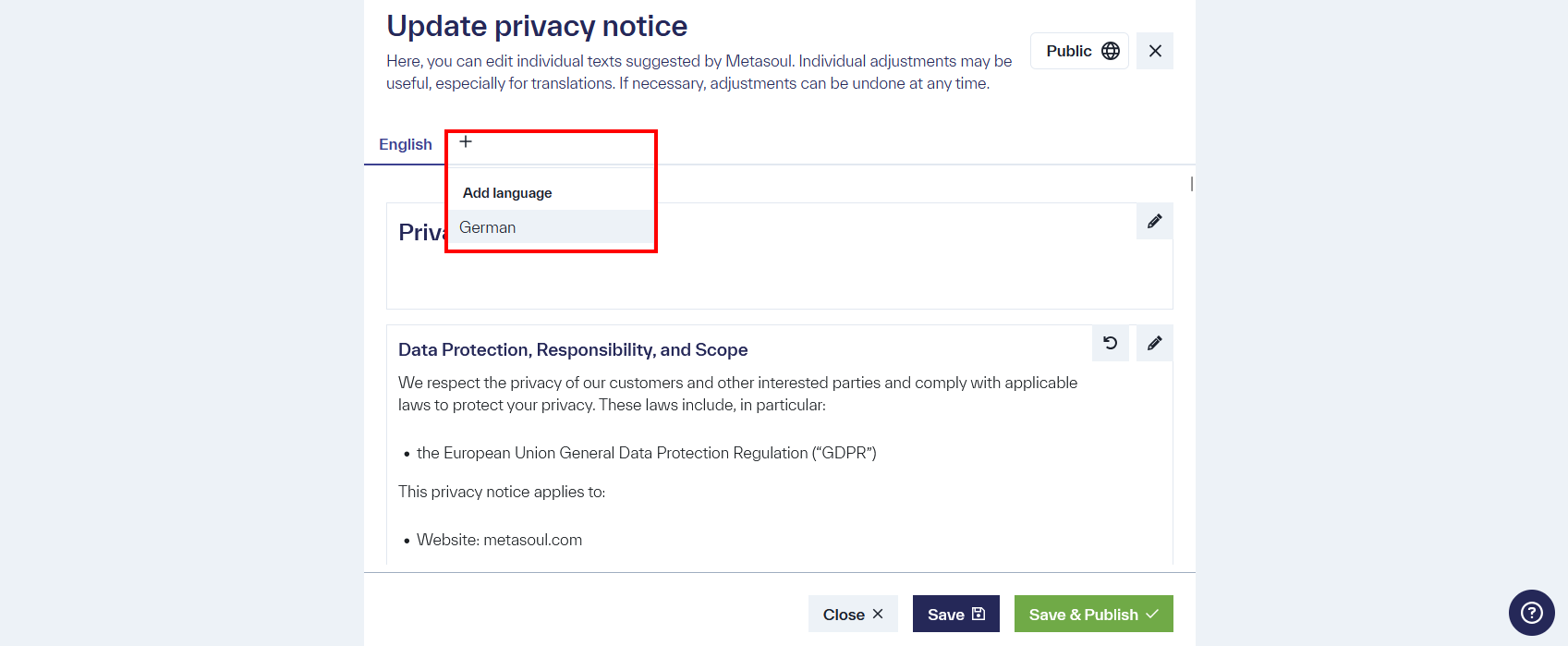
Once the new language has been added, it is necessary to save the change by clicking the “Save & Publish” button for it to take effect.
In the “Share” menu, clicking on the language in the top-right corner opens a dropdown, allowing the selection between different languages.
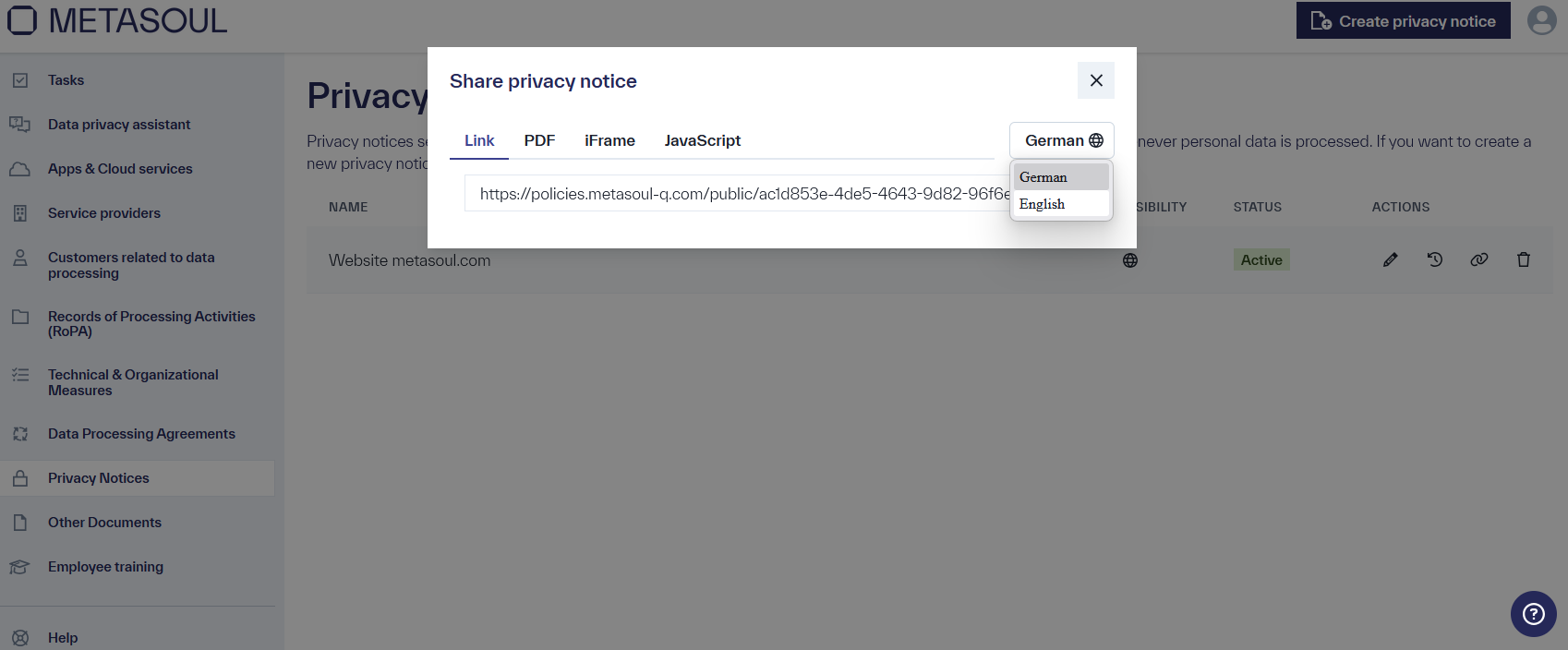
For each language, a separate link is available in the respective sharing method. For instance, if a privacy notice is to be embedded in a German-language website via an iFrame, the language should be set to German, and the iFrame HTML code copied into the German website. Afterward, the language can be switched to English, and the slightly modified iFrame HTML code can be embedded into the English version of the website.
Metasoul currently offers the languages “German” and “English.” However, there are plans to expand the range to additional languages. If a language is needed that is not yet officially available in Metasoul, this request can be made via email to info@metasoul.com.
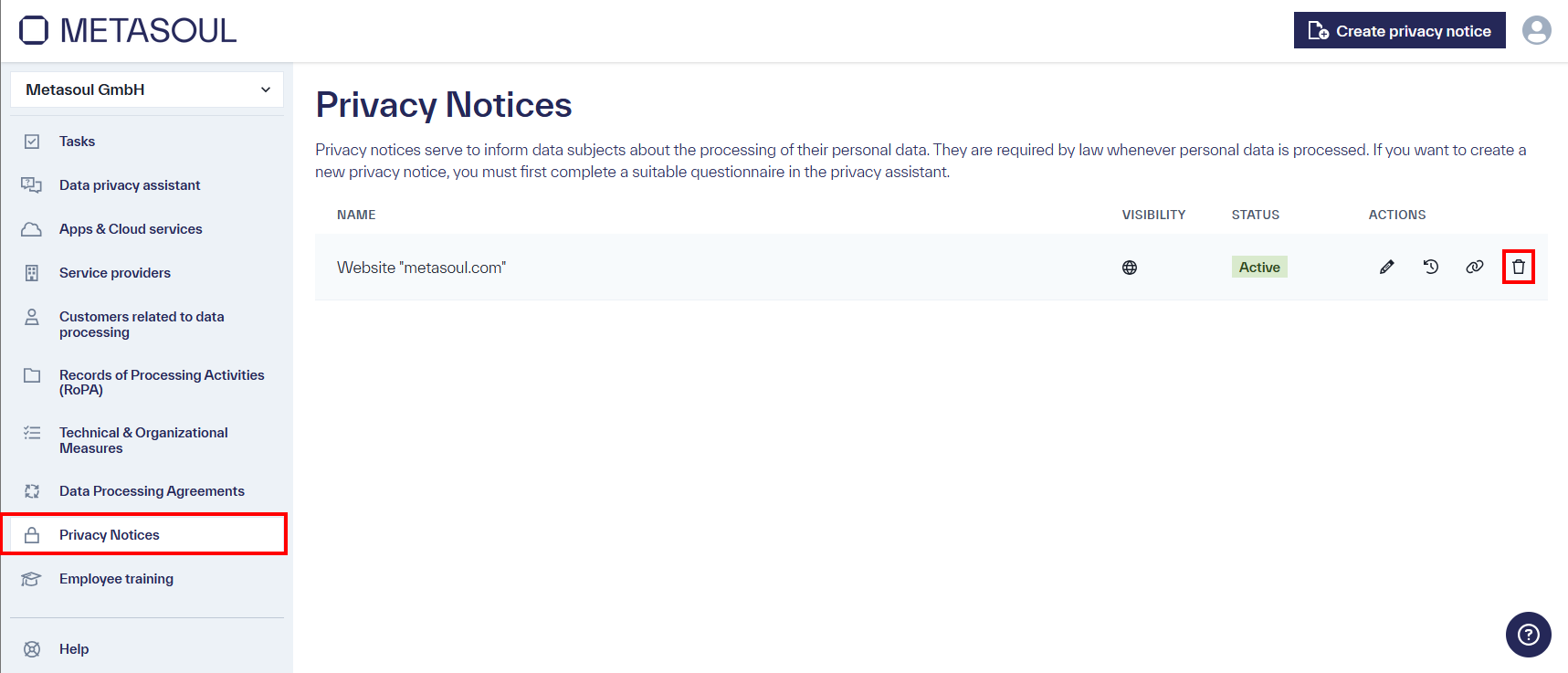
To delete a privacy notice, navigate to the “Privacy Notices” tab and select one of the created entries. Click on the trash bin icon to initiate the deletion process.
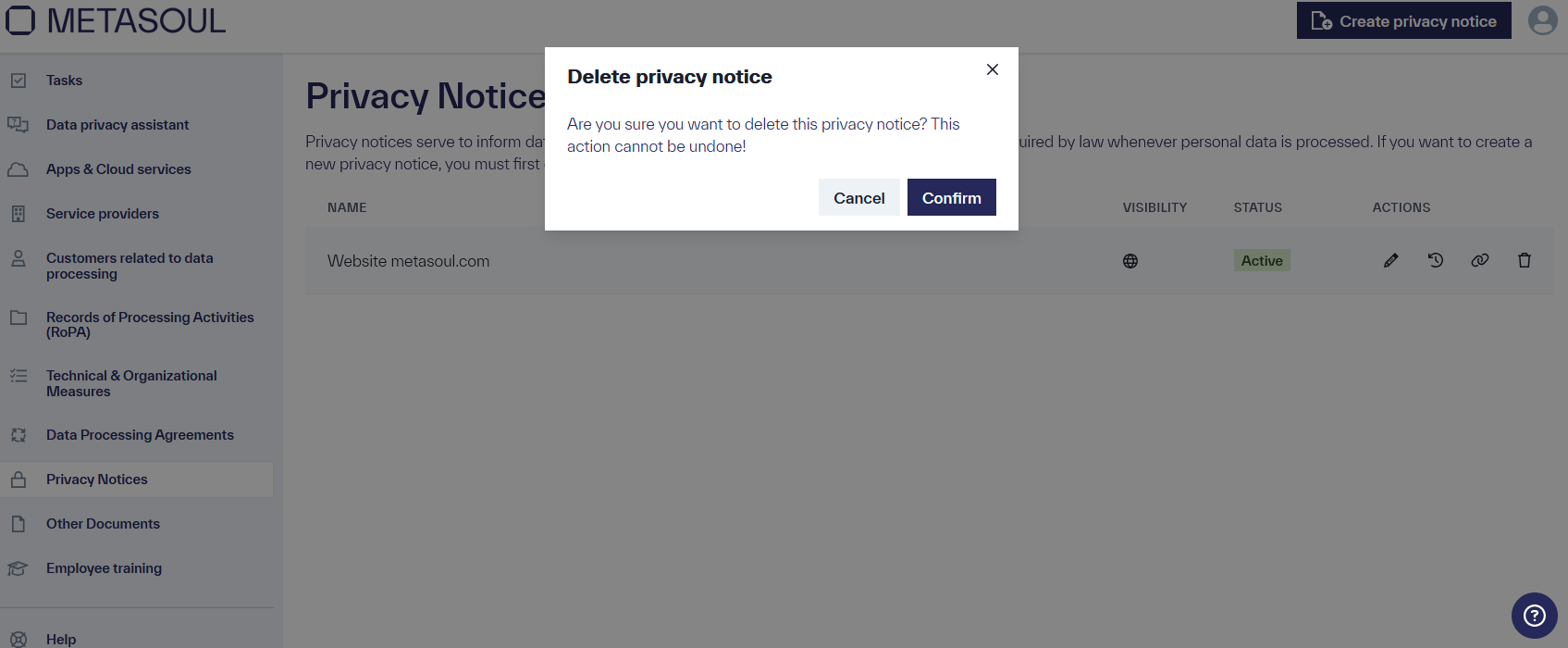
A confirmation pop-up will open, informing you that this action cannot be undone. After confirmation, the privacy notice will be permanently deleted.
In the “Privacy Notices” module, previous versions of the respective privacy notice can be viewed via the “History” symbol of the respective privacy notice.
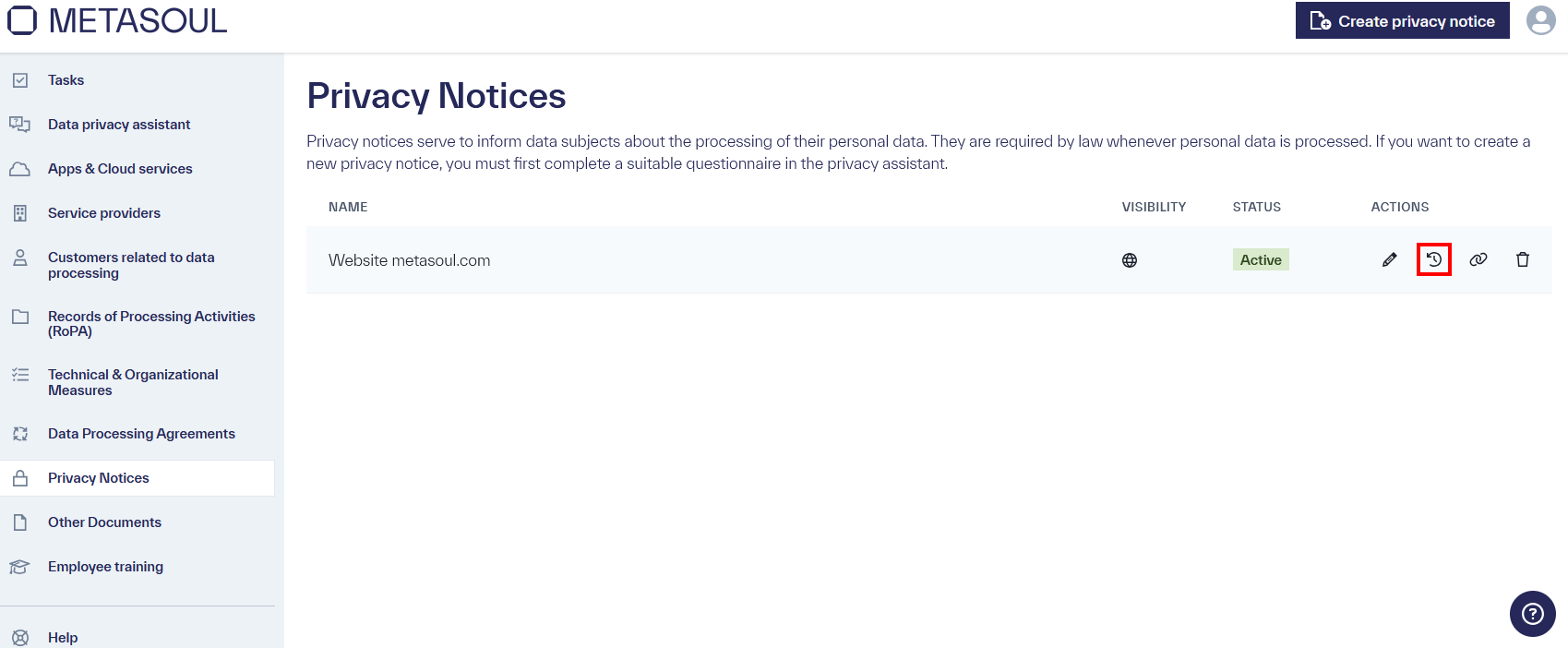
By clicking this symbol, a window will open displaying the current version as well as all preceding versions of the respective privacy notice.
The entries in this list can be expanded. In the expanded view, the version number and an “eye” symbol are displayed. The selected version can be viewed as a PDF document by clicking the “eye” symbol.
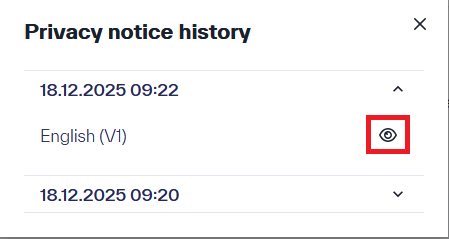
Note: In the current version of Metasoul, it is not possible to restore previously saved versions of a privacy notice.
A privacy notice created with Metasoul is structured to comply with the principles of Article 12 GDPR and includes the information required by Articles 13 and 14 GDPR.
Article 12 GDPR stipulates, among other things, that the information under Articles 13 and 14 GDPR (the privacy notice) must be provided to data subjects in a precise, transparent, understandable, and easily accessible form, using clear and simple language. Metasoul implements this requirement in the privacy notices generated by Metasoul through the use of a clear structure and provides the required information concisely but comprehensively. At Metasoul, we believe that short content is better understood than long, unstructured texts.
In general, a Metasoul privacy notice consists of at least three main sections:
- Introduction
- Overview and information about the processing purposes
- Optionally, an overview of sharing personal data with third parties in the course of service provision
- Additional data protection-related information and notices
The structure within the main sections of a Metasoul privacy notice is described below.
The introduction of the privacy notice generated by Metasoul serves to describe the scope of the privacy notice and the responsibilities under the GDPR. This includes:
- Which data protection laws have been considered for the privacy notice.
- Which applications or processes are covered by the privacy notice (scope).
- Which categories of data subjects are covered by the privacy notice.
- Who the data controller is under the GDPR, the contact details of the data controller, and if applicable, the contact details of the data protection officer.
- If the personal data is not collected from the data subject, the source from which it originates, and if applicable, whether it comes from publicly available sources.
In this main section of the Metasoul privacy notice, all purposes for which personal data is processed within the scope are listed.
Optional introductory text, which may provide additional context for the purpose of processing.
- List of all categories of personal data processed for the stated purpose (e.g., log data, technical information…)
- List of all legal bases justifying the purpose and nature of the processing (e.g., “Legitimate Interest,” Data Privacy Framework…)
- List of all third parties, including their company address, involved in the described processing purpose (data processors)
- If “legitimate interest” is a legal basis for processing, the legitimate interest will be described.
- Depending on availability, further information and notices regarding the processing purpose, involved data processors, types and categories of personal data processed, or other relevant information for the data subject will be listed.
Metasoul Privacy Notice: [Optional] Overview of Sharing Personal Data with Third Parties in the Course of Service Provision
If personal data is shared with third parties during the provision of services, up to three additional main sections related to this data sharing may be added to the privacy notice generated by Metasoul:
If personal data is shared with individuals during the provision of services (e.g., in intermediary services such as sales platforms), the respective purposes will be outlined in this section in the same structure as in Main Section Two, the description of processing purposes.
If personal data is shared with various, unspecified third-party companies or institutions during the provision of services (e.g., in intermediary services such as hotel booking platforms), the respective purposes will be outlined in this section in the same structure as in Main Section Two, the description of processing purposes. Instead of listing the specific involved data processors, the categories of recipients will be provided.
If personal data is consistently shared with the same third-party companies or institutions during the provision of services (e.g., for overnight stay reports to the tourism association), the respective purposes will be outlined in this section in the same structure as in Main Section Two, the description of processing purposes.
In the final main section of a privacy notice generated by Metasoul, additional data protection-related information is provided. This additional information may include, among others:
- Information on the existence of automated decision-making, including profiling.
- Rights of the data subject and how they can be exercised.
- The existence of the right to lodge a complaint with a supervisory authority.
- The duration for which personal data will be stored or, if that is not possible, the criteria used to determine this duration.
- If applicable, information regarding data transfers to third countries, including a description of the applicable legal bases such as the EU/US Data Privacy Framework or Standard Contractual Clauses.
- Information on the protection of personal data.
- Information on data sharing.
- Additional information on US data protection rights if the privacy notice also targets an audience in the US.
- Information on how changes to the privacy notice are handled and the date of publication of the current version.