Subscription Management and Payment
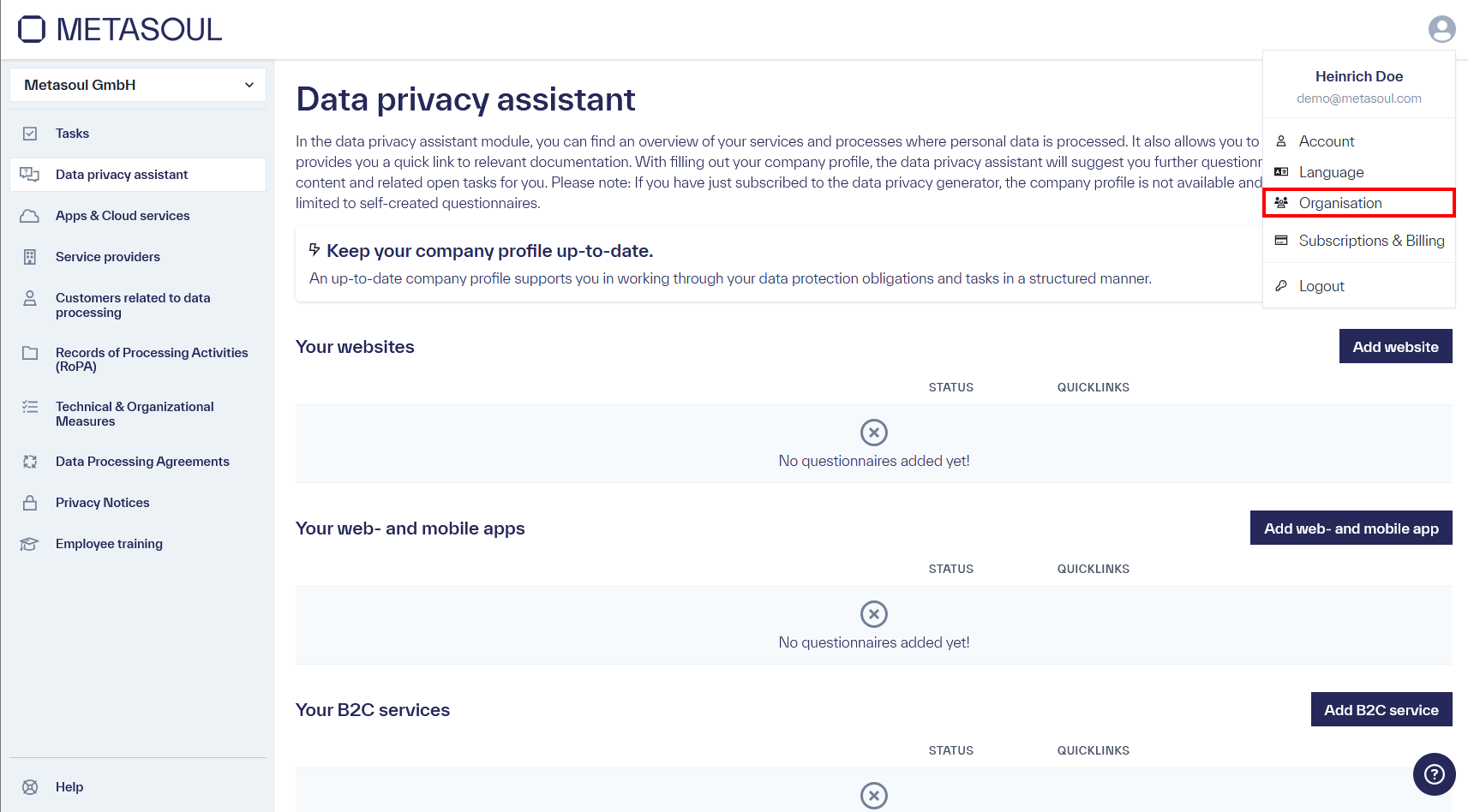
From the start page, the user menu can be opened via the profile icon in the upper-right corner. Selecting the “Organization” option leads to the company settings.
If access via the menu is not possible, the company settings can alternatively be accessed directly via the following link: https://login.metasoul.com/profile/company
Next, the “Global settings” tab can be selected. Under the language settings, the field for the billing email address is available.
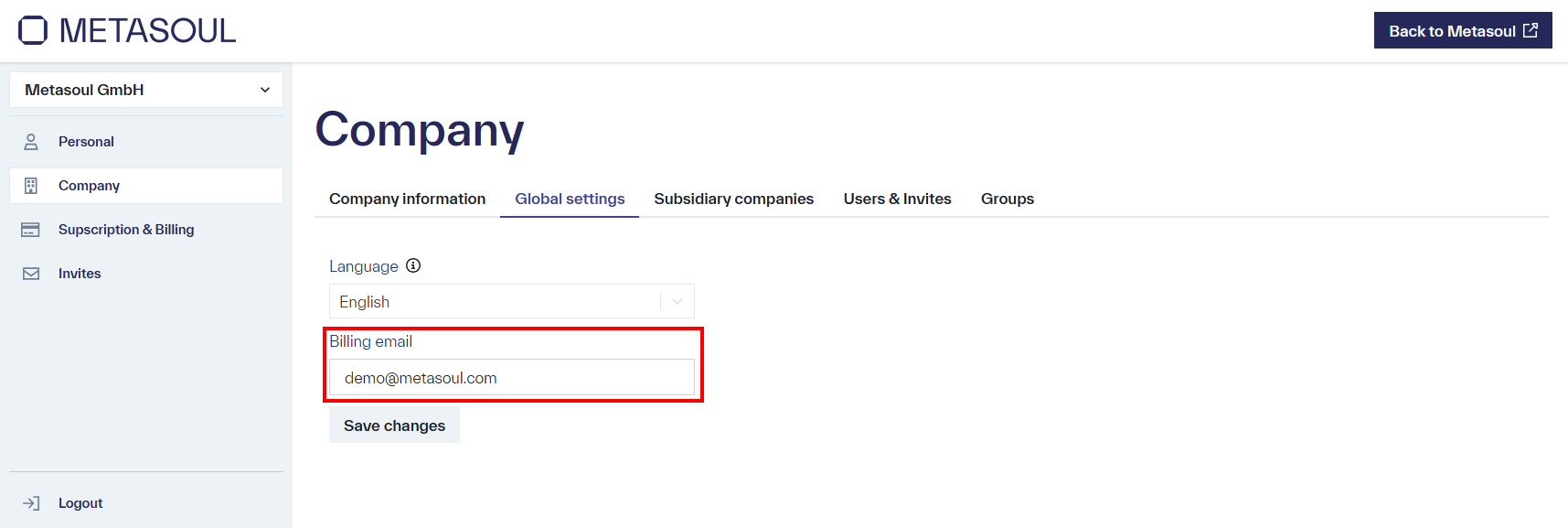
The email address can be adjusted accordingly. The changes are applied permanently by selecting “Save changes.”
A Metasoul subscription is a package that includes a defined set of features, such as a limited number of privacy notices and access to selected functions.
A Metasoul add-on is used to adjust an existing subscription as needed and to extend it with additional services without the need to purchase a higher-tier subscription.
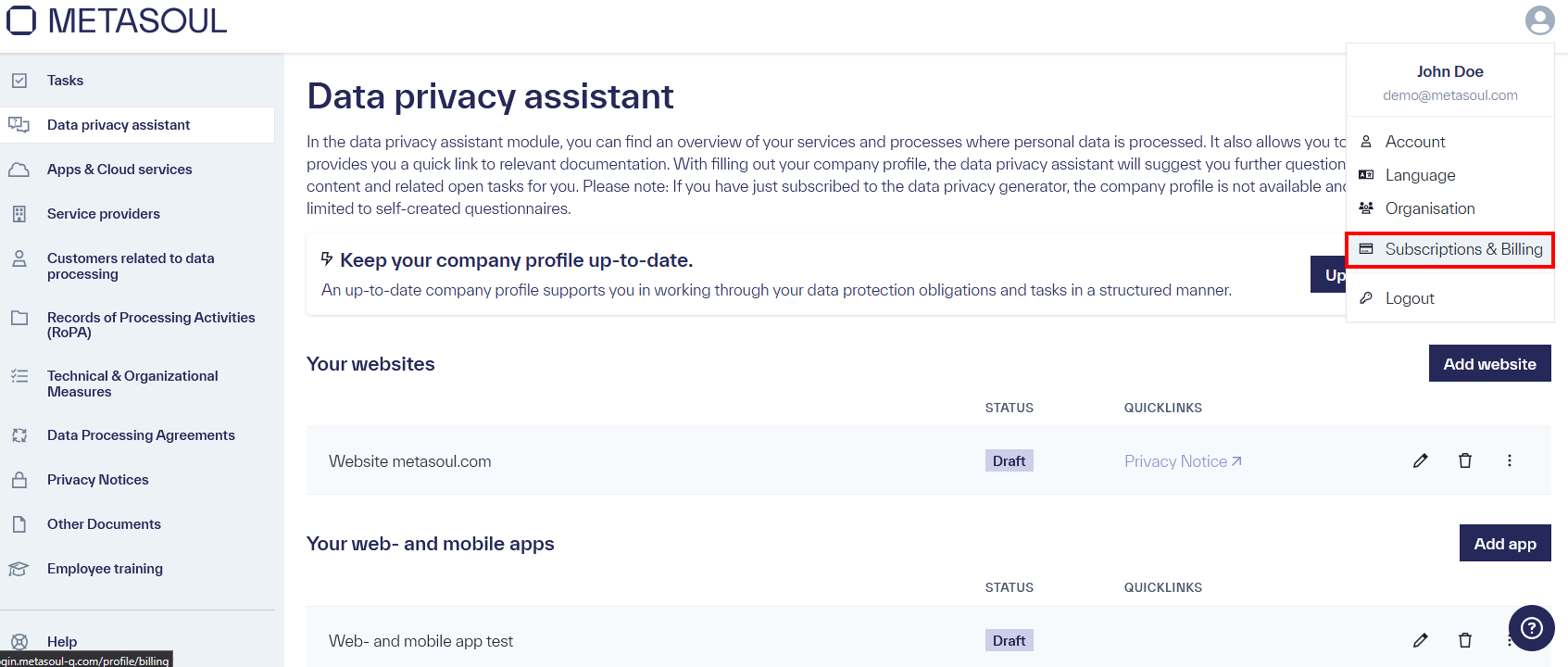
From the start page, the user menu can be opened via the profile icon in the upper-right corner. Selecting the “Subscriptions & Billing” option leads to the payment settings.
If access via the menu is not possible, the payment settings can alternatively be accessed via the following link: https://login.metasoul.com/profile/billing
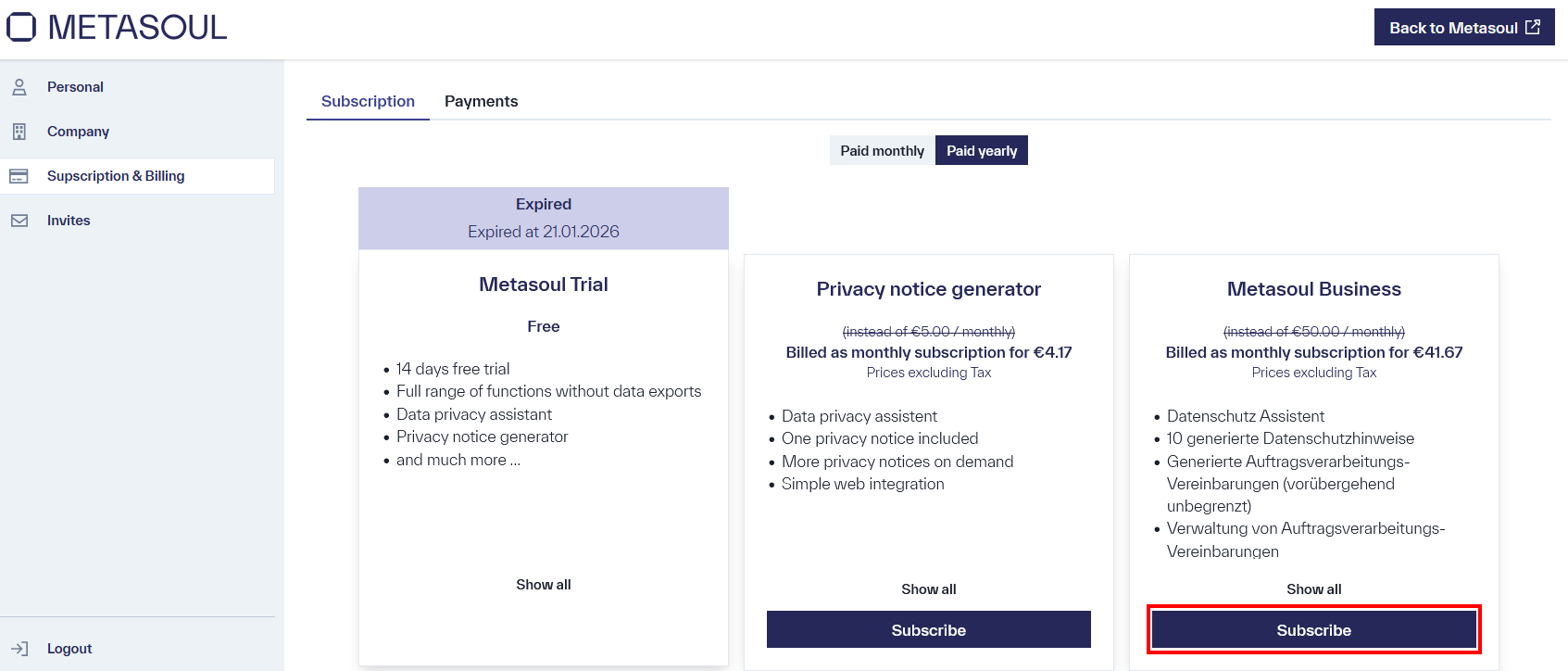
First, the subscription that best meets the requirements is selected.
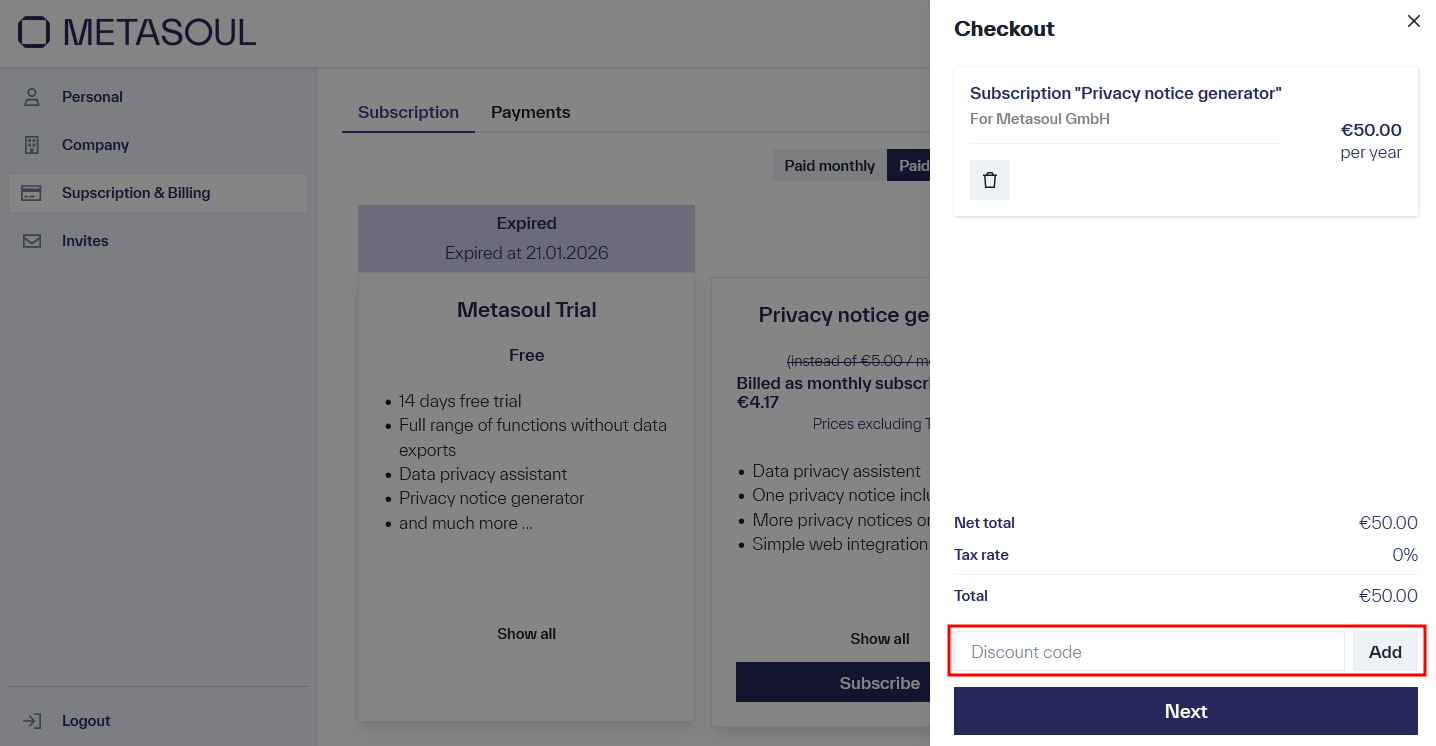
On the right side of the web application, the shopping cart opens, providing an overview of the selected subscriptions and add-ons. Additionally, a discount code can be entered. If an affiliate code is available, please also enter the affiliate code here in the discount code field.
After reviewing the selected products, the “Continue” option is used to proceed. Subsequently, the company information can be reviewed and, if necessary, adjusted using the edit icon (pencil).
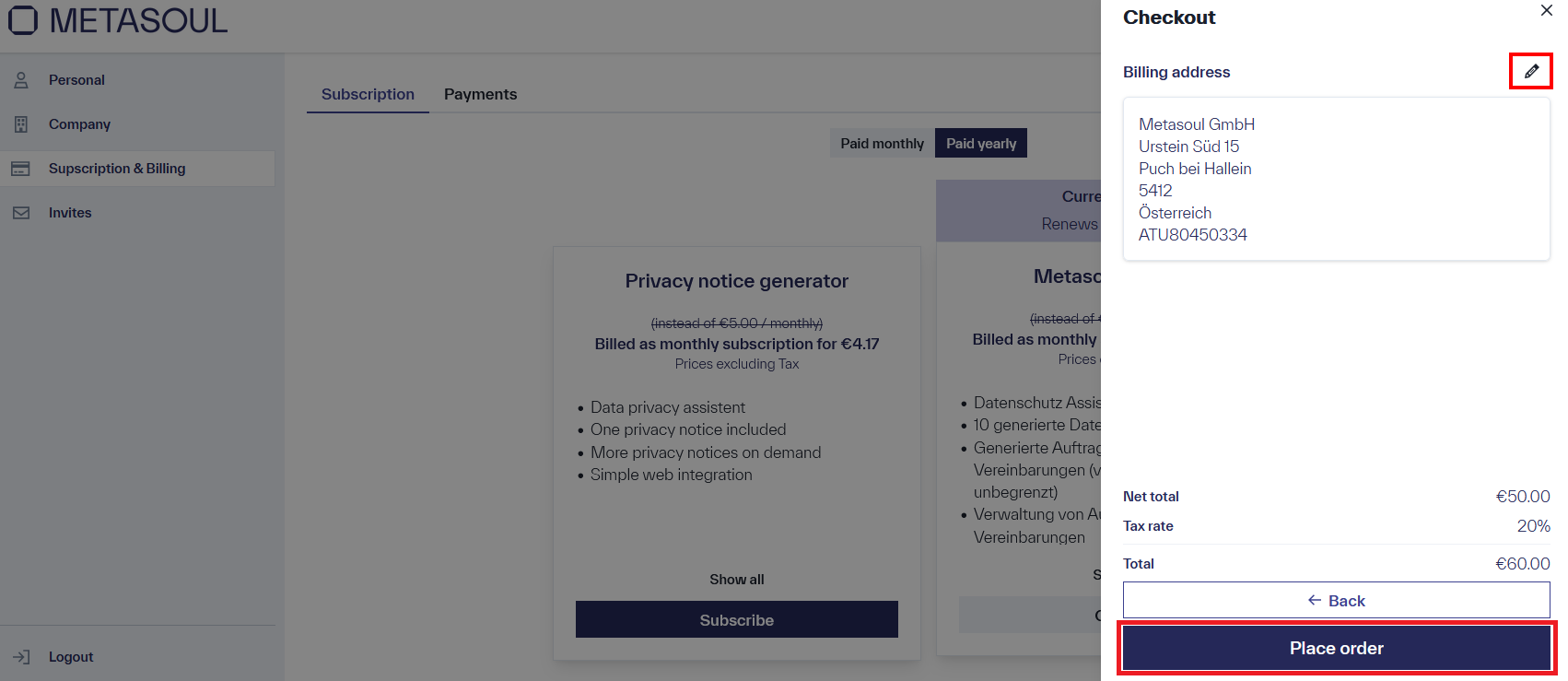
After confirming the paid order, the process redirects to the payment page. Upon completion of the payment process, a confirmation is displayed indicating that the payment has been successfully processed.
To change the subscription, the desired new subscription can be acquired as previously described. The existing subscription is automatically canceled, requiring no further actions.
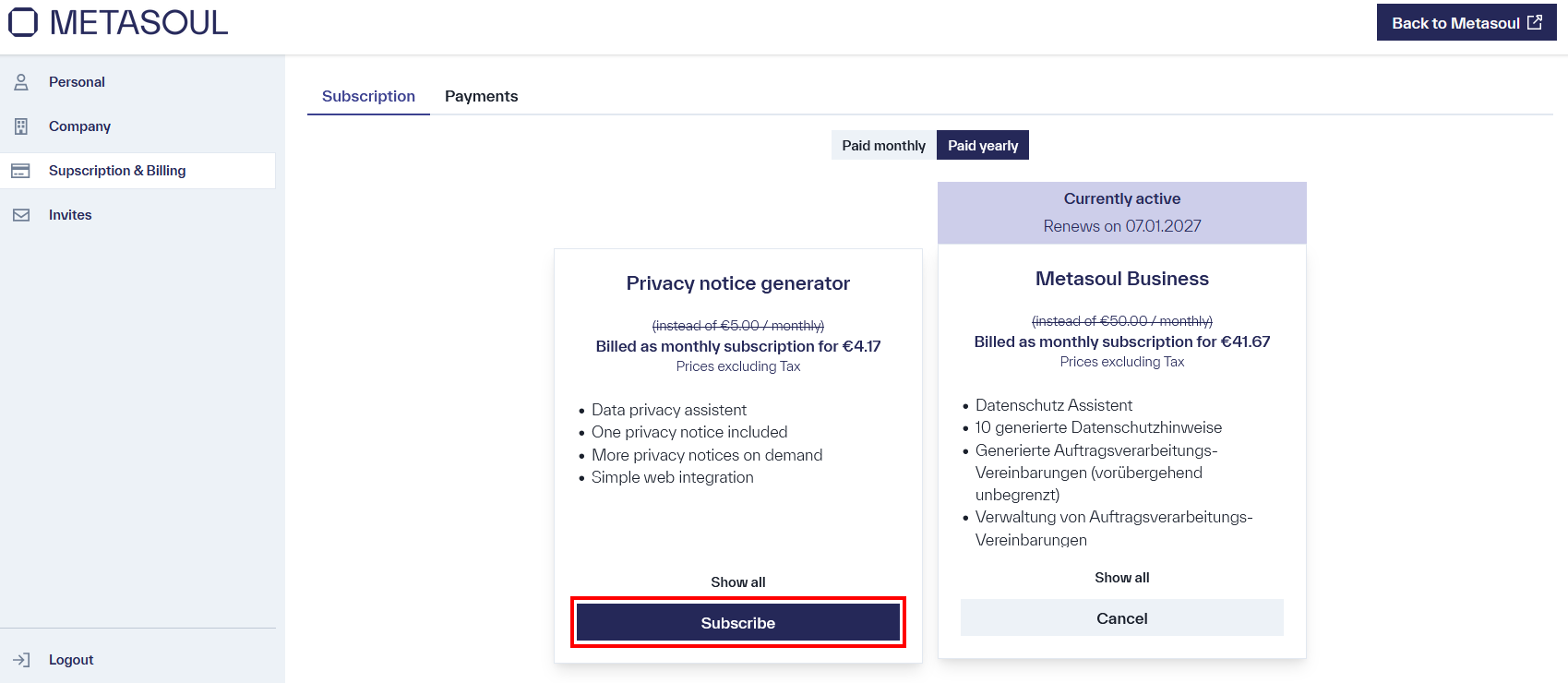
Note:
The subscription switch will take effect immediately. This means that an active subscription will not be prorated or refunded when you switch to a different subscription.
From the homepage, navigate to and click the profile icon in the upper right corner to open the user menu. Then select the option “Subscriptions & Billing” to access the payment options. Alternatively, the payment options can be accessed directly via the following link: https://login.metasoul.com/profile/billing
On the homepage of the payment options, the available subscription plans are displayed under the “Subscription” tab, with the currently active subscription highlighted.
At the bottom of the same section, the “Cancel” button allows the subscription to be terminated. Subscription benefits remain available until the end of the current billing period; automatic renewal does not occur. Reactivation of the subscription is possible at any time before the current subscription expires.
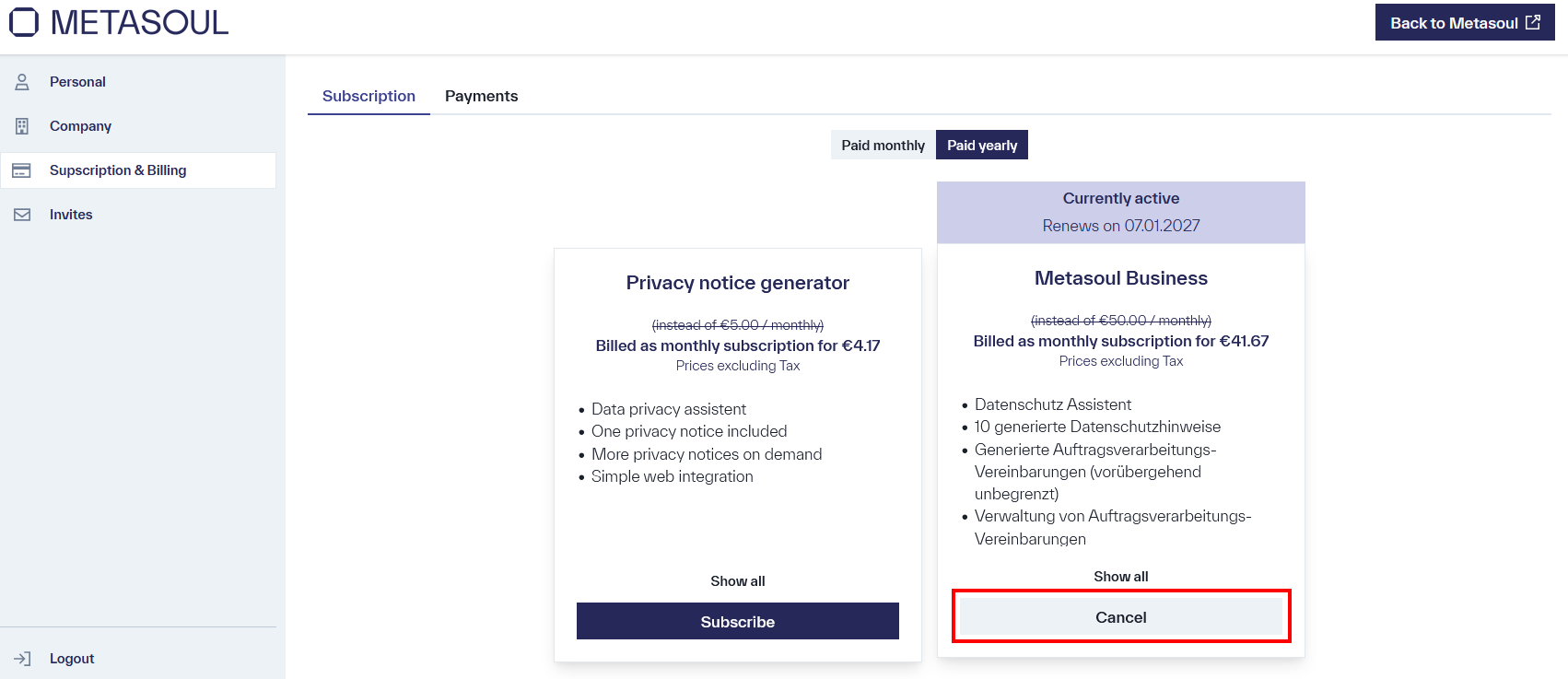
From the homepage, the profile icon in the upper right corner opens the user menu. The “Subscriptions & Payments” option can then be selected to access the payment options. Alternatively, direct access is available via the following link: https://login.metasoul.com/profile/billing
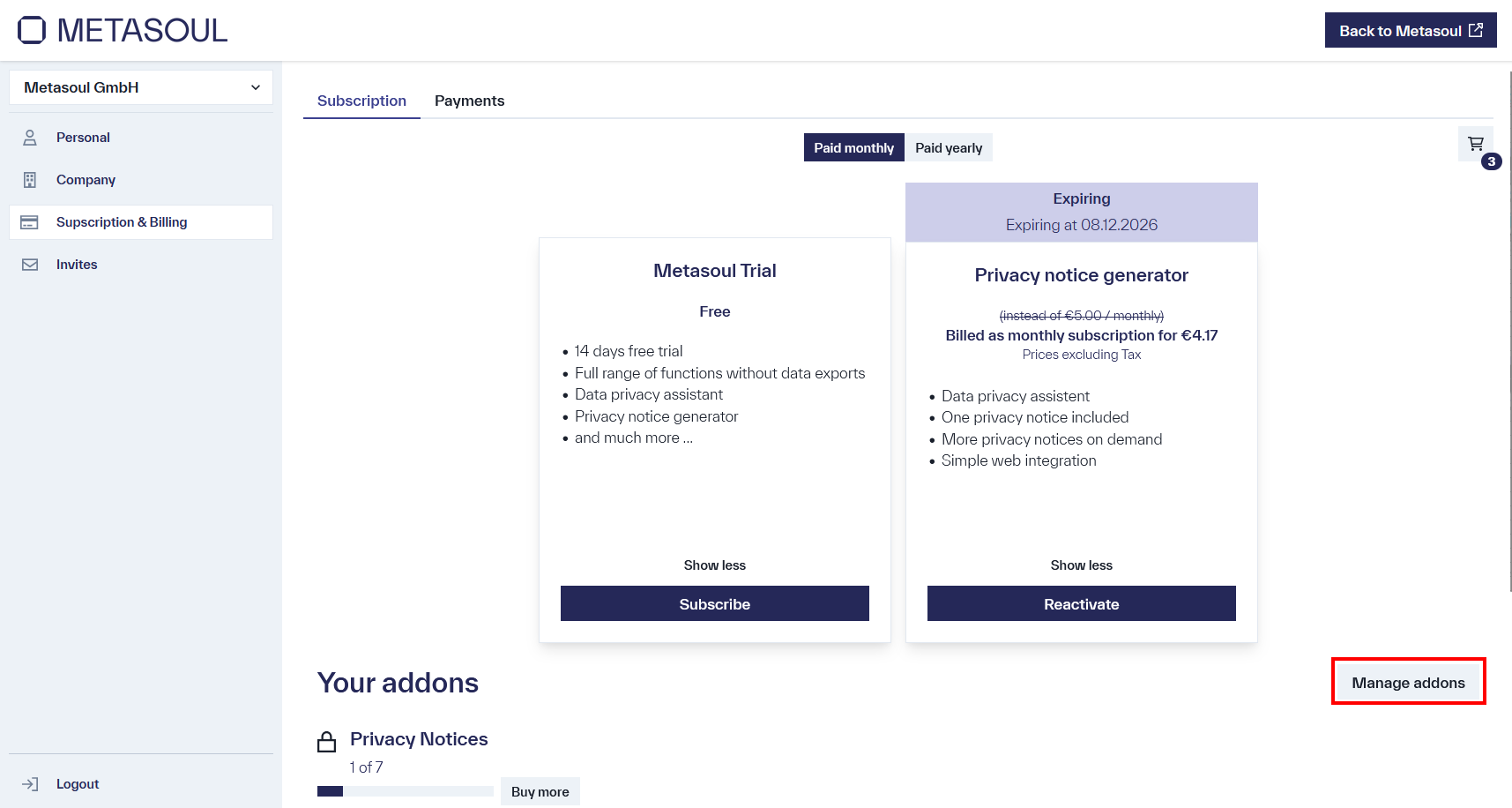
Under the “Your addons” section, the available add-ons are displayed. Additional licenses for a selected add-on can be purchased using the “Buy More” button next to the desired add-on. The shopping cart opens automatically with the selected add-on already added. The desired quantity of add-ons can be adjusted using the “Quantity” input field. The payment process can then be completed.
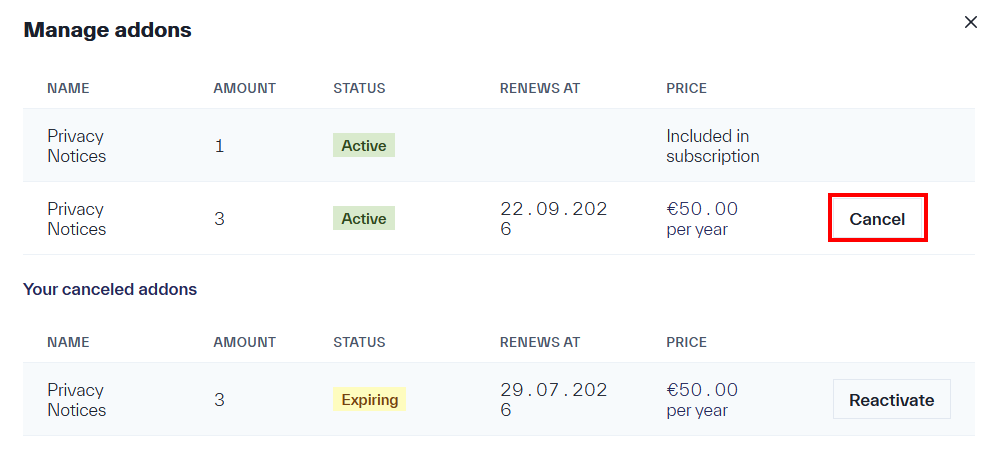
After successful payment, all purchased add-ons can be viewed under “Manage Add-ons.”
From the homepage, the user menu is accessed via the profile icon in the upper right corner. The option “Subscriptions & Payments” is then selected to access the payment options. If this is not possible, these can be accessed via the following link: https://login.metasoul.com/profile/billing
Extensions can be managed via “Manage addons.” For each purchased extension, the option “Cancel” is available to remove the extension.