
Task Management
Tasks are dynamically created in the Metasoul Task Management based on previous information from the various other Metasoul modules, as well as progress in fulfilling the data protection obligations.
Important: The nature of the tasks fundamentally differs depending on the subscribed Metasoul plan.
If the Metasoul Business plan is active, for example, the first task will be to complete the company profile. In the case of the exclusively licensed Metasoul privacy notice generator, the first task will be “Create a suitable questionnaire.”
Certain tasks for reviewing content and questionnaires are also regularly created to ensure that privacy-related information remains up to date.
When tasks are created, it is advisable for users to complete them based on the displayed priority: starting with “High,” followed by “Medium,” and finally “Low.”
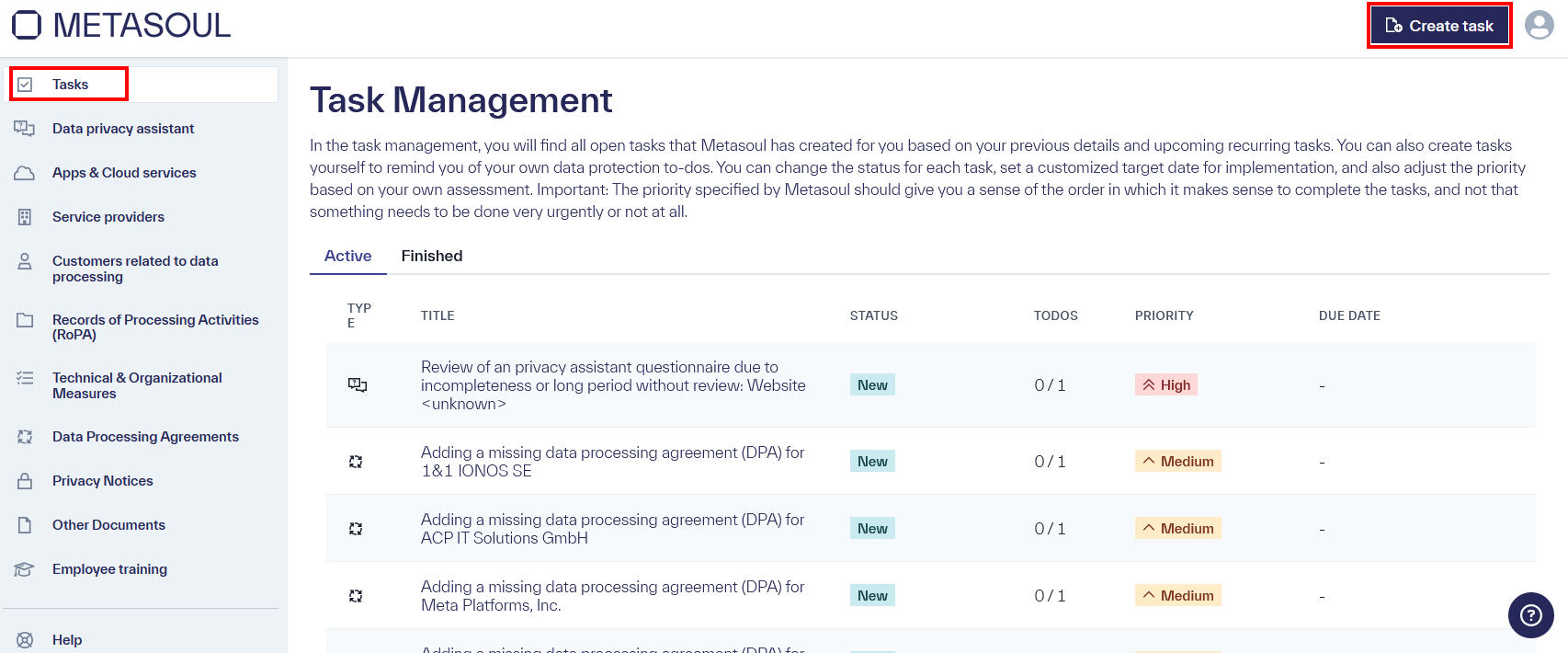
By clicking on a task, it can be opened and its associated details can be viewed. The user should review the task details and follow the instructions. In most cases, the description includes a link to the documentation, where further information about the task, as well as tips and tricks for its completion, can be found.
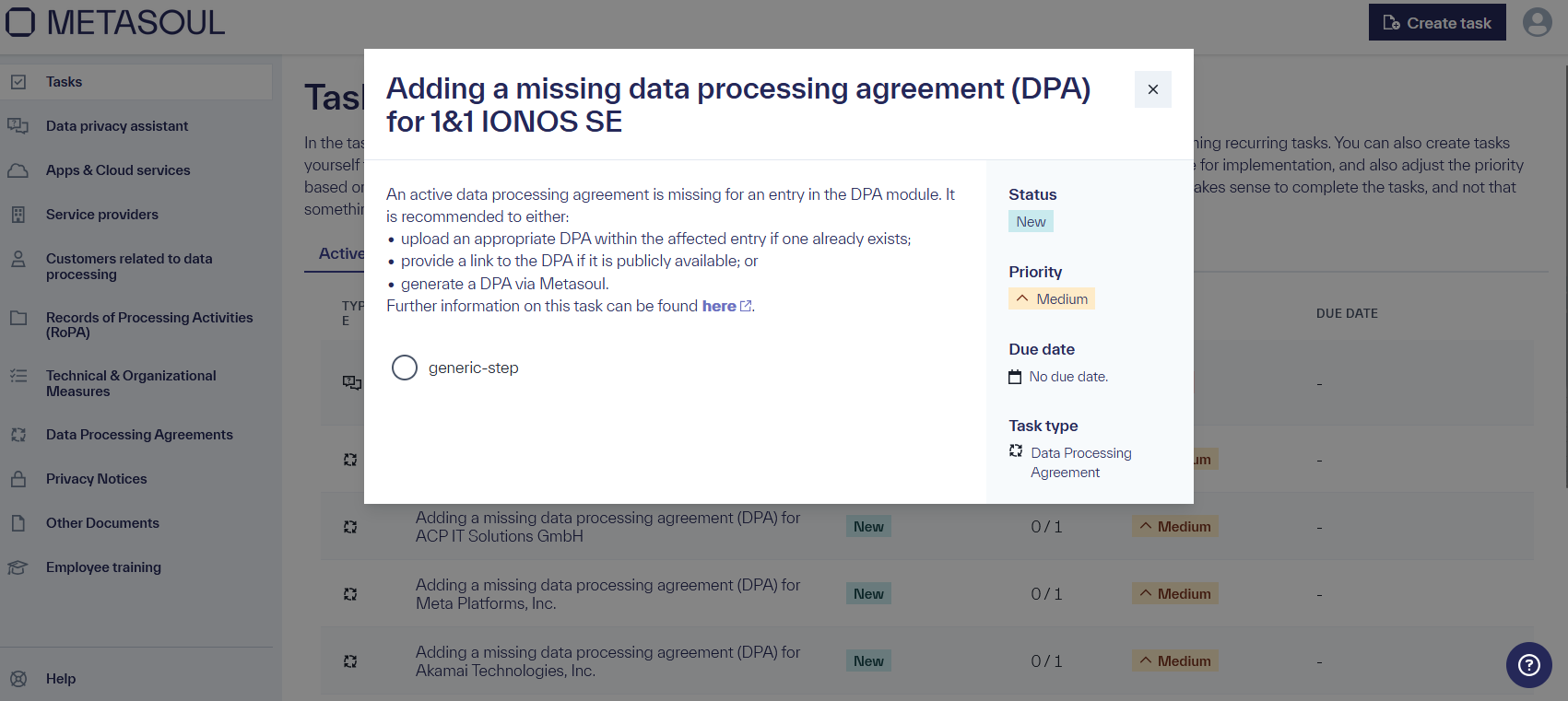
In general, all open tasks can be viewed in the “Tasks” module. Additionally, Metasoul sends a weekly email every Monday morning to inform about open tasks. For particularly important tasks, a notification email is also sent to the email addresses stored in the Metasoul tenant when the task is created.
Custom tasks can be created in the “Tasks” module via the Create Task option.
An input field opens, prompting for a name for the task. By clicking on “Create,” an empty task is assigned the chosen name. The task is now visible in the task overview.
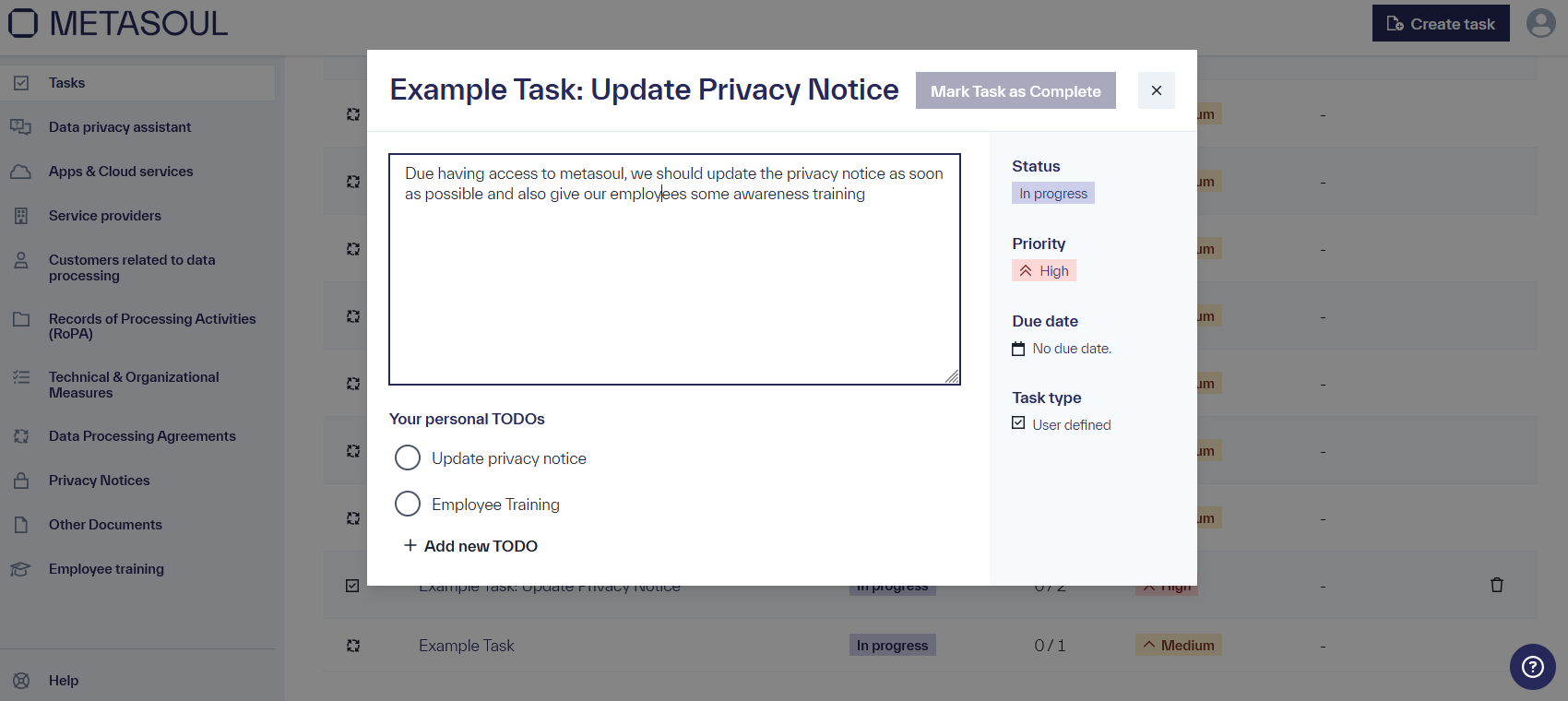
When opening the task, it can be freely filled in and modified:
- By clicking on the task title, it can be adjusted.
- A description of the task can be entered.
- The status of the task can be configured (New, In Progress, Completed). If “Completed” is selected as the status, the task will be closed and moved to the “Completed” tab.
- A priority can be set for the task (Low, Medium, High).
- A target date for task completion can be specified. If a target date is set, Metasoul will send a reminder email to the email addresses stored in the tenant when the task deadline approaches.
The task can be closed by clicking the “Mark task as completed” button.
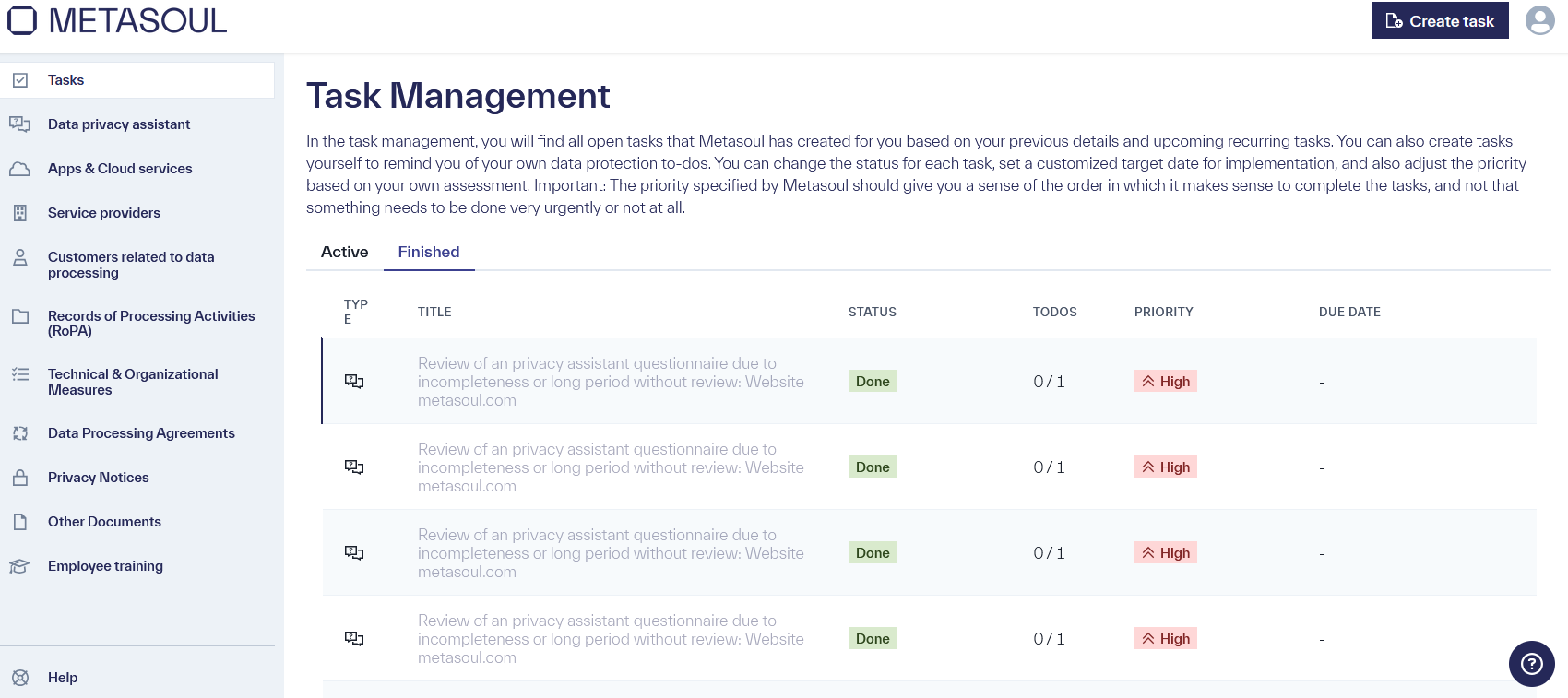
Completed tasks are located in the “Task Management” under the “Completed” tab.
A previously closed, custom-created task can be restored in the module “Task Management” under the “Completed” tab.
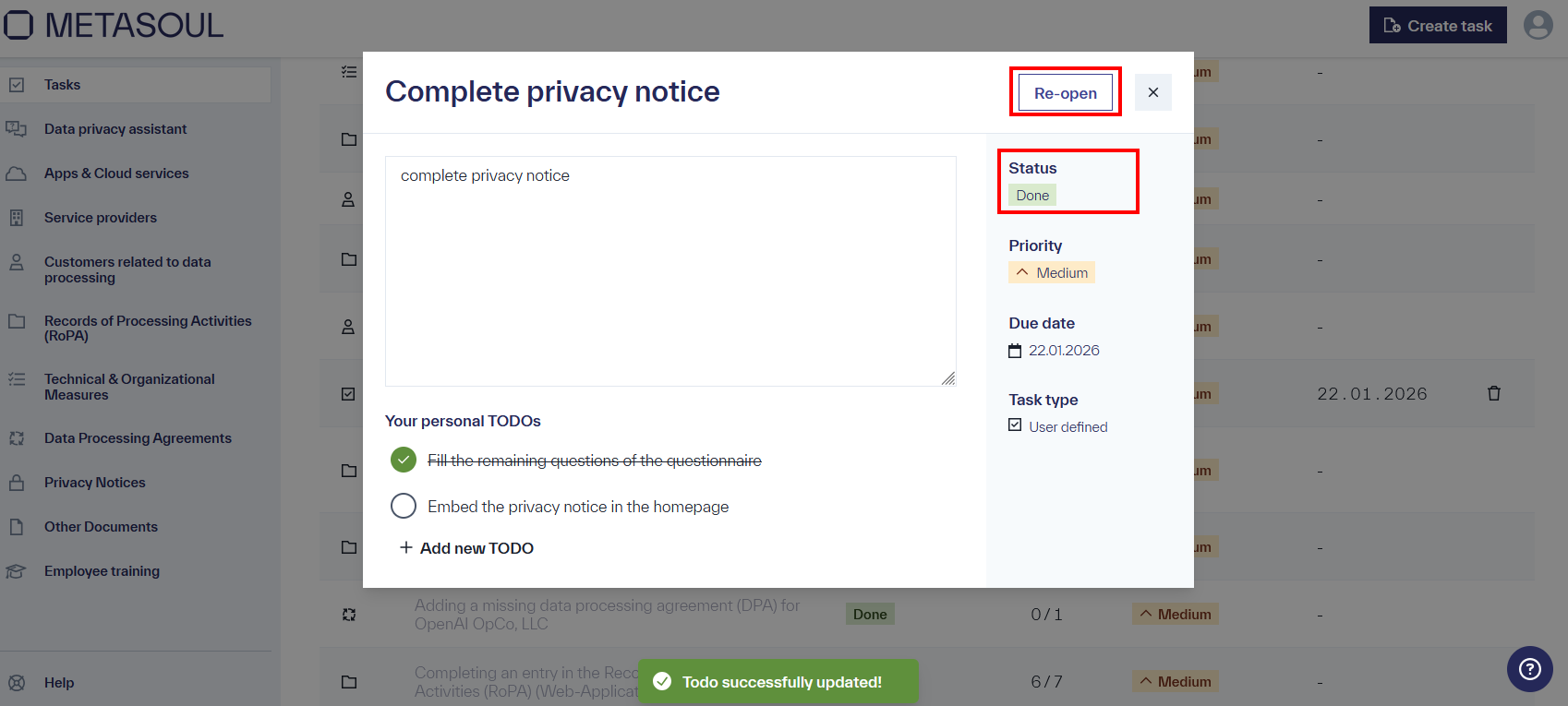
To do so, the custom-created and already closed task is selected by clicking on it. The task can be reopened either by clicking the “Reopen” button or by changing the status to “New” or “In Progress.” The task will then be moved back to the “Active” tab.
The following lists all tasks that Metasoul can automate. For each task, a brief description is provided, along with helpful tips and tricks to make it easier to understand and complete the task. If any questions or uncertainties arise regarding tasks, the Metasoul team can be contacted at help@metasoul.com or through the support function in Metasoul, accessed via the question mark icon in the bottom-right corner of the screen.
The starting point of a data protection journey with Metasoul in the “Metasoul Business” or “Metasoul Enterprise” subscription is the company profile. Through the company profile, Metasoul determines the further course of action and helps the customer to meet their data protection obligations appropriately.
If the company profile is not yet completed, a task will be created to highlight this. Additionally, if the company profile has not been updated for 330 days, this task will also be created to remind the customer regularly to review it, ensuring that data protection-related information remains up to date. In this case, a target date with a 30-day interval will also be set. If the task is not completed within this time frame, a reminder email will be sent to the customer.
If a customer is assigned this task, it is recommended to open the company profile in the “Data privacy assistant” module, review all information, and adjust or supplement it according to current circumstances.
The task will be closed once the completeness and accuracy of the company profile are confirmed via the “Complete” button.
Further information on the Metasoul Data privacy assistant or the company profile can be found here.
Metasoul strives to continuously improve the quality of its questionnaires and, where necessary, respond to changes in relevant international data protection laws or regulations. When a questionnaire used by a customer is updated, a task will be created, and a notification will be sent to the affected customers.
This type of task may appear in the context of a questionnaire in the Data privacy assistant, for other non-data protection-related documents, or for Data Processing Agreements (DPA).
If a customer is assigned this task, it is recommended to review the affected questionnaire linked in the task and answer any new questions as necessary. Once the review is completed, the questionnaire must be saved and published using the corresponding button at the end of the questionnaire. If this triggers a change in a document, a corresponding new task will be created. It is recommended to search for the corresponding task in the task management system immediately after completing the questionnaire review or, if known, directly review the affected document.
Further information on questionnaires in Metasoul can be found here.
In Metasoul, questionnaires are the central component to guide customers through their data protection obligations. When Metasoul suggests a questionnaire, the customer will be reminded to complete it through a task. This type of task can appear either in the context of a questionnaire in the Data privacy assistant, for other non-data protection-related documents, or for Data Processing Agreements (“Auftragsverarbeitungsvereinbarung” (Data Processing Agreement)).
The task will be created both when a questionnaire is first created and no later than 330 days after the questionnaire has not been updated, in order to remind the customer periodically to review it and keep data protection-relevant content up to date. In this case, a target date will also be set with a 30-day interval.
If a customer is assigned this task, it is recommended to review the affected questionnaire linked in the task for accuracy and, if necessary, add any missing information. Once the review is completed, the questionnaire must be saved and published using the corresponding button at the end of the questionnaire.
Further information on questionnaires in Metasoul can be found here.
Confirmation of a change in a privacy notice, data processing agreement, or other non-privacy-related document
From a GDPR perspective, it is important to keep privacy notices and Data Processing Agreements (DPA) up to date. This also applies to other documents such as the Imprint, internal privacy policies, NDAs, or T&Cs, which can be created using Metasoul. Whenever a new document version is available due to changes in the questionnaire or adjustments made by Metasoul, a new task is generated. In case of changes made by Metasoul (e.g., due to legal updates), the customer will also be notified via the email addresses stored in the Metasoul tenant.
When a customer is assigned this task, it is recommended to verify the accuracy of the modified document linked in the task. If the new document version is reviewed positively, it can be confirmed via the “Save and Publish” button. This action will replace the existing version of the document with the reviewed one. If the affected document is embedded via iFrame or JavaScript on a website or in an app, this version will be automatically updated. If the affected document was shared manually with the target audience, they must be informed about the change. This may involve, if applicable:
-
Modified Data Processing Agreements or other contract-like documents will be made available to the data processor or customer for review and, if necessary, signed.
-
Modified privacy notices or other informative documents will be provided to the data subjects for acknowledgment and, if necessary, updated at the points of dissemination (for example, new printed versions for training will be printed and handed over to the trainer).
Metasoul identifies when a Data Processing Agreement (DPA) is required based on customer inputs and automatically creates an entry in the “Data Processing Agreements (DPA)” module. If no DPA is linked in an entry, a task will be created to notify about the absence of the DPA.
When a customer is assigned this task, it is recommended to add the corresponding DPA within the affected entry by either:
-
Uploading the DPA if one is already available;
-
Providing a link to the DPA if it is publicly accessible; or
-
Generating a DPA via Metasoul.
Further information on managing Data Processing Agreements with Metasoul can be found here.
When a customer creates a new app or cloud service that is not yet managed by Metasoul, the service must be assigned to a provider so that Metasoul can generate the associated privacy-related content correctly.
If a customer-created app or cloud service exists without an assigned provider, Metasoul will create a task to indicate the need to assign a provider to the product.
When a customer is assigned this task, it is recommended to add the respective provider to the app or cloud service linked through the task. If the provider does not yet exist in the Metasoul database, the customer can add a new provider using the “Add New Provider” option in the dropdown.
When customer information is provided in Metasoul under the “Customers for Data Processing” module, Metasoul generates content such as Data Processing Agreements based on other information. To create this content properly, the contact details of the listed customer are required. If this information is missing for a customer, Metasoul will create a task indicating the need to complete these details.
When a customer is assigned this task, it is recommended to add the required information to the customer linked through the task.
Based on inputs in the company profile and additional questionnaires, Metasoul suggests a list of technical and organizational measures (TOM) for the protection of personal data, as the GDPR requires the implementation of appropriate TOM.
Metasoul reminds the customer within the “Technical & Organizational Measures (TOM)” module to review the applicability and implementation status of the proposed technical and organizational measures for the protection of personal data. The task is created both initially and, at the latest, after 330 days without an update, to remind the customer periodically to perform this review, ensuring that privacy-related content remains up to date. In this case, a target date with a 30-day interval will also be provided.
When a customer is assigned this task, it is recommended to review the implementation of all proposed measures within the TOM module. If a measure is only partially or not implemented at all, full implementation within the company should be planned and executed. The degree of implementation can be specified for each measure.
This task can be time- and resource-intensive but is essential to ensure the adequate protection of personal data and compliance with the GDPR.
After completing the review, the task will close when the completeness of the list and the correct implementation status are documented in the TOM module by clicking the “Mark as Complete” button.
Further information on managing and implementing technical and organizational measures can be found here.
A company operates based on a variety of processes. All processes that involve the processing of personal data must be documented in a “Record of Processing Activities” (RoPA), including the information required by the GDPR. Metasoul automates the creation of this RoPA for the customer but it must be reviewed for completeness and accuracy by the customer.
Metasoul reminds customers to review the documented processes in the “Record of Processing Activities (RoPA)” module for completeness and accuracy. The task is created both initially and, at the latest, after 330 days without an update, to remind the customer periodically to perform this review, ensuring that privacy-related content remains up to date. In this case, a target date with a 30-day interval will also be provided.
When a customer is assigned this task, it is recommended to review the processes in the RoPA module to the best of their knowledge for completeness and then verify the accuracy of the content for each process, making any necessary additions or corrections.
After completing the review, the task will close when the completeness is confirmed in the RoPA module by clicking the “Mark as Complete” button.
Further information on managing the Record of Processing Activities can be found here.
In general, Metasoul handles the creation of entries in the Record of Processing Activities (RoPA). If a customer decides to create a custom entry in the Record of Processing Activities, all privacy-related information must be provided and the completeness of each step in the record must be confirmed. If any of these requirements are not met, Metasoul will create a task to remind the customer to complete the information.
When a customer is assigned this task, it is recommended to open the entry in the Record of Processing Activities via the link in the corresponding task, review the content for each section step by step, and, if necessary, add or correct the information, confirming each step by clicking the “Complete Step” button. In the “Stepper” on the left, green checkmarks indicate which sections have already been reviewed and confirmed.
Further information on correctly filling out and completing an entry in the Record of Processing Activities can be found here.
If it is recorded in the company profile that the customer has not appointed a Data Protection Officer (DPO), but Metasoul identifies based on other information that the customer is likely to need a DPO, a task will be assigned to the customer with a reminder to appoint a DPO. This may be the case, for example, if special categories of personal data are processed, there are processes with higher risks to data subjects, or personal data is processed on a large scale.
When a customer is assigned this task, it is recommended to appoint a Data Protection Officer and register this person with the relevant data protection authority.
The task will be closed when the question in the company profile regarding the existence of a Data Protection Officer is answered with “Yes.”
Detailed information on how to appoint a Data Protection Officer can be found here.
A Data Protection Officer (DPO) must be reported to the relevant data protection authority in the country where the data controller is established. If it is indicated in the Metasoul module “Data Privacy Assistant” that the DPO has not yet been reported to the respective data protection authority, Metasoul will create a task to remind the customer to complete this notification.
The task will be closed when the question regarding the notification of the DPO to the data protection authority in the company profile is answered with “Yes.”
Detailed information on how to report the Data Protection Officer to the data protection authority can be found here.
If it is indicated in the company profile that a Data Protection Officer exists but the contact details of the DPO are not fully entered in the company settings, Metasoul will create a task to remind the customer to complete the contact information. The contact details may be relevant for various content and documents.
The task will be closed when the corresponding contact details have been entered in the company settings. Important: The contact details must be confirmed using the “Save” button to ensure they are successfully saved.
Further information on the Data Protection Officer within the company can be found here.