
Members, Groups and Rights
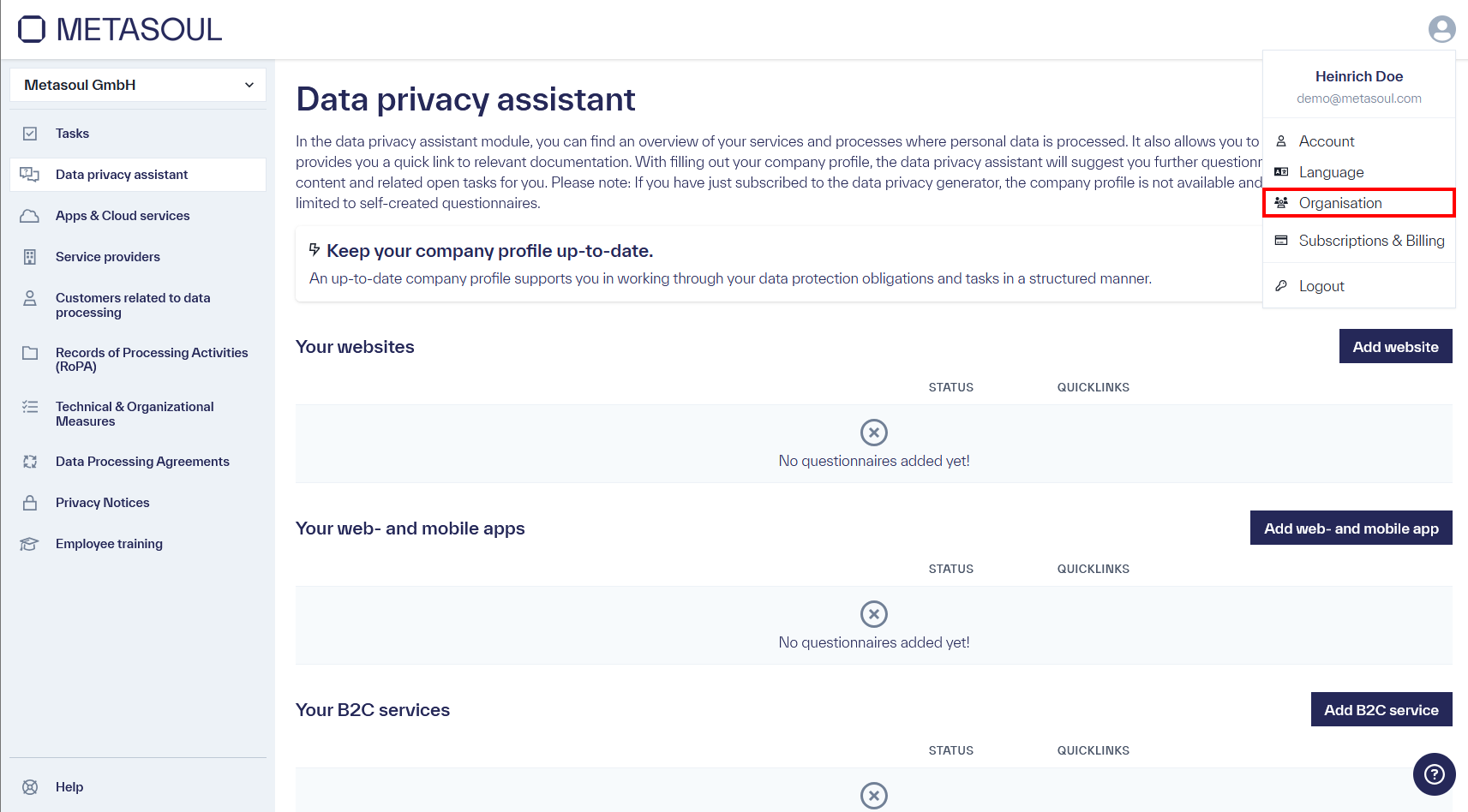
From the start page, the user menu can be opened via the profile icon in the upper-right corner. Selecting the “Organization” option leads to the company settings.
If access via the menu is not available, the company settings can alternatively be accessed directly via the following link: https://login.metasoul.com/profile/company
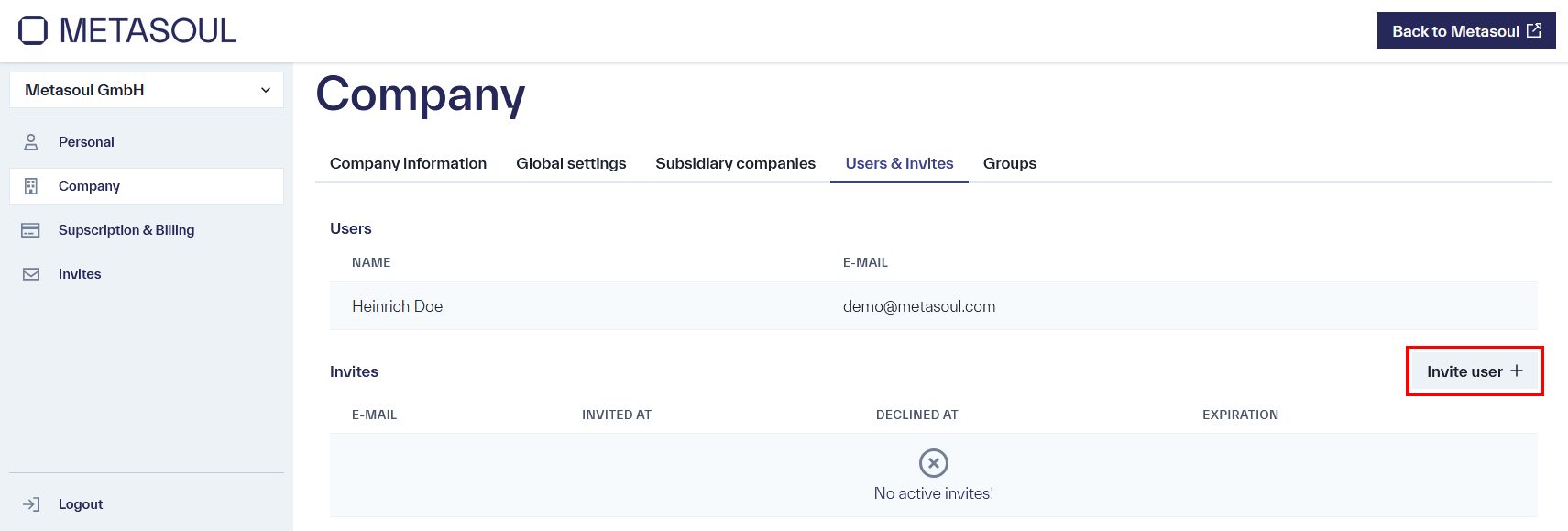
First, navigate to the “Users & Invites” tab.
Then, in the “Invites” section, click “Invite user”.
In the pop-up window that appears, the email address of the intended recipient is entered.
The recipient receives an email from hub@metasoul.com:
-
If a Metasoul account already exists, the link included in the email can be used to navigate directly to the page where the invitation is confirmed.
-
If no Metasoul account exists yet, an account must first be created, which is then automatically added to the corresponding tenant.
Note:
The function for removing users is currently still under implementation and will be available shortly. For questions regarding the planned implementation, the support team can be contacted by email at info@metasoul.com.
From the start page, the user menu can be opened via the profile icon in the upper-right corner. Selecting the “Organization” option leads to the company settings.
If access via the menu is not possible, the company settings can alternatively be accessed directly via the following link: https://login.metasoul.com/profile/company
Navigate to the “Groups” tab and click the “Add group” button.
A form opens in which the required data for creating the group is entered:
- Group name
- Company (to be selected from a drop-down list)
- Members (also to be selected from a drop-down list)
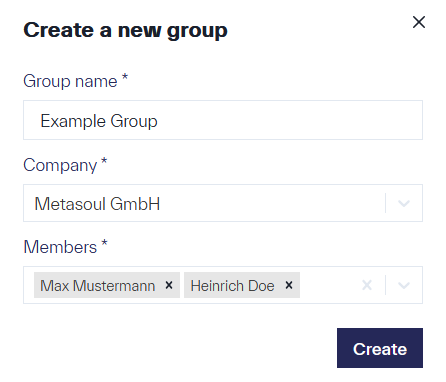
After clicking “Create,” a confirmation is displayed indicating the successful creation of the group. The newly created group is then visible in the system.
From the start page, the user menu can be opened via the profile icon in the upper-right corner. Selecting the “Organization” option leads to the company settings.
If access via the menu is not possible, the company settings can alternatively be accessed directly via the following link: https://login.metasoul.com/profile/company
Navigate to the “Groups” tab and click the “Add group” button.
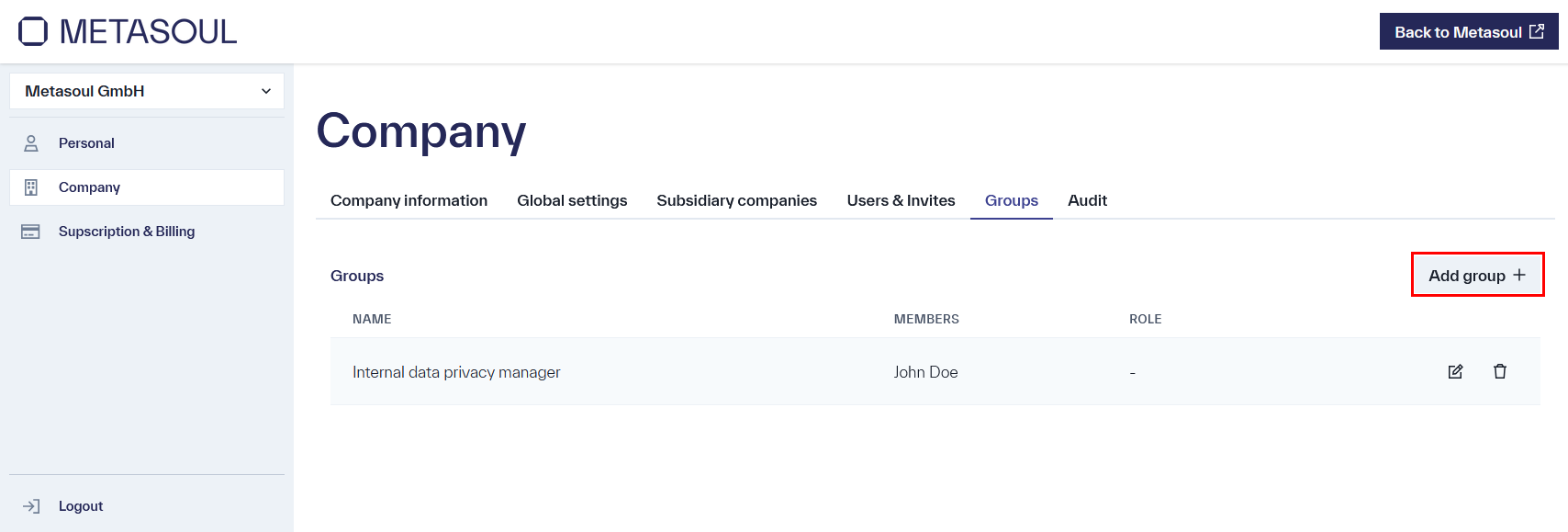
In the “Create New Group” form that then opens, in addition to the group name and members, the group’s rights can now also be set via the “Role” field. The following roles are available:
- Administrator: full administrative rights within the company
- Data Protection Officer: full administrative rights except for payments and company settings
- Contributor: read and write rights, cannot perform actions on reviews
- Read Only: exclusively read access with no editing capability
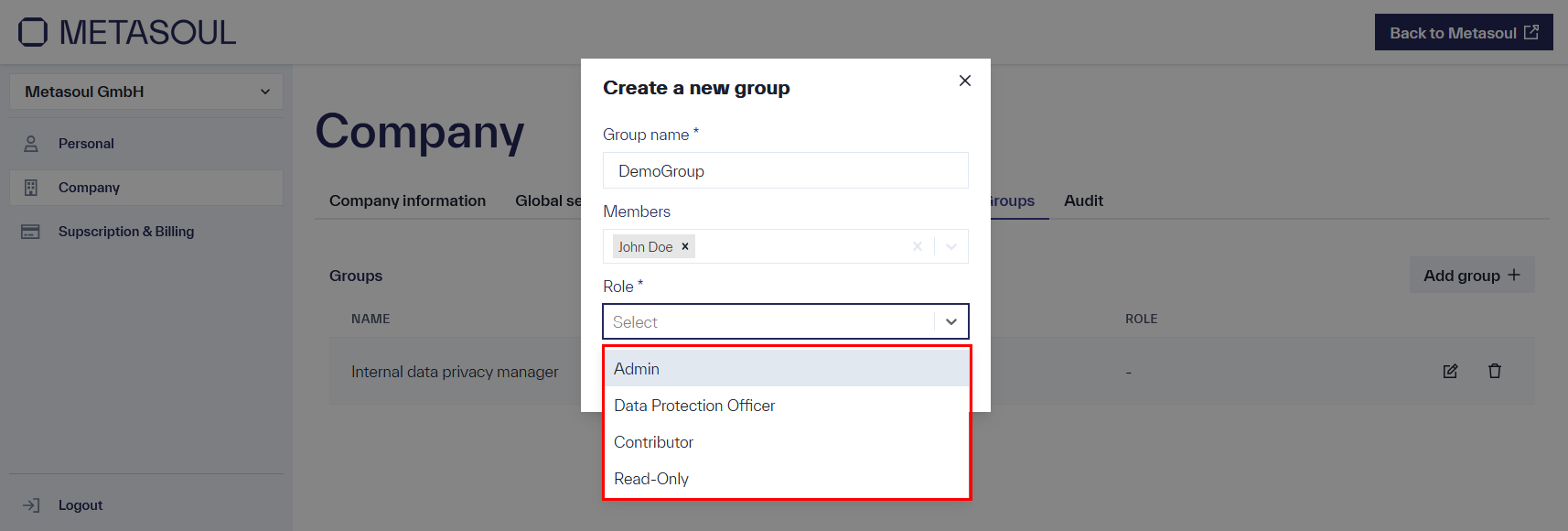
After selecting the desired role and clicking “Create,” all members of the group receive the corresponding rights. The role assigned to a group can be adjusted at any time by editing the group.
Note:
Only one role can be selected per group. However, a user can be a member of multiple groups; in this case, the highest permissions from all assigned roles always apply.
SSO as well as the integration of an identity provider are currently under implementation in Metasoul and will be available shortly. For questions regarding the planned implementation, the support team can be contacted by email at info@metasoul.com.