
Questionnaires
Completing a questionnaire is required in order to create a privacy notice. To complete a new questionnaire for creating a privacy notice, an available use case must first be selected in the “Data privacy assistant” module. For example, to create a privacy notice for a website, the option “Add website” is selected.
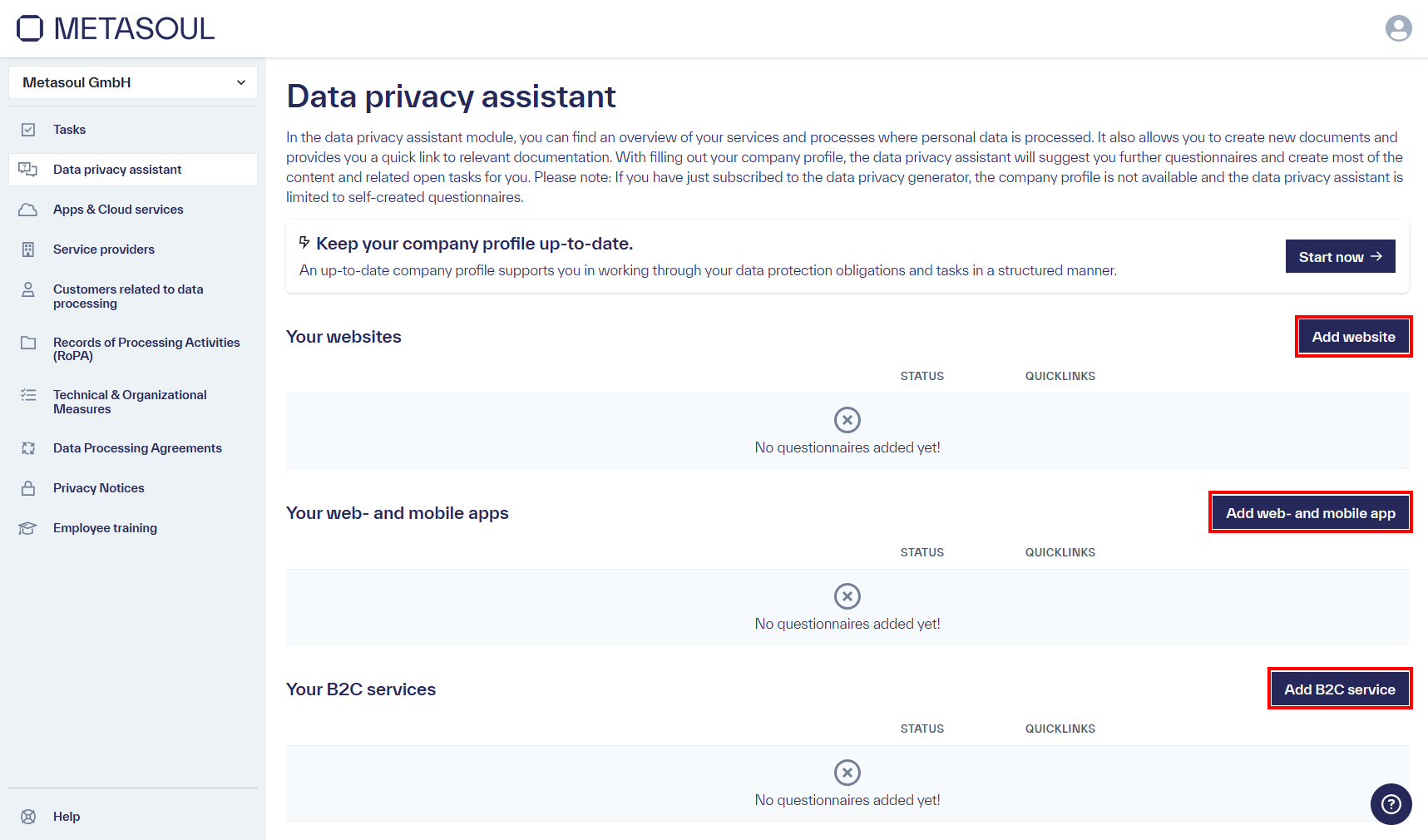
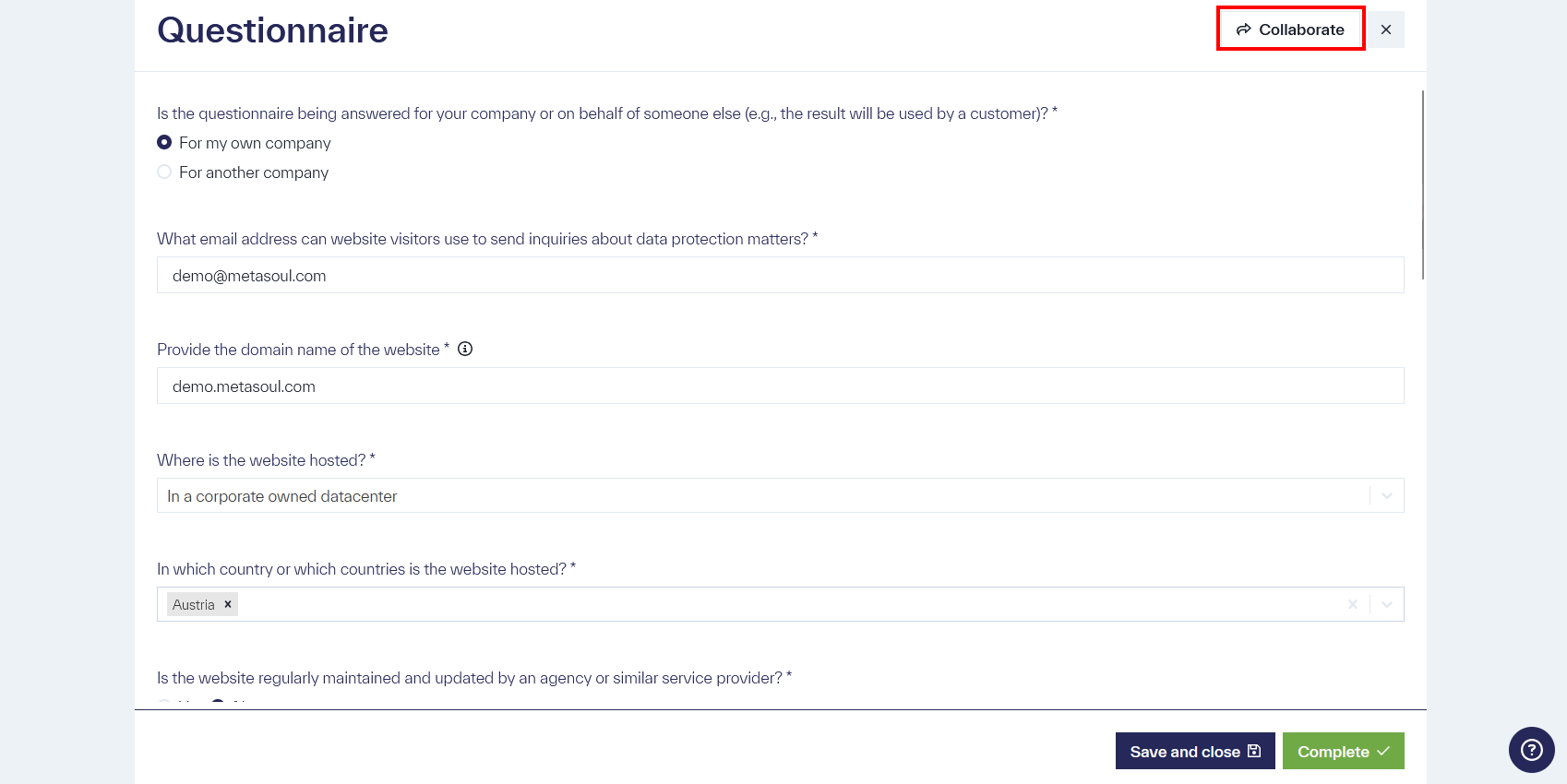
In a questionnaire, mandatory fields are marked with an asterisk (*). Until all mandatory fields have been completed, the questionnaire cannot be fully finalized.
Some input fields contain an information icon (🛈) that displays additional guidance and notes for answering the question when the mouse pointer is moved over it. In addition, certain fields are displayed dynamically, depending on previously made selection decisions.
If completion of the questionnaire is interrupted without losing the entries made so far, the blue button “Save and Close” at the bottom of the screen is used.
After all required entries have been completed, the green button “Complete” at the bottom of the screen is selected to finish the questionnaire.
Depending on how the questionnaire is closed, it is assigned a corresponding status.
For the generation of a “Datenschutzhinweis” (privacy notice), the questionnaire is required to have the status “Completed”. This status is achieved through the action “Complete”. For incomplete “Datenschutzhinweis” (privacy notice) where not all mandatory questions have been answered, the status is “Draft”.
Questionnaires can be shared with other users, even if they do not have a Metasoul account. A questionnaire can be shared via the “Collaborate” button in the upper-right area of the questionnaire.
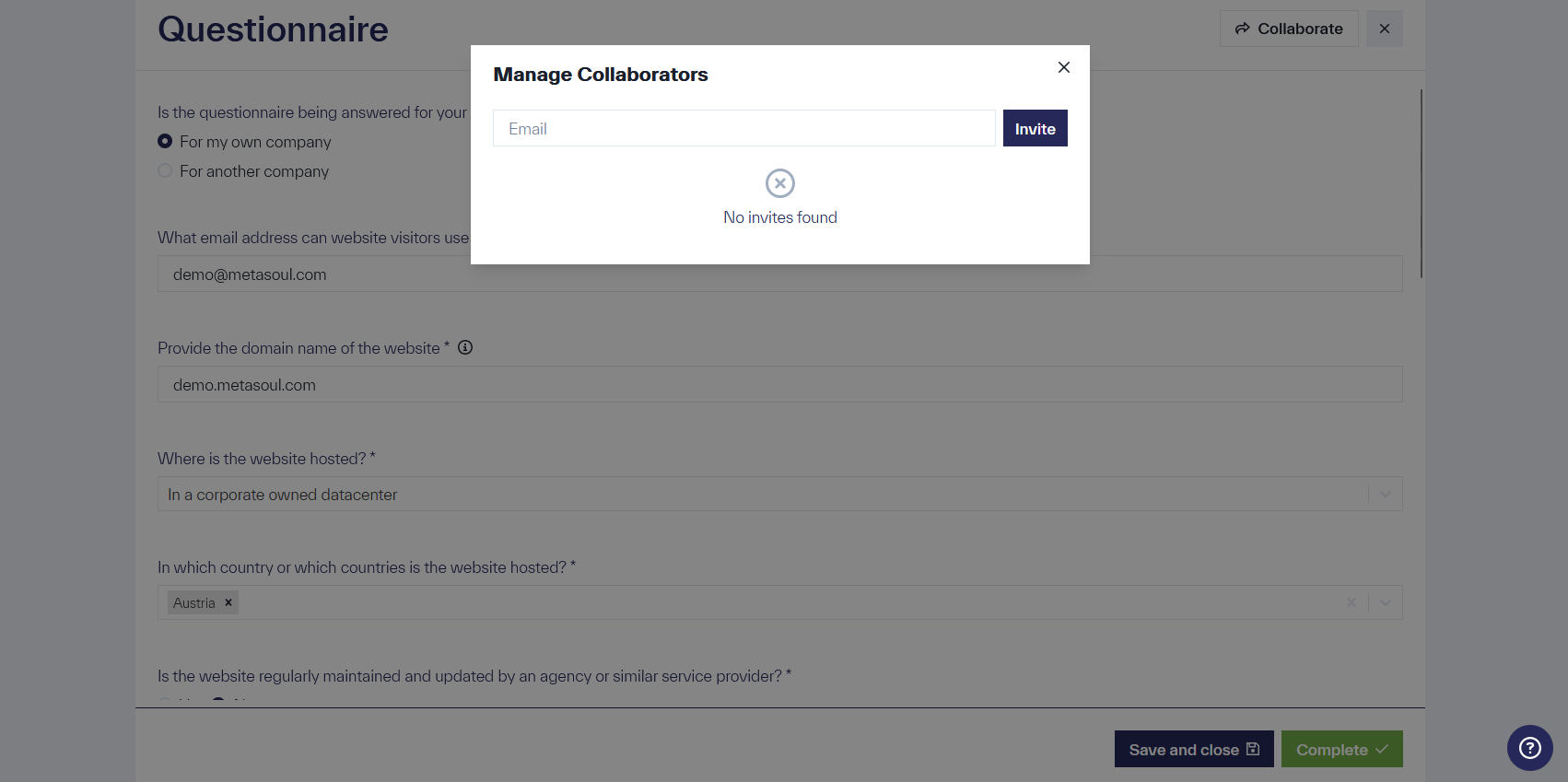
A modal appears in which an email address can be entered and an invitation link generated. This link is sent to the specified email address.
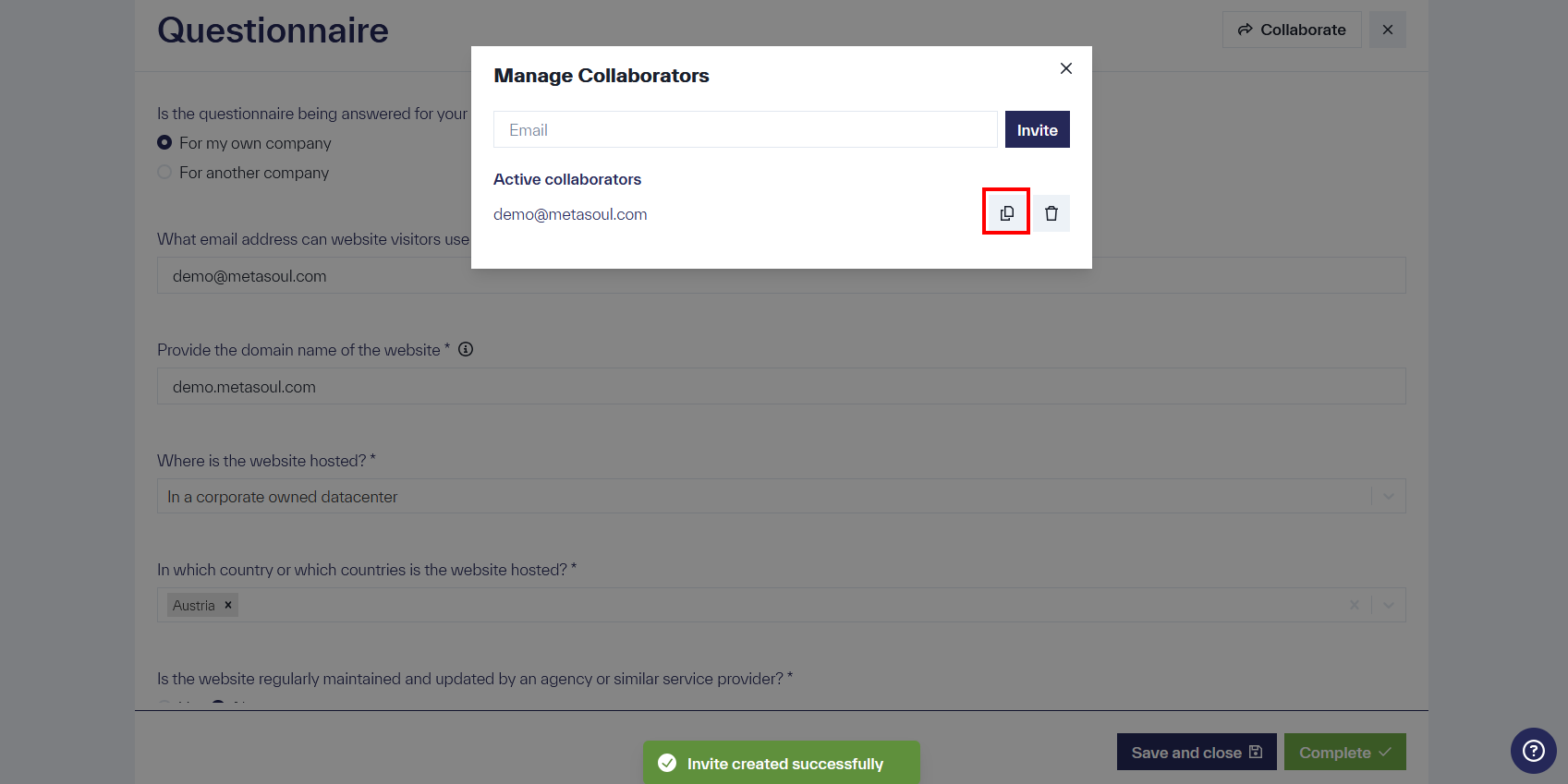
The modal also displays all email addresses with which the questionnaire has been shared. The respective link can be manually copied here and distributed via other communication channels.
After the invitation is opened by a participant, editing is possible without registration. Note: Anyone with the link can access it.
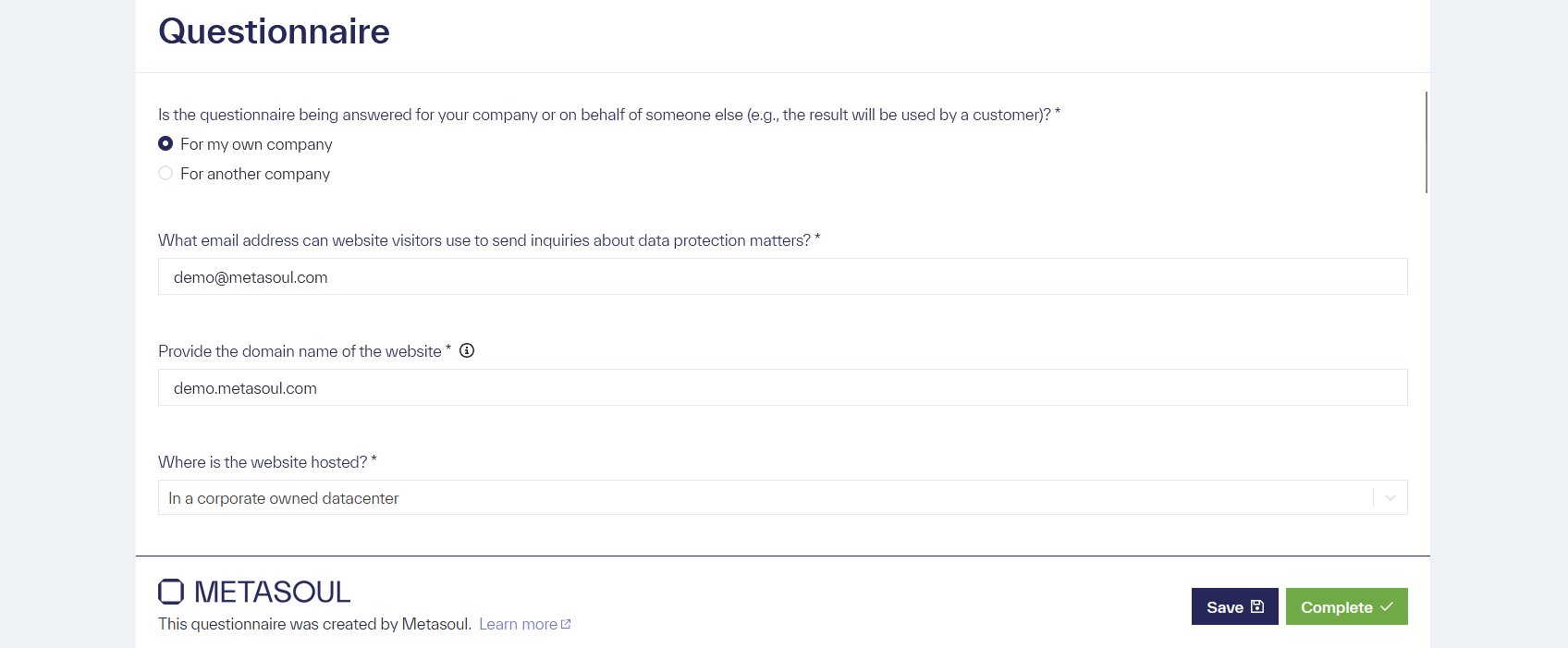
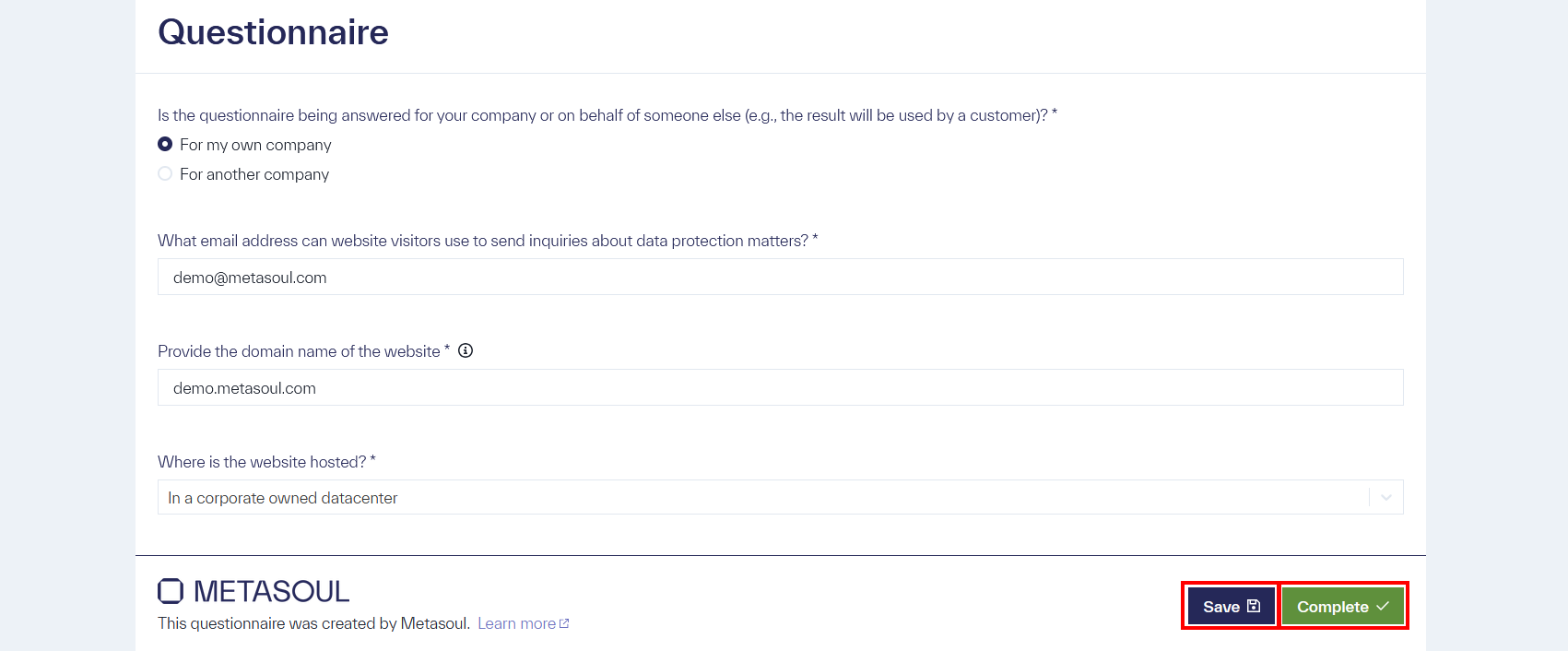
Changes made by the participant can be saved using the “Save” option. To complete the questionnaire, the participant can select “Complete.” Selecting “Complete” invalidates the invitation link, preventing further use.
After selecting “Complete,” the participant is redirected to a page confirming the successful completion of the questionnaire. The inviter receives an email notification after completion by the participant.

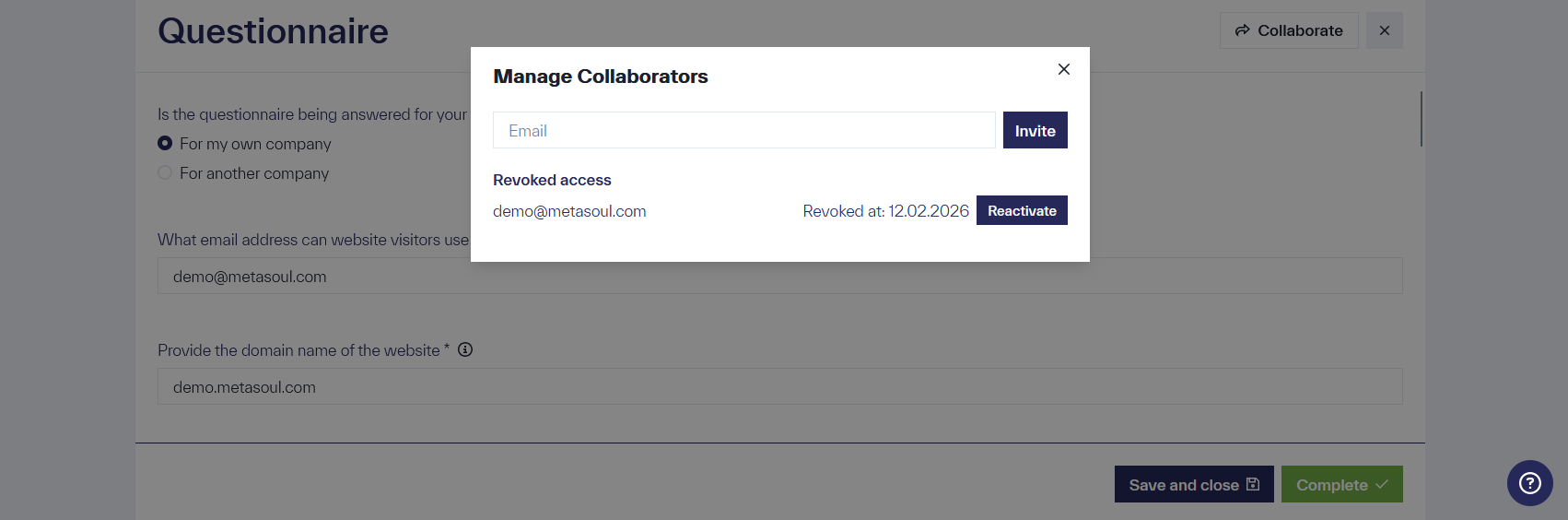
The invitation link can be reactivated if answers need to be updated. This is done using the “Reactivate” option next to the respective email address in the “Manage Collaborators” window.
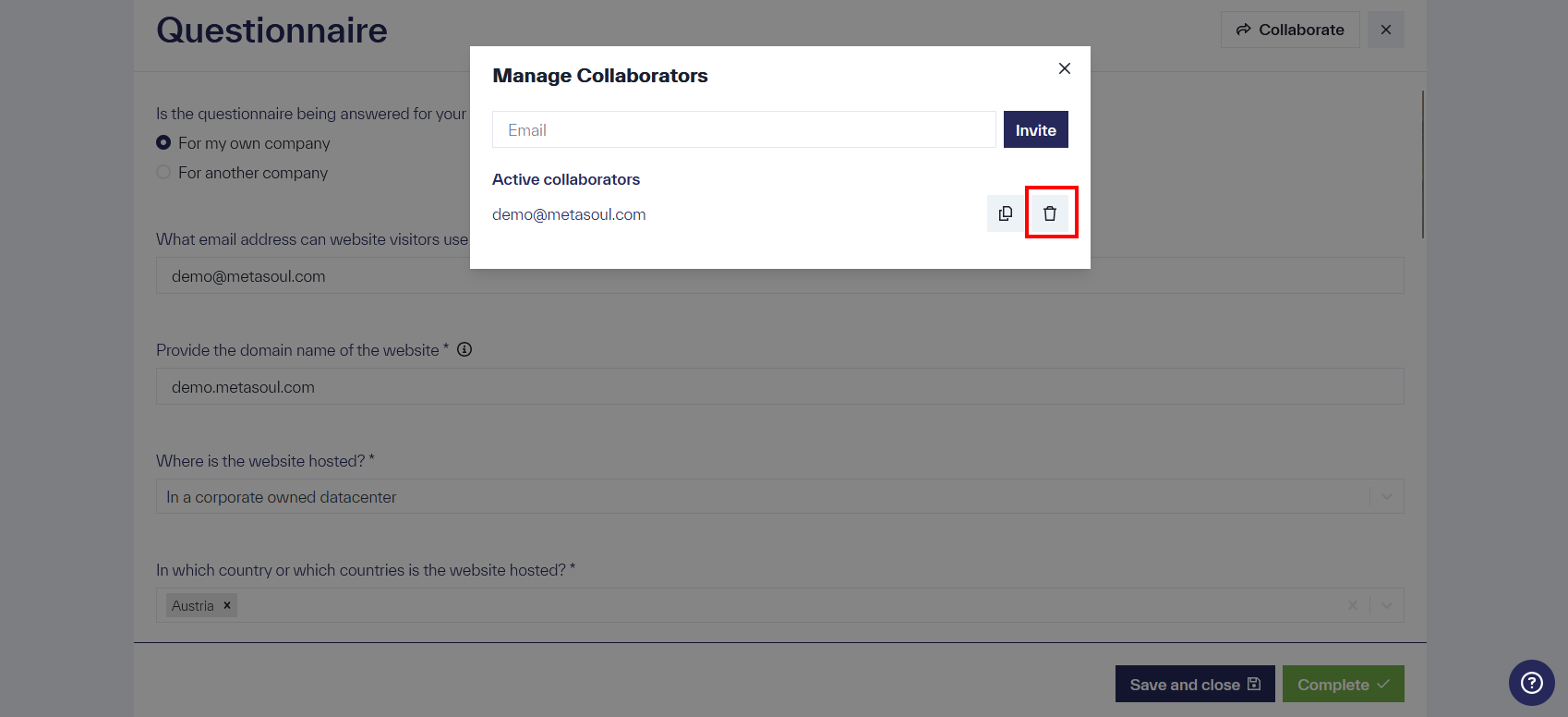
Existing access can be revoked using the “Delete” icon next to a valid invitation.
Metasoul already provides an extensive database containing products, manufacturers, third-party processors, and additional attributes. Nevertheless, it may occur that a required entry is not yet available in Metasoul. In such cases, entries can be added manually to various fields during completion of a questionnaire. These manually added entries are reviewed regularly, incorporated into the database, and supplemented with additional data protection–relevant attributes.
The addition of entries is possible in selected dropdown fields. These can be identified by the presence of an entry labeled “Add [Type of Entry]” at the end of the dropdown selection.
The following screenshot shows an example of a dropdown menu of the type “Website element.”
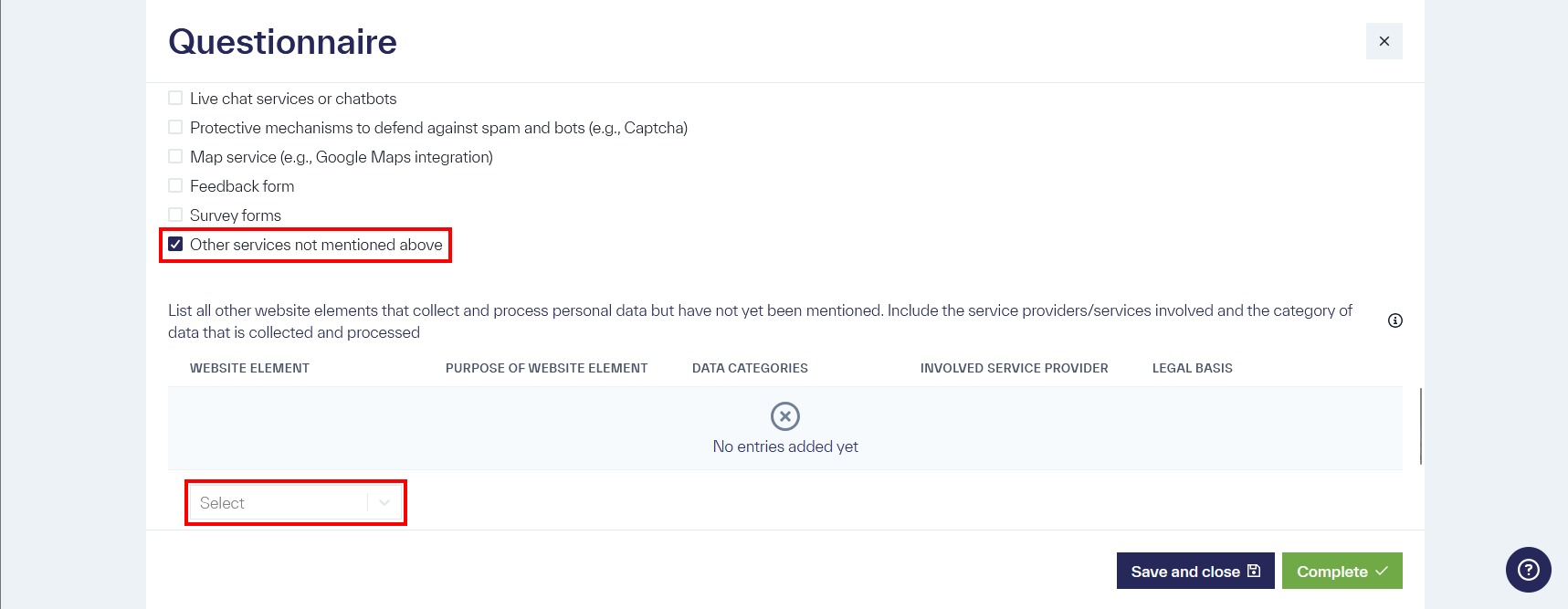
The drop-down menu in the “Selection” input field offers numerous options. If none of these options meet your requirements, you may also add your own.
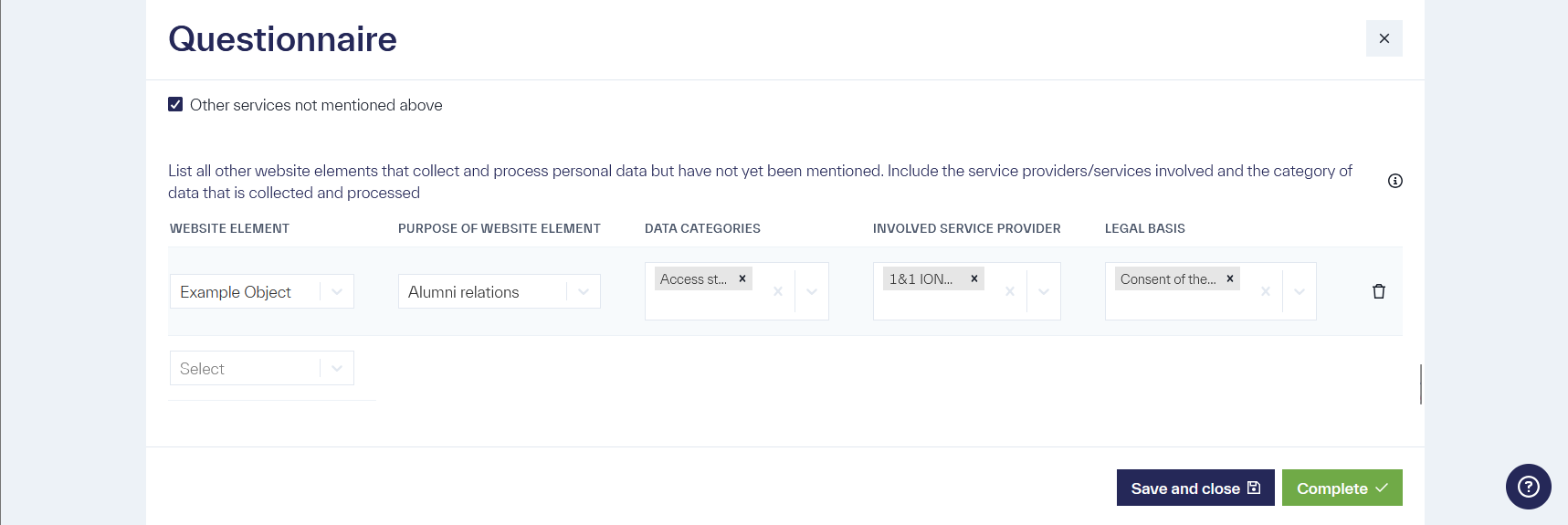
This custom-created website element is referred to as “Example Object” in the following examples.
In a “privacy notice”, it is necessary to explain why “personal data” are processed. This “why” refers to the purposes of processing, or “processing purposes”.
Metasoul already provides a large number of processing purposes for various types of “privacy notice”. Nevertheless, in certain cases it may be necessary to define a custom processing purpose. When defining custom processing purposes, the entry of additional information is usually required, such as the categories of “personal data” processed by the purpose, the involved third-party service providers, or the legal basis.
In the respective questionnaires, individual processing purposes can be defined as follows.
In the questionnaire for websites, custom processing purposes can be defined when, in the question
What other general elements that collect or transmit personal data from website visitors and have not yet been mentioned are in use?
the option
Other services not mentioned above
is selected.
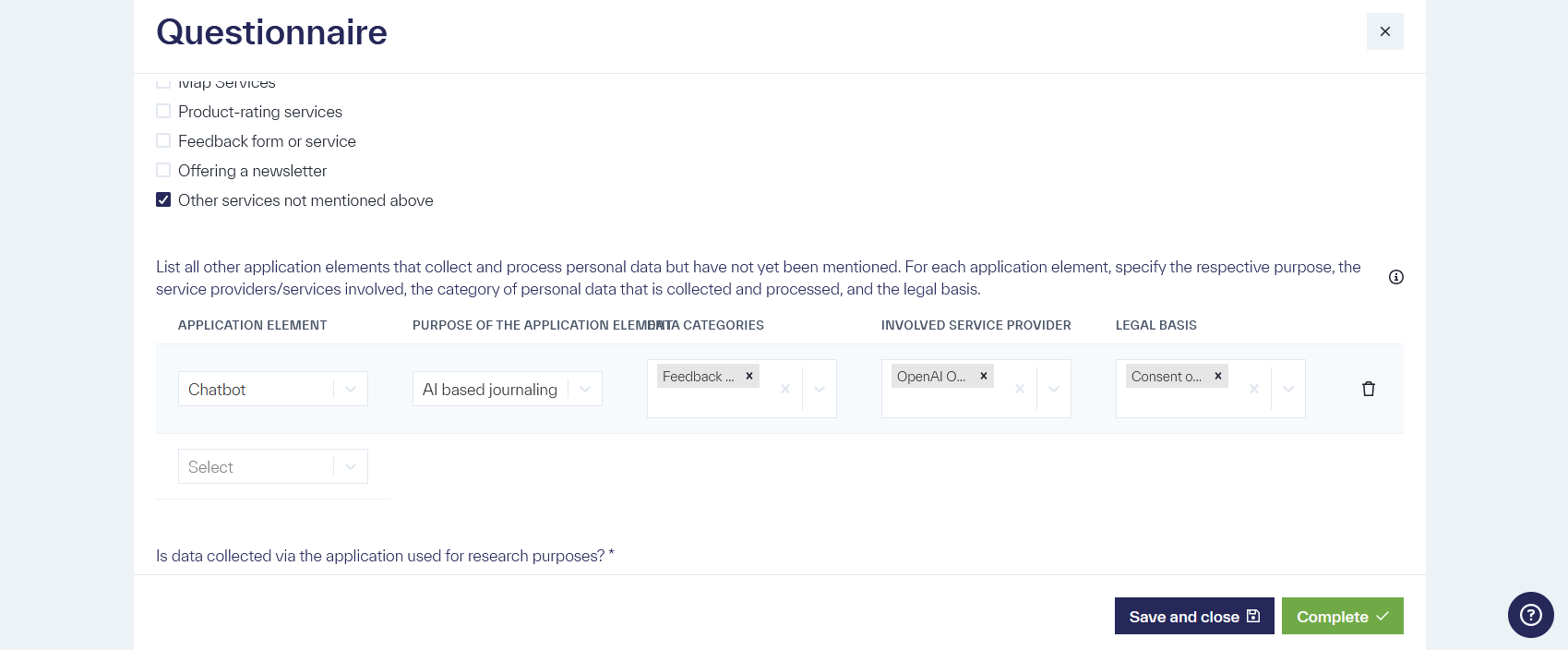
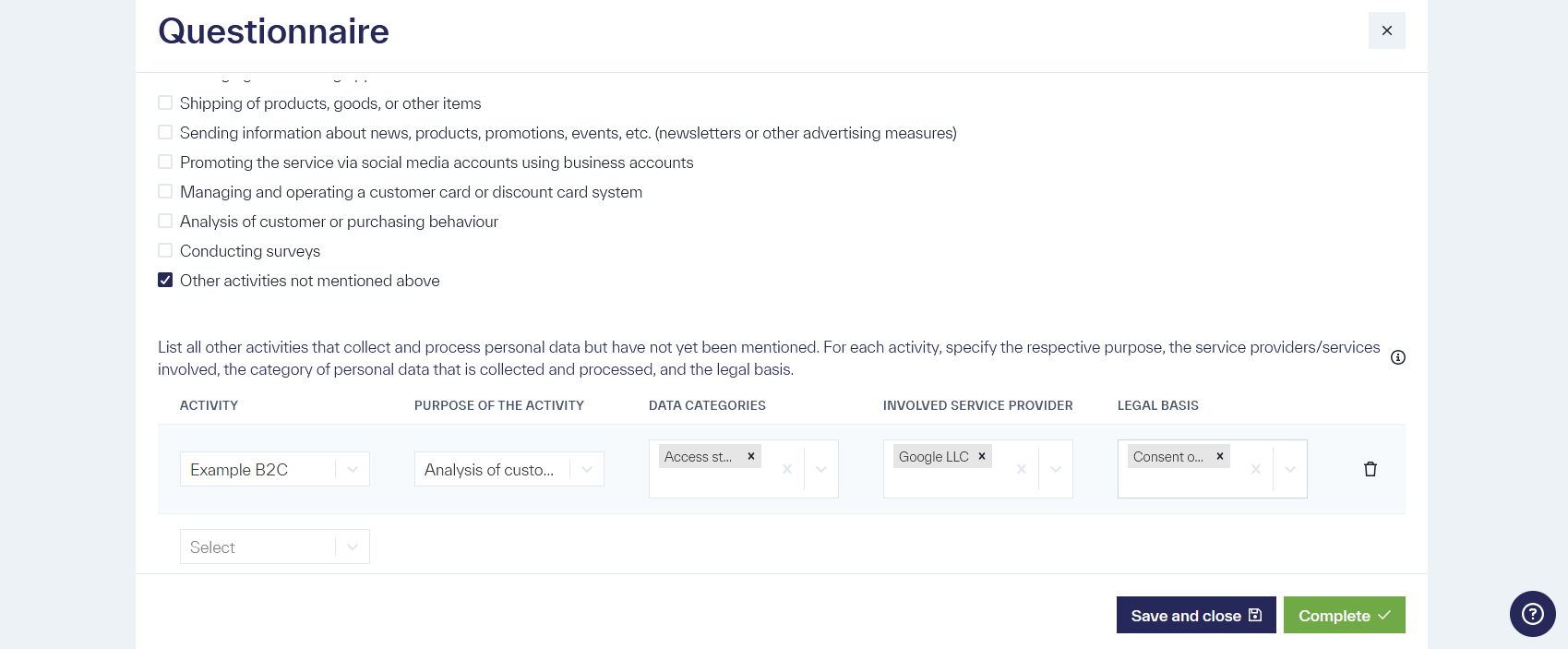
In the questionnaire for general services provided to end customers, custom processing purposes can be defined when, for the question
Which of the following activities are carried out in the course of providing the service?
the option
Other activities not mentioned above
is selected.
Selecting the correct legal basis is not always straightforward but must be determined for each processing purpose and explained transparently to the affected individual in the privacy notice. Metasoul already provides a suitable legal basis for many common processing purposes. In certain cases, such as the custom creation of an individual processing purpose, it must be determined by the user. This is necessary in, among other cases, the following situations:
- Creation of a new website element
- If personal data is shared with other private individuals, companies, or institutions as part of service provision
To identify the appropriate legal basis for a processing purpose, proceed sequentially through the following considerations. If a consideration applies, the correct legal basis for the respective processing purpose has been identified.
Is the processing of personal data for the respective purpose essential for the life of the data subject? This may be necessary, for example, in medical emergencies or disaster relief. If so, the legal basis is “protection of vital interests.”
Is there an assigned task that serves the public interest? Examples include statistical surveys for the statistics office, fulfillment of educational tasks (e.g., schools), or the organization of elections or referenda. If so, the legal basis is “public interest or exercise of official authority by the controller.”
Is there a legal obligation to process personal data? Examples may include tax-related obligations, such as payroll processing or submission of tax returns. If a legal obligation requires the processing of personal data, the legal basis is “fulfillment of a legal obligation.”
Is there a contractual obligation to process personal data, or is processing necessary to facilitate the conclusion of a contract? A contractual obligation may include, for example, the delivery of a purchased product (purchase contract) or the provision of a subscribed service. An employment contract also entails certain obligations to process employee data. Note: the contract as a legal basis applies only if the contracting party is a natural person. Pre-contractual obligations arise, for example, when an offer is requested or information about contract details is being clarified. Here, the pre-contractual obligation applies only if the initiative comes from the data subject. If the processing of personal data serves to fulfill a contract or is necessary for initiating a contract, the correct legal basis is “(pre-)contractual obligations.”
The “legitimate interest” provides the possibility to establish a legal basis independently. The core principle of this legal basis is:
-
if the interests of the data subject align closely with the interests of the controller, meaning both parties seek the same outcome,
-
or if a fundamental expectation can be assumed,
then the processing of personal data may be justified on the basis of legitimate interest.
Examples include:
-
A user visiting a website can assume that personal data required to provide the website will be processed.
-
When ordering a pizza, the pizza provider has a legitimate interest in processing data to deliver the pizza. The provider may also have a legitimate interest in sending advertising to retain the customer.
It is important to note that, alongside balancing interests, the protection of fundamental rights and freedoms plays a key role.
The following procedure is recommended to determine whether legitimate interest is an appropriate legal basis:
-
Identify the legitimate interest: Determine whether a legitimate interest of the controller or a third party justifies the processing of personal data. Common cases arise when the data subject is a customer, or internal administrative tasks or network and information security are involved.
-
Assess the necessity of data processing: Examine whether the processing of personal data is necessary to uphold the legitimate interest. If there are alternative means to achieve the goal, processing is not permitted.
-
Balance the interests of the data subject: Consider the data subject’s potential interest in the processing and whether processing may affect the fundamental or freedom rights of the data subject. Evaluate whether the data subject would reasonably expect the processing or if it is in their interest. Ensure that the “minimization principle” is applied: only the minimum necessary data should be processed and stored for the minimum necessary duration.
If all three steps can be positively justified with clear reasoning, “legitimate interest” may be selected as the legal basis.
If none of the previously mentioned legal bases apply, the final option is the consent of the data subject for the planned data processing. Several factors must be considered:
-
Voluntariness of consent: Consent is considered voluntary only if the data subject has the ability to refuse.
-
Adequate information: It must be explicitly clear to the data subject for what purpose the data will be processed and that consent can be revoked at any time.
-
Possibility of revocation: Consent should be revocable easily at a later time.
-
Proof of consent: It must be possible to demonstrate that the data subject has given consent.
-
Processing after consent: It must be ensured that processing occurs only after consent has been given.
Typical cases for consent include cookie banners or the use of event photos on a website.
If consent can be obtained as described, the legal basis “consent of the data subject” may be applied.
The legal basis of consent is usually more complex in practice than it appears. Therefore, it should only be used if no other legal basis applies.
If no legal basis can be determined, processing of personal data should be avoided. Due to the complexity of legal bases, seeking professional assistance may be advisable in cases of uncertainty.
How to determine which personal data and which third-party service providers are involved in the direct provision of a service?
Some questionnaires ask for the categories of personal data collected in the course of direct service provision, as well as third-party service providers or services involved in this direct service provision.
It is important that the direct service provision—the core service for which the customer pays—represents a distinct processing purpose. Only personal data and involved services/providers that are directly related to this purpose need to be listed.
Example: A body mass index (BMI) calculation app requires “height” and “weight,” which correspond to the category “health data” in relation to the BMI. Other data, such as login data, tracking data, and similar, are not required for the direct provision of the service and do not need to be reported. If a third-party service is used for the BMI calculation, it must be indicated. Other service providers, such as login providers, tracking tools, or newsletter services, are not part of the core service and do not need to be included.
Conclusion: When specifying categories of personal data and third-party products or service providers for the direct service in a questionnaire, focus on the core service or value for which the customer pays. All categories of personal data and third-party products or service providers directly related to this core service must be listed. All supporting purposes and functions (e.g., marketing, tracking, user management) that are only indirectly related to the service do not need to be included and should already be addressed in other questions in the questionnaire.